
Restaurant Reservation App Script
Go live faster, cut setup costs, and lead the digital dining race
Stop losing reservations to phone tag and paper logs. Our restaurant reservation app script puts QR-based ordering, table management, POS, and kitchen coordination into one ready-to-deploy platform. White-labeled to your brand, live within 10 days, and backed by 60 days of free support so you’re never left figuring things out alone.
What you get at a glance:
10 Days
Go-live timeline
60 Days
Free post-launch support
100%
Source code ownership
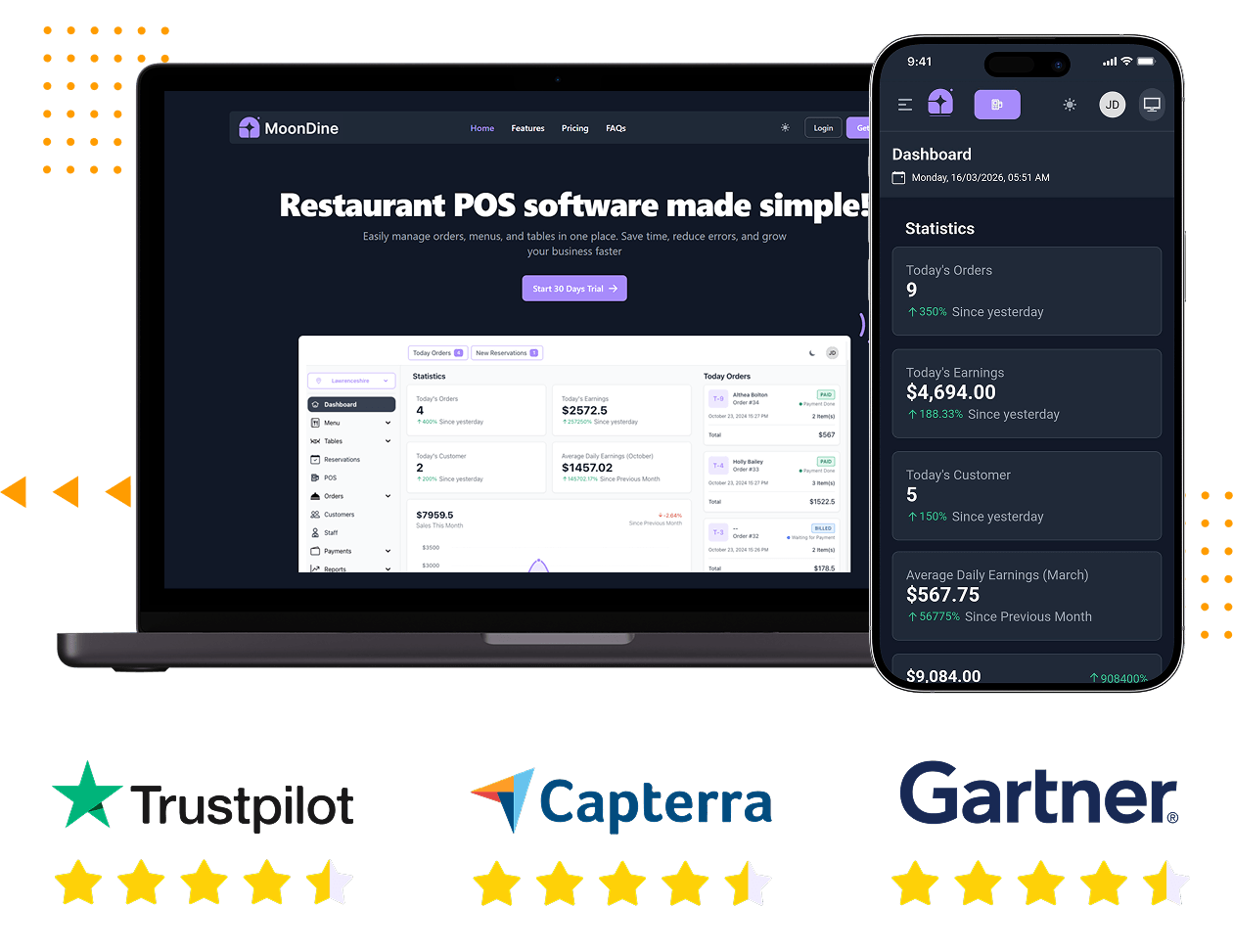





Running a Restaurant Shouldn’t Require Five Different Tools
Most restaurants today juggle a separate reservation app, a standalone POS, printed menus, WhatsApp for orders, and spreadsheets for reports. The result: missed bookings, kitchen miscommunication, slow billing, and zero visibility into what’s actually happening.
Our restaurant reservation app script replaces all of it. One platform, every operation – from the moment a guest scans the QR code on their table to the moment the admin pulls end-of-month sales reports.
Guaranteed 10-Day Launch
One Build, All Platform - Web, iOS & Android
2 Months of Free Support
100% Customizable Source Code
Restaurant Reservation App Script
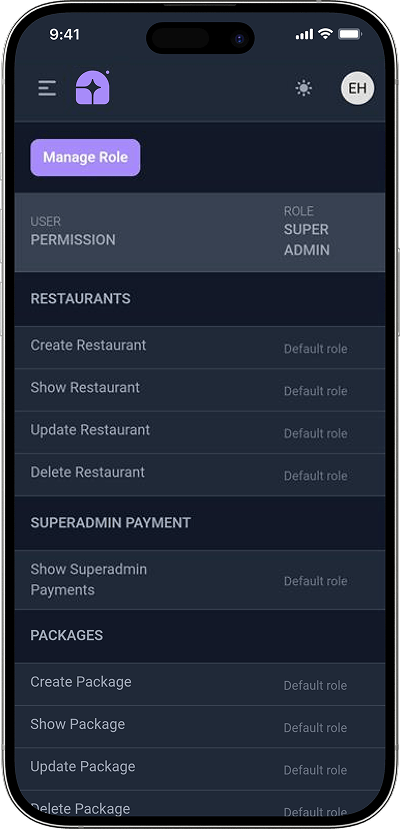
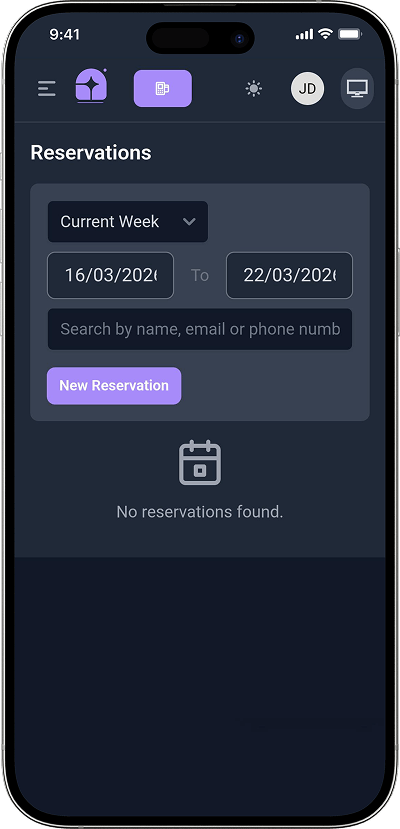
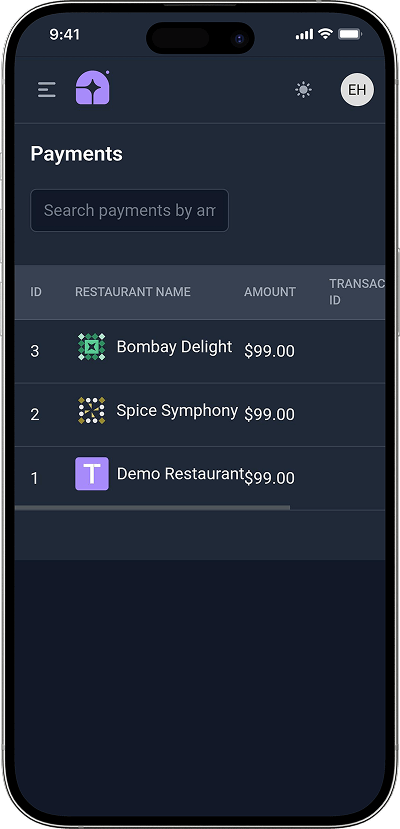
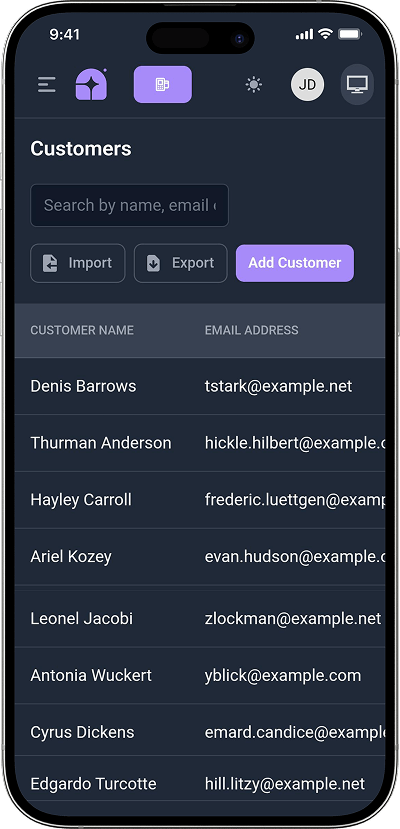
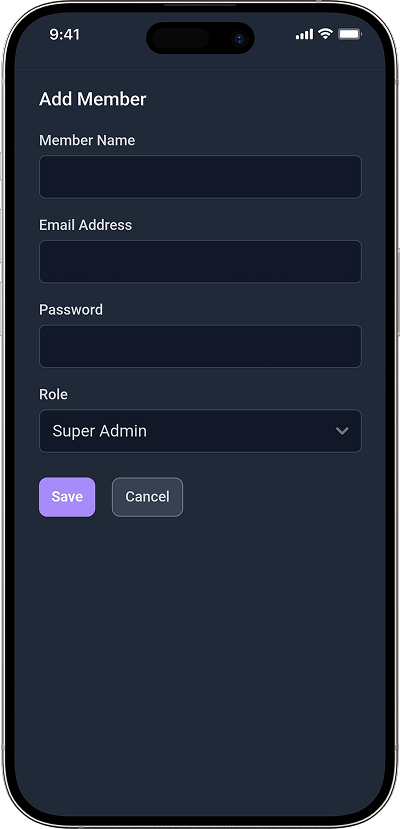
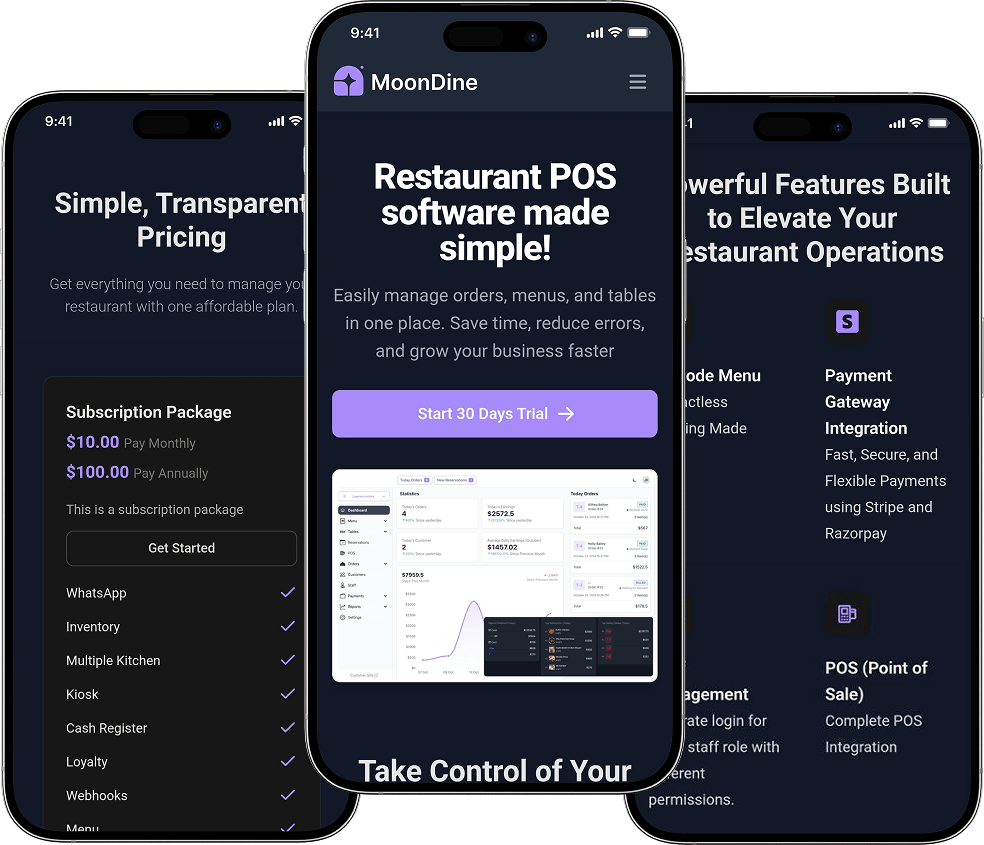
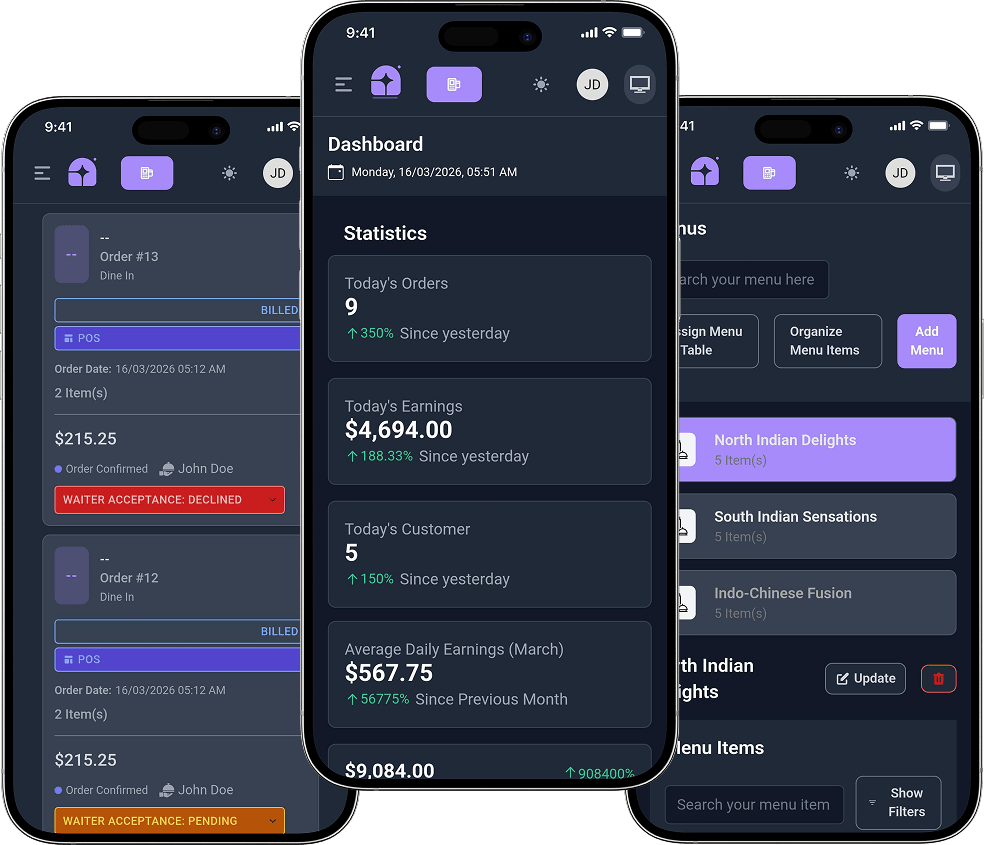
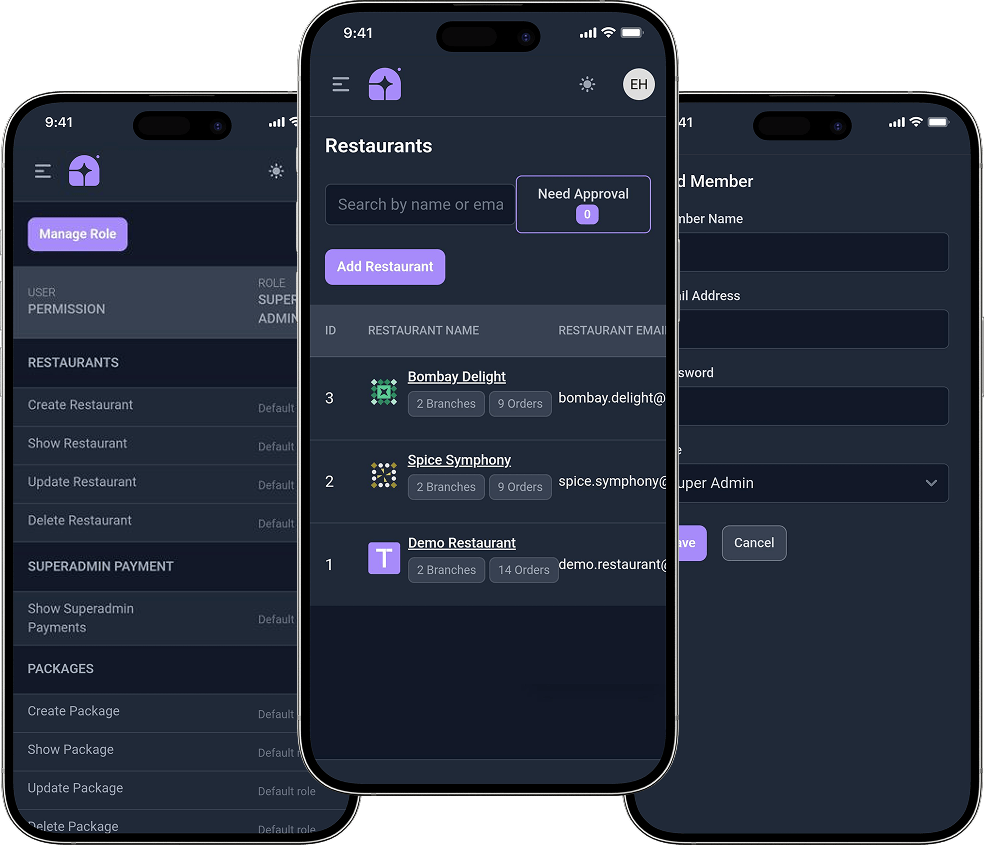
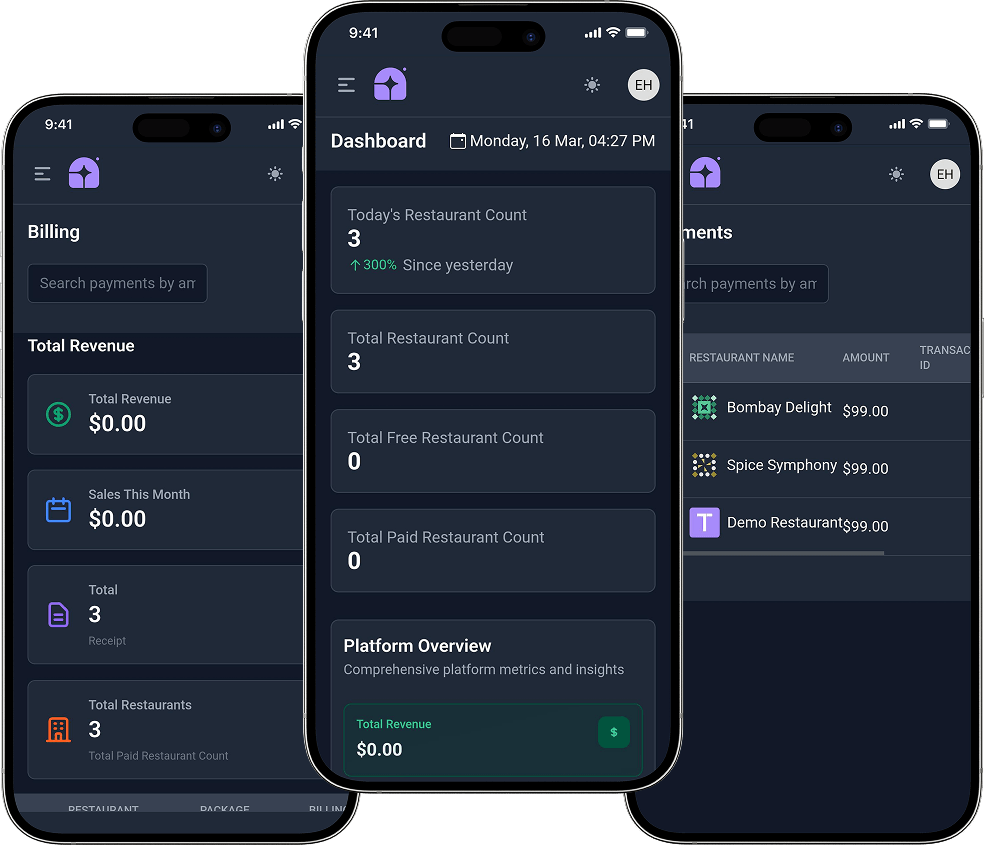
Snaps Of Our Restaurant Reservation App Script
Discover a world of possibilities through our app screen gallery! Explore the sleek design and seamless functionality of our Restaurant Reservation App.








View Demo
Explore the Live Product Demo of Our Restaurant Reservation App to See How it Actually Works
Every Feature Your Restaurant Needs, Built Into One Script
Here’s how the platform covers every part of the dining experience:
The Guest Experience
From scan to payment – frictionless dining on every device
-
QR Code Menu Scanning
Each table has a unique QR code. Guests scan it, the digital menu opens instantly in their browser - no app download, no waiting for a waiter. -
Contactless Ordering
Guests browse categories, customise items, add notes, and place orders directly from their own smartphone. Orders hit the kitchen in real time. -
Table-Side Secure Payment
Integrated with Stripe, Razorpay, PayPal, PayFast, Flutterwave, and Paystack. Guests pay and get a digital receipt without flagging down staff. -
Live Order Status Updates
Customers see real-time preparation status on their device - received, in-progress, ready. Reduces 'is my food coming?' interruptions completely.
-
Advance Table Reservations
Guests can book a table online with their preferred date, time, and party size. Instant confirmation sent, double-booking prevented automatically. -
Customer Display Screen
A restaurant-facing screen shows live order status and item details to guests at the counter - adds transparency, reduces complaints. -
Promo Codes & Discounts
Apply time-bound offers, happy hour pricing, or coupon codes at checkout to drive footfall and repeat visits. -
PWA Support
Progressive Web App technology delivers a near-native app experience through the browser on any device - iOS, Android, or desktop.
- Basic
-
-
QR Code Menu Scanning
Each table has a unique QR code. Guests scan it, the digital menu opens instantly in their browser - no app download, no waiting for a waiter. -
Contactless Ordering
Guests browse categories, customise items, add notes, and place orders directly from their own smartphone. Orders hit the kitchen in real time. -
Table-Side Secure Payment
Integrated with Stripe, Razorpay, PayPal, PayFast, Flutterwave, and Paystack. Guests pay and get a digital receipt without flagging down staff. -
Live Order Status Updates
Customers see real-time preparation status on their device - received, in-progress, ready. Reduces 'is my food coming?' interruptions completely.
-
- Advanced
-
-
Advance Table Reservations
Guests can book a table online with their preferred date, time, and party size. Instant confirmation sent, double-booking prevented automatically. -
Customer Display Screen
A restaurant-facing screen shows live order status and item details to guests at the counter - adds transparency, reduces complaints. -
Promo Codes & Discounts
Apply time-bound offers, happy hour pricing, or coupon codes at checkout to drive footfall and repeat visits. -
PWA Support
Progressive Web App technology delivers a near-native app experience through the browser on any device - iOS, Android, or desktop.
-
Restaurant Operations
The engine room – POS, kitchen, delivery, and multi-branch, all in one
-
Point of Sale (POS)
Full-featured POS for dine-in, takeaway, and delivery orders. Select items, apply modifiers, generate KOTs, and process payments from one screen. -
Kitchen Order Tickets (KOT)
Orders flow directly to the kitchen display with item details and preparation status. Kitchen staff update tickets in real time - no paper, no shouting. -
Menu Management
Add, update, or remove items with images, descriptions, prices, and categories. Changes go live instantly across all branches and the guest ordering page. -
Table & Zone Management
Create tables, assign QR codes, organise by indoor/outdoor/floor zones, and monitor availability and turnover from the admin dashboard.
-
Reservation Management
Full booking calendar with availability control, guest details, special requests, and automated confirmation notifications. -
Order Management
Track every order from placement to completion - dine-in, delivery, and pickup - with full history, filters, and status controls. -
Bill & Receipt Printing
Thermal printer integration for instant KOT and customer bill printing. Configure multiple printers for the kitchen and counter without interruption. -
Delivery Executive Management
Onboard and manage delivery riders, assign orders, track dispatch status, and monitor performance from the same dashboard.
-
Real-Time KOT & Order Updates
Live sync between POS, kitchen display, and guest-facing status - every change reflects instantly across all screens. -
Multi-Branch Management
Run multiple restaurant locations from one login. Each branch has its own menu, staff, and reports, while the super admin sees everything centrally. -
Area / Zone Seating
Divide the restaurant into sections (terrace, bar, main hall) and manage occupancy per zone for smarter space utilization. -
Expenses Management
Log and categorise all restaurant expenditure - ingredients, staff costs, utilities - for accurate P&L visibility.
- Basic
-
-
Point of Sale (POS)
Full-featured POS for dine-in, takeaway, and delivery orders. Select items, apply modifiers, generate KOTs, and process payments from one screen. -
Kitchen Order Tickets (KOT)
Orders flow directly to the kitchen display with item details and preparation status. Kitchen staff update tickets in real time - no paper, no shouting. -
Menu Management
Add, update, or remove items with images, descriptions, prices, and categories. Changes go live instantly across all branches and the guest ordering page. -
Table & Zone Management
Create tables, assign QR codes, organise by indoor/outdoor/floor zones, and monitor availability and turnover from the admin dashboard.
-
- Advanced
-
-
Reservation Management
Full booking calendar with availability control, guest details, special requests, and automated confirmation notifications. -
Order Management
Track every order from placement to completion - dine-in, delivery, and pickup - with full history, filters, and status controls. -
Bill & Receipt Printing
Thermal printer integration for instant KOT and customer bill printing. Configure multiple printers for the kitchen and counter without interruption. -
Delivery Executive Management
Onboard and manage delivery riders, assign orders, track dispatch status, and monitor performance from the same dashboard.
-
- Advanced
-
-
Real-Time KOT & Order Updates
Live sync between POS, kitchen display, and guest-facing status - every change reflects instantly across all screens. -
Multi-Branch Management
Run multiple restaurant locations from one login. Each branch has its own menu, staff, and reports, while the super admin sees everything centrally. -
Area / Zone Seating
Divide the restaurant into sections (terrace, bar, main hall) and manage occupancy per zone for smarter space utilization. -
Expenses Management
Log and categorise all restaurant expenditure - ingredients, staff costs, utilities - for accurate P&L visibility.
-
Staff Control & Access Management
Role-based access, multilingual support, and customer data – all centrally managed
-
Staff Accounts with Permissions
Add waiter, cashier, kitchen, and manager accounts. Assign role-specific access so each team member only sees what they need. -
Multi-Language Support
The entire platform - admin panel and guest ordering page - supports multiple languages for diverse teams and international markets. -
Email & Notification Settings
Configure automated alerts for new orders, reservations, payment completions, and zero-stock warnings. Full control over what triggers a notification. -
Customer Database
Every guest who orders builds a profile - order history, preferences, contact info - giving you data to drive loyalty campaigns and personalised offers.
Reporting & Financial Visibility
Real numbers, real decisions – sales, payments, and table turnover at your fingertips
-
Sales Reports
Daily, weekly, and monthly breakdowns by category, branch, or staff member. Understand what sells and what doesn't - backed by real numbers. -
Payment Tracking
Monitor all transactions in real time - cash, card, online - including pending and partial payments, by shift or date range. -
Table Turnover Analytics
Track average occupancy time per table and zone to spot inefficiencies and optimise peak-hour seating. -
Customisable Restaurant Landing Page
Each restaurant gets a branded public page - logo, colors, menu display - personalised for a seamless guest-facing brand experience.
Power Up Your Platform With Add-Ons
- Loyalty & Rewards Program
Reward repeat diners with points redeemable against future orders. Increases visit frequency and average spend.
- Scheduled Pre-Ordering
Let guests order ahead for a specific time slot – reduces kitchen rush, improves preparation planning.
- Bill Splitting
Allow group tables to split bills digitally, removing end-of-meal friction and speeding turnover.
- Delivery Driver Mobile App
Dedicated app for delivery staff with order acceptance, GPS navigation, status updates, and earnings view.
- Return & Refund Handling
Process cancellations and refunds with a complete audit trail – builds guest trust and supports compliance.
- In-App Wallet
Store prepaid balance or cashback within customer accounts for faster, frictionless checkout.
- Offline POS Mode
Keep the POS running during internet outages. Orders sync automatically when connectivity returns.
- Inventory Alerts
Real-time low-stock notifications prevent popular menu items from being 86’d mid-service.
- Category & Modifier Builder
Create complex menu structures with sub-categories, size options, extras, and dietary tags.
- Internal Staff Chat
Front-of-house and kitchen communicate in-platform without switching to external messaging apps.
AI-Powered Add-Ons
AI Menu Personalisation
Dynamic Pricing Engine
Predictive Inventory Forecasting
Smart Delivery Route Optimisation
Customer Sentiment Analysis
AI Chat Support
The Guest Journey, End to End
Here’s exactly what happens from the moment a guest walks in to the moment the order hits the kitchen and payment is collected:

Guest Scans the Table QR Code

Browses, Customises & Orders

Kitchen Receives the KOT instantly
POS Handles Adjustments & Add-Ons
Guest Pays Securely at the Table
Admin Reviews & Reports
The Numbers Behind the Opportunity
The global restaurant management software market is projected to exceed $14.5 billion by 2030, growing at over 15% annually. QR ordering alone has been adopted by over 60% of full-service restaurants in developed markets since 2021 – and adoption in South and Southeast Asia is accelerating sharply.
The window to establish a digital dining brand in your market is open right now. Every month without a reservation and ordering system results in revenue being handed to competitors who have one.
$14.5B+
Market size by 2030
15%+
Annual market growth
60%
Restaurants using digital ordering
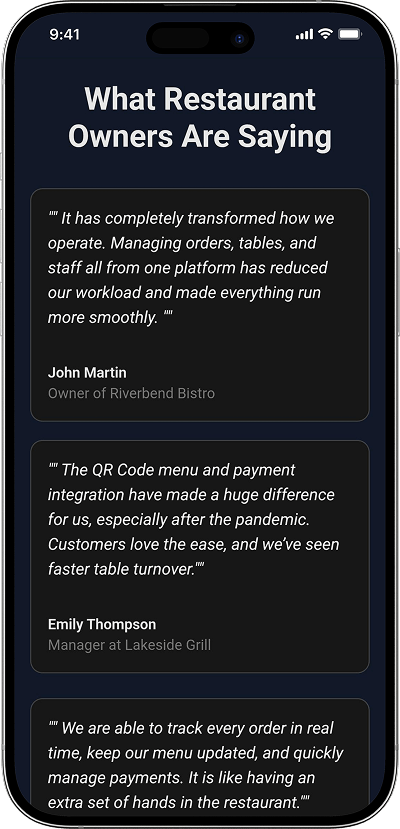
People Love Us! Let’s Hear What they Say



What Restaurant Owners Say After Going Live


From Purchase to Live Platform in 10 Days
Here’s exactly how we take you from zero to a fully operational restaurant platform:

What Makes Oyelabs Different From Any Other Script Vendor
- Full Source Code Ownership – Every line of code is yours. Customise, extend, and scale without asking permission or paying per-feature fees.
- Enterprise Security – Payment data, guest information, and operational records are protected by encryption, secure gateways, and role-based access controls.
- Radical Transparency – Every milestone, timeline, and technical decision is shared openly. No black-box development – you always know where your project stands.
- Strict Confidentiality – Your business model, branding, and source code stay fully confidential under NDA. Your intellectual property is yours – period.
- On-Time Delivery – Structured milestone tracking and a dedicated project manager ensure your 10-day timeline is a commitment, not an estimate.
- Client-First Development – Feature decisions, integration choices, and design priorities are shaped by your restaurant goals – not by our convenience.
Unleash Your Business’s True Potential, With Our Restaurant Reservation App – Starting at $2199 $1999
Life at Oyelabs
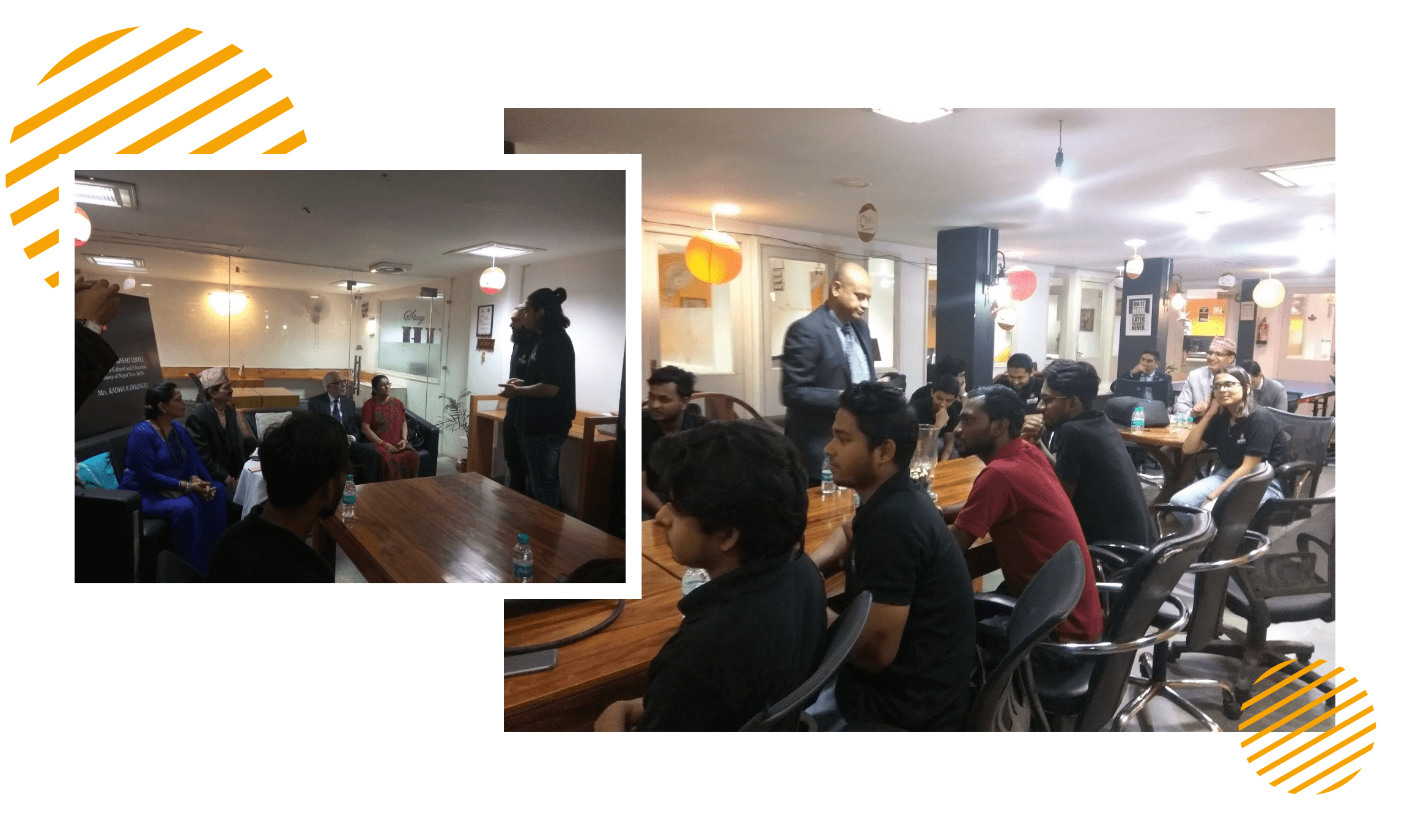
At Oyelabs, we focus on creating innovative and impactful solutions. Our team is diverse, passionate, and driven by a shared commitment to excellence. We work collaboratively, supporting each other to achieve our goals and grow both personally and professionally. Our culture encourages creativity and learning, making Oyelabs a place where ideas thrive. We believe in maintaining a healthy work-life balance, ensuring everyone feels valued and motivated.
- Healthy Work-Life Balance
- Encourage Creativity and Learning
- Commitment to Excellence
- Career Growth Opportunities
- Continuous Learning and Development
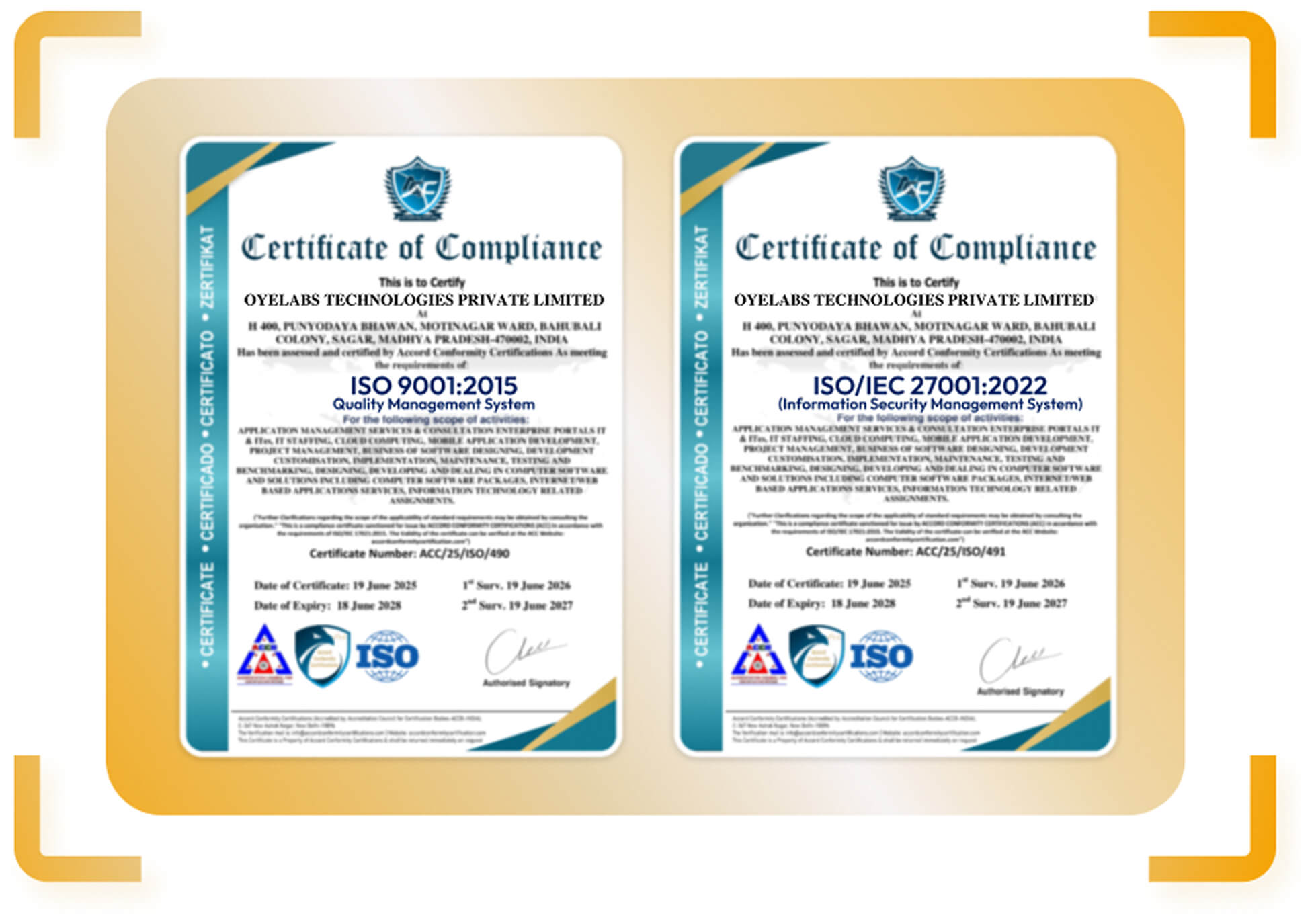
ISO Certified – OyeLabs
OyeLabs is an ISO Certified company driven by a commitment to quality, performance, and security. Our development processes align with international standards to deliver dependable and future-ready digital solutions.
Making a Difference Beyond Business.
As a people-centric organization, our success is intervened with the well being and growth of the Individuals we collaborate with. We thrive when our partners associates flourishes.