Food Delivery App Development Company
Custom Food Delivery Apps for Restaurants, Cloud Kitchens and Delivery Marketplaces
Oyelabs builds food delivery platforms you own and brand: a customer app, a delivery partner app, a restaurant panel, and an admin dashboard, all running on one backend. Every build starts from your business model, whether that is a multi-restaurant marketplace, your own restaurant brand, or a network of cloud kitchens.
Here’s What You Get:
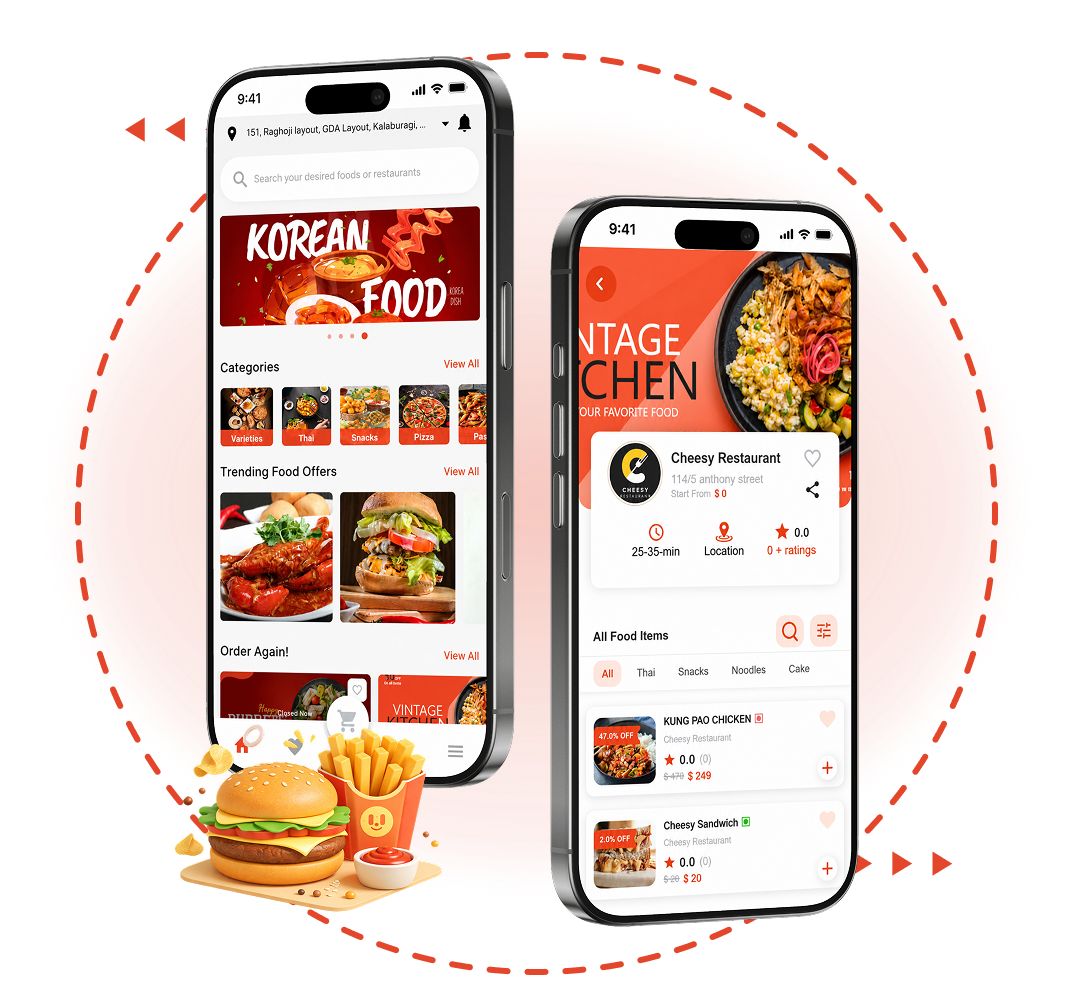


What Does Our Food Delivery App Solution Include?
A food delivery business runs on four connected products. Each one serves a different person, and all four share the same order data, so a customer, a restaurant, a rider, and your operations team always see the same status for every order.

Customer App
Where customers discover nearby restaurants, build an order, pay, and follow the rider to their door.
- Restaurant discovery and menus
- Secure checkout and wallets
- Live order tracking
- Ratings, favorites and reorder

Delivery Partner App
The rider’s working tool for going online, accepting deliveries, navigating, and tracking earnings.
- Online and offline availability
- Turn-by-turn navigation
- Delivery history
- Earnings dashboard

Restaurant Management Panel
Where each restaurant or branch manages its menu, accepts orders, and updates preparation status.
- Menu and item availability
- Order acceptance and status
- Open, busy and closed modes
- Sales overview

Admin Dashboard
The control room for your platform: restaurants, riders, delivery zones, payments, and reports.
- Restaurants, roles and categories
- Geo-fenced delivery zones and fees
- Order oversight across the platform
- Reports by restaurant, area and rider
- UI/UX design
- Quality assurance testing
- App Store and Google Play launch
- Server deployment
- Post-launch support
Explore Our Food Delivery App Demo and Screens
These are real screens from our food delivery app development work. Pick a role to see how it looks from that side of the order, then ask for a live walkthrough of the full flow.
Customer App Screens
The ordering journey from the home screen to a placed order, designed to keep checkout short and repeat orders easy.
- Home with categories and offers
- Restaurant menu
- Order details and status
- Order history

Delivery Partner App Screens
What a rider sees once online: active orders, customer location, directions, and a running record of earnings.
- Rider dashboard
- Active order and directions
- Swipe to confirm delivery
- Wallet and withdrawals


Restaurant Panel Screens
How a restaurant or branch runs its side of the platform: menu control, incoming orders, and open or closed status.
- Menu and item editing
- Incoming orders by status
- Temporarily closed toggle
- Partner sign-up form


Admin Dashboard Screens
The admin dashboard is shown in the live demo, because it is where we walk through your own zones, fees, and commission rules.
- Restaurant and rider approvals
- Delivery zones and fees
- Order monitoring
- Reports and settings
- Restaurant listings and roles
- Rider approvals and allocation
- Geo-fenced delivery zones and fees
- Platform-wide order monitoring
- Reports by restaurant, area and rider
- VAT, radius and ranking settings
Tell us how your orders flow today, and we will show you how the platform would handle it, from menu setup to rider payouts.
How Does an On-Demand Food Delivery App Work?
Every order passes through four hands in a set sequence. On-demand food delivery app development is mostly about making these handovers fast and reliable, because a meal has to arrive while it is still hot.
Customer Ordering Process
- Finds nearby restaurants and browses the menu
- Builds the order and pays in the app
- Follows status updates and the rider on a map
Restaurant Order Management
- Receives the order instantly in the restaurant panel
- Accepts it and updates preparation status
- Marks it ready for pickup
Delivery Partner Workflow
- Gets the delivery request while online
- Navigates to the restaurant, then the customer
- Confirms the handover and logs the earning
Admin Platform Management
- Monitors every order across the platform
- Manages restaurants, riders and delivery zones
- Reviews reports and settles issues
Core Features of a Complete Food Delivery App
These are the features the platform needs to operate on day one, grouped by the person who uses them. Optional capabilities are listed separately further down, so you can see exactly what is standard.
Customer App Features
Guest checkout, email, phone number, or social login.
Location-based discovery with local promotions on the home screen.
Browse by cuisine, dietary preference, or delivery and takeaway.
Cards, in-app wallet, or cash on delivery.
Follow the rider from the restaurant to the door.
Updates from order confirmation to delivery.
Save dishes and reorder from history in a few taps.
Feedback on restaurants and riders.
Delivery Partner App Features
Rider profile with payment details for earnings.
Go online or offline around working hours.
GPS location shared for nearby assignments.
Directions to the restaurant, then the customer.
Completed jobs with delivery details.
Daily, weekly, and monthly income with commission breakdowns.
Restaurant Panel Features
Credentials issued by the platform owner.
Orders, revenue, sales, and completed deliveries.
Edit or block items for each branch.
Accepted, ready for pickup, cancelled, or delivered.
Switch status and services in a few taps.
An automatic voice call if a new order is not accepted in time.
Admin Dashboard Features
Listings plus Admin, Sub-admin, and Super Admin access.
Geo-fenced areas, delivery charges, and rider allocation.
Upcoming, active, delivered, and cancelled orders in one view.
Weekly and monthly reports by restaurant, area, rider, branch, or item.
Banners, promotions, and menu categories.
VAT, service radius, ranking rules, and data backup and restore.
Food Delivery App Solutions for Different Business Models
Decide how the business earns and who owns delivery before you list features, because the model decides what the platform must do. These are the five setups we build most often. For a worked example of how a marketplace earns, read our food delivery marketplace business model guide.
| Business model | How it works | Best for | How it earns |
|---|---|---|---|
Multi-Restaurant Food Delivery Marketplace |
How it works
Many restaurants list on one app. You connect them with customers and riders, and run the platform. |
Best for
Startups building a city or niche marketplace |
How it earns
Commission per order, delivery fees, featured listings
|
Restaurant-Owned Food Ordering App |
How it works
A single restaurant takes orders directly in its own branded app, with its own riders or a delivery partner. |
Best for
Independent restaurants that want direct customers |
How it earns
Order revenue without marketplace commission
|
Cloud Kitchen Food Delivery App |
How it works
A delivery-only kitchen sells one or more food brands through one app, with kitchen-side order routing. |
Best for
Delivery-first operators running several virtual brands |
How it earns
Order revenue across brands from shared kitchens
|
Food Delivery App for Restaurant Chains |
How it works
One brand app with branch-level menus, geo-fenced zones, and orders routed to the nearest outlet. |
Best for
Chains and franchises with several outlets |
How it earns
Direct order revenue and owned customer data
|
Hybrid Food Delivery Platform |
How it works
Combines your own outlets with partner restaurants, or delivery with pickup, under one brand and admin. |
Best for
Brands expanding from direct ordering into a marketplace |
How it earns
A mix of order revenue, commissions and fees
|
Share your market and how you plan to deliver, and we will recommend a model and the first release that suits it.
Food Delivery App Development for Different Business Types
The same food delivery app development foundation adapts to very different owners. Here is what each type usually needs first.
Food Delivery Startups
Launch a branded multi-restaurant platform in a city or niche the big apps serve poorly, with your own commission and fee rules.
Single Restaurants
Take direct orders in your own app, keep the customer relationship, and build loyalty without marketplace commissions.

Restaurant Chains
Run many outlets from one brand app, with branch-level menus, delivery zones, and reports by location.

Cloud Kitchens
Sell several delivery-only brands from shared kitchens, with orders routed to the right kitchen and brand.

Food Trucks and Local Food Businesses
Start small with pickup and local delivery, and add zones, riders, and loyalty as order volume grows.
Advanced Features and Integrations for Your Food Delivery App
Some of these are part of every food delivery app development project we take on, and the rest are optional modules scoped in your quotation. Each one is labeled, so you only pay for what your model needs now.
Order Scheduling and Pre-Ordering
Customers order ahead for a chosen time, with slots set around restaurant availability.
Multiple Languages and Currencies
Several languages and currencies enabled from the admin dashboard for multi-market launches.
Real-Time Order Tracking
Live rider location and status updates from pickup to doorstep.
Loyalty and Referral Programs
Points, rewards, and invite credits that bring customers back.
Multiple Payment Gateways
Extra gateways and wallets such as PayPal, Google Pay, Apple Pay, and UPI where it is used.
Promo Codes and Discounts
Checkout codes for first orders, seasons, or specific locations.
Customizable Delivery Zones
Geo-fenced zones with distance-based charges, managed from the admin dashboard.
AI-Powered Features and Automation
An AI support chatbot and AI insights on rider ratings, built to order, not part of the standard build.
Tell us which features matter for launch, and we will separate the must-haves from what can wait for version two.
Food Delivery App Development for Web, iOS and Android
Launch where your customers already order. Most platforms start on mobile and add a web ordering site for desktop and repeat customers.
iOS Food Delivery App Development
iPhone apps for customers, riders, and restaurant staff, built to Apple guidelines and prepared for App Store review.
- Customer, rider and restaurant apps
- Push notifications and live tracking
- App Store submission support
Android Food Delivery App Development
Apps that run reliably across the wide range of Android phones riders and customers use.
- Customer, rider and restaurant apps
- GPS navigation and live location
- Google Play submission support
Web-Based Food Ordering Platform
A responsive ordering website for desktop customers, plus the admin dashboard your team works from.
- Web ordering with the same menus
- Restaurant panel in the browser
- Admin dashboard and reports
Technologies We Use for Food Delivery App Development
We choose the stack per project and explain each choice in your proposal. Typical choices include Flutter for cross-platform mobile apps, Google Maps Platform for location and routing, and payment gateways that follow the PCI DSS security standard.
Mobile App Technologies
Native-quality customer, rider, and restaurant apps for iOS and Android.
- Flutter
- Swift
- Java
Frontend and Backend Technologies
Web ordering, panels, and the backend that runs orders, dispatch, and commissions.
- React
- Angular
- Vue.js
- Node.js
- Express.js
- Django
Database and Cloud Infrastructure
Order, menu, and payment data stored securely and kept in sync across every app.
- PostgreSQL
- MongoDB
- Firebase
- AWS
- Google Cloud
- Microsoft Azure
Payment, Maps and Third-Party Integrations
Payments, live location, navigation, and messaging connected through APIs.
- Stripe
- PayPal
- Razorpay
- Google Maps Platform
Security and Scalability
Role-based admin access, gateway-handled card payments, data backup and restore, and cloud hosting that grows with order volume.
- Role-based access
- PCI DSS gateways
- Backup and restore
- Scalable cloud hosting
Our Food Delivery App Development Process
Every stage ends with something you can review and approve before the next one begins.
- A review point after every stage
- Clickable designs before code
- Working builds, not status reports
- Deployment to your server and store accounts

Consultation and Requirement Analysis
We map your business model, users, and the features you need first.

Research and Product Planning
We study your market and competitors and turn the scope into a roadmap with milestones.

UI/UX Design and Prototyping
Designers build wireframes and clickable prototypes for every app.

App and Backend Development
We build the customer app, rider app, restaurant panel, and admin dashboard on one backend.

Testing and Quality Assurance
We test ordering, payment, dispatch, and delivery flows before release.
Launch and Post-Launch Support
We deploy to your server and app store accounts, then keep the platform updated and secure.
The first call ends with a clear next step: a scoped first release for your market.
Our Food Delivery App Development Portfolio
Two food delivery app development projects we delivered, described as the clients briefed them. Read the full case studies for screens and details.


Kwiki – Full-Stack Food Delivery Platform
A first-time founder with no in-house team needed a full food delivery platform, launched fast and affordably, with Spanish language support for the Mexican market.
We adapted our production-ready food delivery base, localized it in Spanish at the system level, and added zone-based ordering for serviceable areas.
- Marketing landing page
- Web ordering app
- iOS and Android customer apps
- Restaurant partner apps
- Delivery agent app
- Restaurant panel
- Owner dashboard


Foodies – Custom Food Ordering App
A multi-vendor food ordering platform for takeaway and delivery, with branch and delivery management, nearby discovery, trending dishes, and a local payment gateway.
We built an aggregator platform from scratch, with geofencing for restaurants and branches, GPS tracking, promotions, loyalty points, referral bonuses, and coupons.
- Android and iOS customer apps
- Web ordering platform
- Branch and delivery management
- Service owner platform
- Custom local payment gateway
Explore More Oyelabs Case Studies
See marketplaces, delivery apps, and booking platforms we have built for founders in the US, the UK, Mexico, Lebanon, and other markets.
What Clients Say About Working With Oyelabs
Feedback from founders and technology leads who trusted us with their food delivery app development.


Talk to the team behind these platforms about your market, your model, and what the first release should include.
Why Choose Oyelabs for Food Delivery App Development?
What you can expect when you choose us for food delivery app development, stated as specifically as we can.
Average client rating
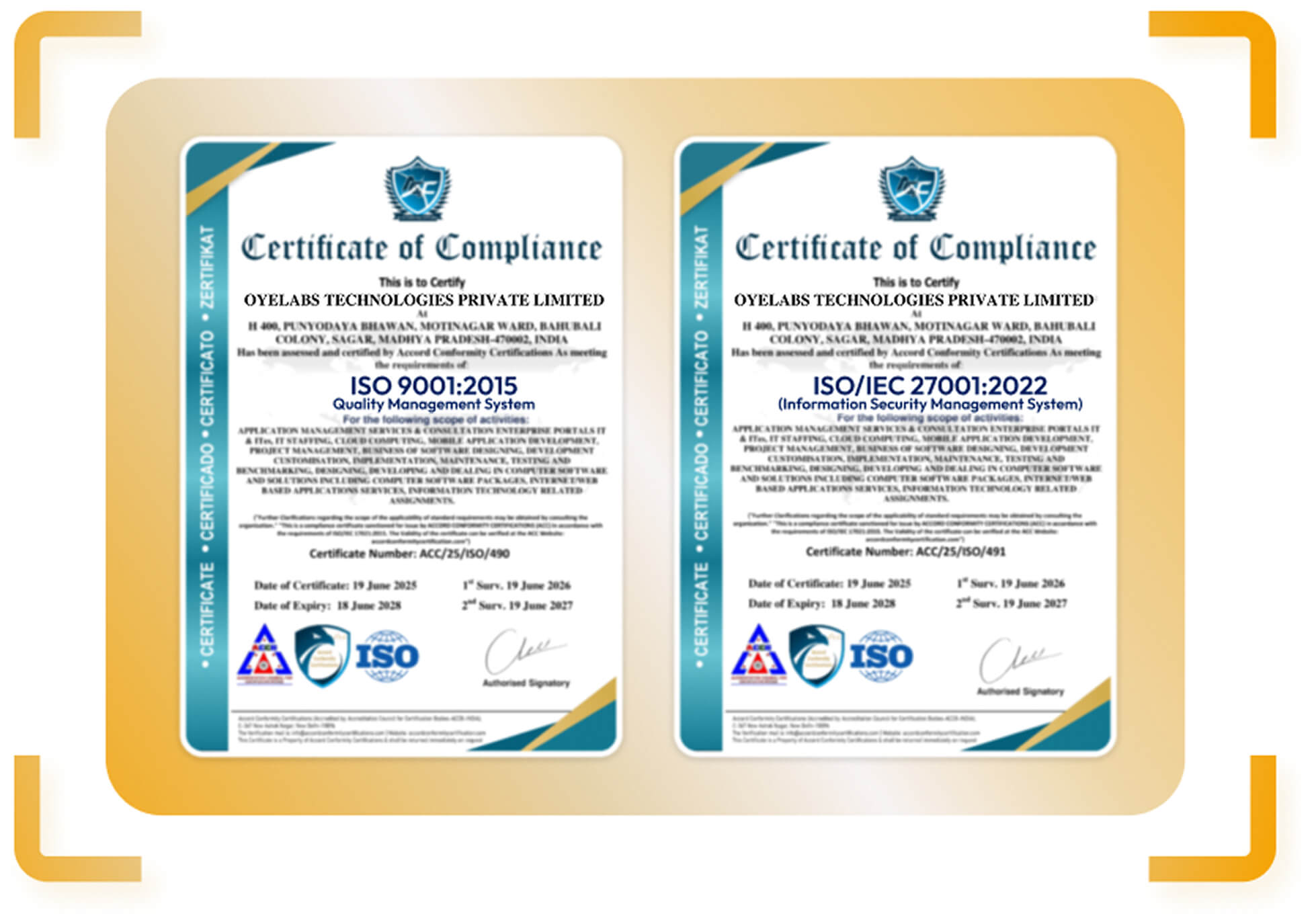
Certified processes
Signed on request
Business-Model-Based Custom Development
We scope around how you earn and who delivers, then build only what that model needs, starting from a proven food delivery base where it saves time.
Experienced Development Team
Our team has delivered food delivery platforms such as Kwiki and Foodies, covering customer, rider, restaurant, and admin apps.
Transparent Project Scoping
You get a written scope and quotation against your actual features, so you can see what drives cost before you commit.
Secure and Scalable Solutions
Role-based admin access, gateway-handled card payments, data backup, and cloud hosting sized for growth.
Dedicated Post-Launch Support
We deploy to your server and store accounts, then provide maintenance for updates, fixes, and security.
Ready to Build Your Food Delivery App?
Tell us about your market, your business model, and the features you need first. There is no obligation, and we are happy to sign an NDA before you share details.
Our product team reads your requirements and prepares questions.
We discuss your model, market, and first release.
You receive a written scope and a tailored quotation.
FAQs About Food Delivery App Development
Straight answers to the questions restaurant owners and founders ask us most before they start.
What is food delivery app development?
Food delivery app development is the process of designing and building a platform that lets customers order food from restaurants through a mobile app or website and receive it from a delivery rider. A complete platform connects four parties: the customer, the restaurant, the rider, and the admin who runs the operation.
What does a food delivery app development company do?
A food delivery app development company plans, designs, builds, and launches the platform: the customer app, the delivery partner app, the restaurant panel, and the admin dashboard. It also handles payment and maps integration, testing, app store submission, deployment, and support after launch.
How does an on-demand food delivery app work?
A customer finds a nearby restaurant, builds an order, and pays in the app. The restaurant receives the order and confirms it. A nearby rider accepts the delivery, collects the food, and the customer follows the rider on a live map until the order arrives.
Which business model is right for my food delivery app?
Choose a multi-restaurant marketplace to connect many restaurants with customers, a restaurant-owned app if you run one restaurant, a chain app if you run several outlets, and a cloud kitchen app if you sell delivery-only brands. A hybrid model combines your own outlets with partner restaurants.
Can I build a food delivery app for my own restaurant?
Yes. A restaurant-owned food ordering app lets you take direct orders under your brand, keep your customer data, and run loyalty offers without paying marketplace commission on every order. Chains get branch-level menus and delivery zones for each outlet.
What features should a food delivery app have?
Core features include easy sign-up, nearby restaurant discovery, interactive menus, secure in-app payments, real-time order tracking, push notifications, and ratings. Riders need availability status, navigation, and earnings tracking. Restaurants need menu and order control, and admins need zones, roles, and reports.
Should I build a custom app or start from a ready-made script?
A ready-made food delivery script gets you to a working product sooner and is then customized to your brand. A fully custom build suits unusual workflows or a model the script does not cover. We recommend the starting point after we understand your model.
How much does food delivery app development cost?
The cost depends on scope: the business model, the number of apps, the platforms you need, custom features, integrations, and add-ons such as AI. We scope each project individually and share a written quotation, so you can see what is included before you commit.
How long does it take to build a food delivery app?
The timeline depends on scope. A focused first release on a proven base moves faster than a custom multi-restaurant marketplace with integrations and add-ons. We confirm a stage-by-stage schedule in your quotation.
Can the app run on iOS, Android, and the web?
Yes. We build customer, rider, and restaurant apps for iOS and Android, plus a web ordering site, a browser-based restaurant panel, and the admin dashboard.
How are payments handled in a food delivery app?
Customers pay with cards, an in-app wallet, or cash on delivery, and gateways such as PayPal, Google Pay, Apple Pay, and UPI can be added. Card payments run through gateways that follow the PCI DSS security standard, so card data is not stored on your servers.
How do food delivery apps make money?
Most platforms earn a commission on each order and a delivery fee from customers. Other revenue sources include featured restaurant listings, subscriptions, and promotional placements. Restaurant-owned apps keep the full order value instead of paying commission.
Can AI features be added to a food delivery app?
Yes, as custom add-ons. Examples include an AI chatbot that answers common customer questions and AI analysis of rider ratings that flags repeat issues. They are scoped separately and are not part of the standard build.
Can I add grocery delivery later?
Yes. Many operators start with restaurants and extend to groceries as they grow. If you want to plan for both from the start, see our grocery delivery app development page.
Do you provide support after the app launches?
Yes. We deploy the platform to your server and app store accounts and provide ongoing maintenance, so the app stays secure, updated, and working as you grow.
Will you sign an NDA to protect my idea?
Yes. We are happy to sign a non-disclosure agreement before you share your idea and project details.
Explore Our Related App Development Solutions
Prefer to start from a ready-made base, or expanding beyond restaurants? These solutions share the same foundation.

A production-ready food delivery base with customer, rider, restaurant, and admin apps, customized to your brand.
A marketplace-style food ordering platform for startups connecting many restaurants with customers.
A restaurant delivery app with rider dispatch, restaurant partner tools, and an admin dashboard.

Extend into grocery delivery on the same customer, rider, and admin foundation.

Postmates Pricing Model and The New Pay Model Explained
Last Updated on September 6, 2024 The on-demand delivery industry is highly competitive and in order for a business to survive successfully …

Keeta Business Model: How the Food Delivery App Makes Money
Last Updated on October 7, 2026 Conclusion The Keeta app business model is a familiar structure with an unusual funding plan: commission, …

How GrubHub Works – Business and Revenue Model Explained!
Last Updated on October 8, 2025 Let’s be honest “going out“ is not going out of style anytime soon. However, in the …
The names Uber Eats, DoorDash, Deliveroo, and Just Eat are trademarks of their respective owners and are mentioned for reference only to describe familiar business models. Oyelabs is not affiliated with or endorsed by them.