
Kayak Rental Software
 Flutter Powered
Stop managing bookings manually. Start running a real rental business.
Kayak Rental Software helps kayak rental businesses replace phone calls, WhatsApp messages, spreadsheets, and handwritten logs with a centralized online booking and rental management system. Let customers check real-time availability, reserve kayaks online, complete digital waivers, and receive automated booking confirmations while you manage reservations, kayak availability, fleet tracking, customer details, payments, and operations from one powerful admin panel. Get a fully branded, ready-to-launch kayak rental solution designed to help you start accepting online bookings in as little as 21 days.
Guaranteed Live Within 21 Days *Terms & Conditions Apply
Here’s What You Get:
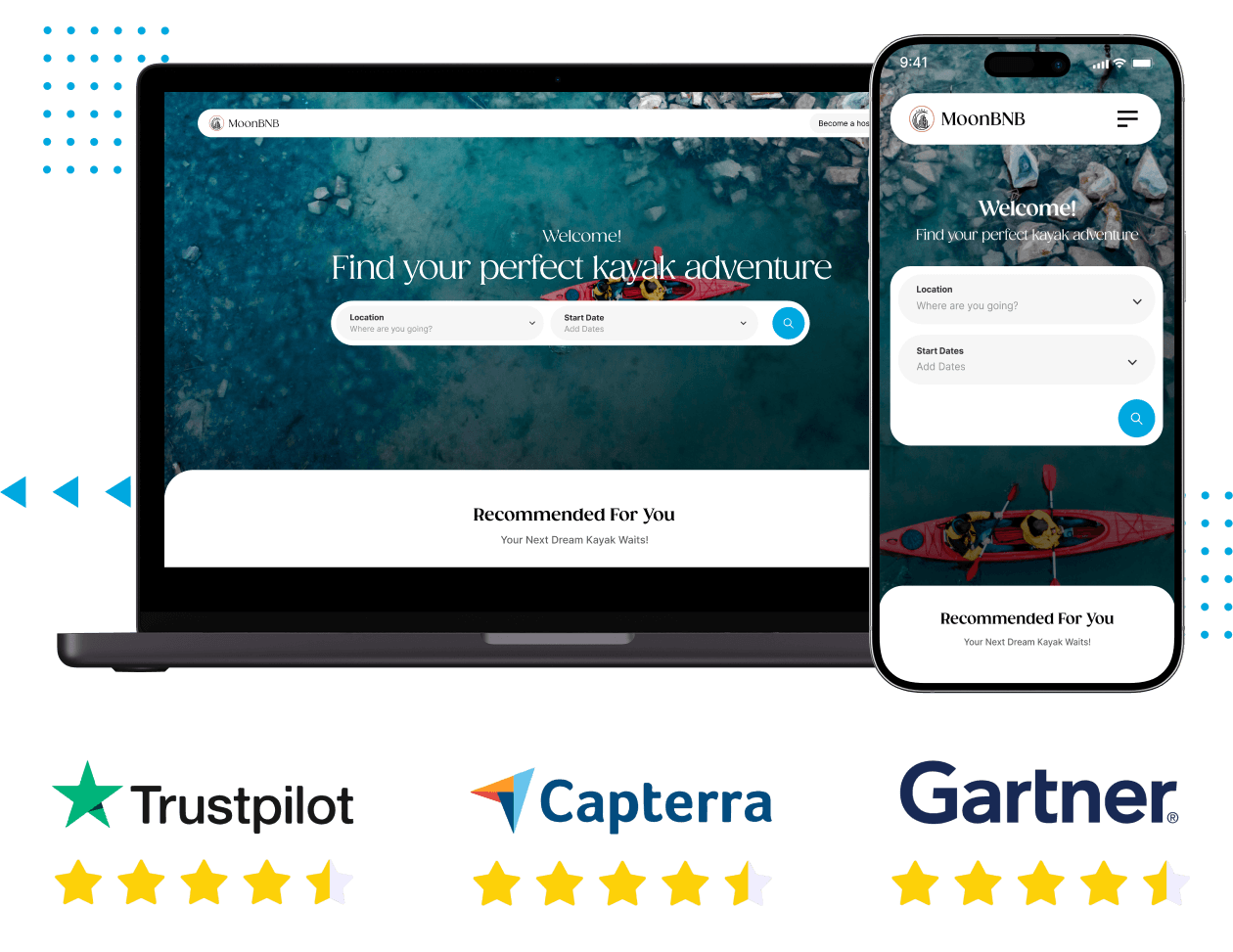





What Kayak Rental Software Actually Does for Your Business
Kayak rental software replaces manual booking and coordination with a streamlined, automated system. Customers can find your listings, check real-time availability, select a time slot, complete bookings, sign waivers, and get instant confirmation without calling.
On your side, bookings, equipment, availability, and payments are all managed from a single dashboard with real-time updates. This is not a basic booking tool. It is built for outdoor rentals, handling time-based pricing, slot capacity, equipment tracking, weather alerts, rescheduling, cancellations, and double-booking prevention at the system level.
Live in 21 days - fully set up and taking bookings
Web, Android, and iOS in one build
Full source code ownership - no monthly platform fees
2 months of free support after go-live

Kayak Rental Software
Screens Of Our New-Edge Kayak Rental Software


View Demo

Explore the Live Product Demo of Our Kayak Rental Software to See How it Actually Works
Built for Every Type of Kayak and Water Sports Rental Operation
Whether you run a single-location rental shack or manage multiple pickup points across a region, the platform adapts to how your business actually operates.

Independent Kayak Rental Shops

Resorts, Hotels, Waterfront Properties

Multi-Vendor Marketplaces

Adventure & Tour Operators
Features You Get With Our Kayak Rental Software
The platform is built for three distinct users: customers who book, vendors who list and manage equipment, and admins who run the platform. Every feature below is part of the base product.
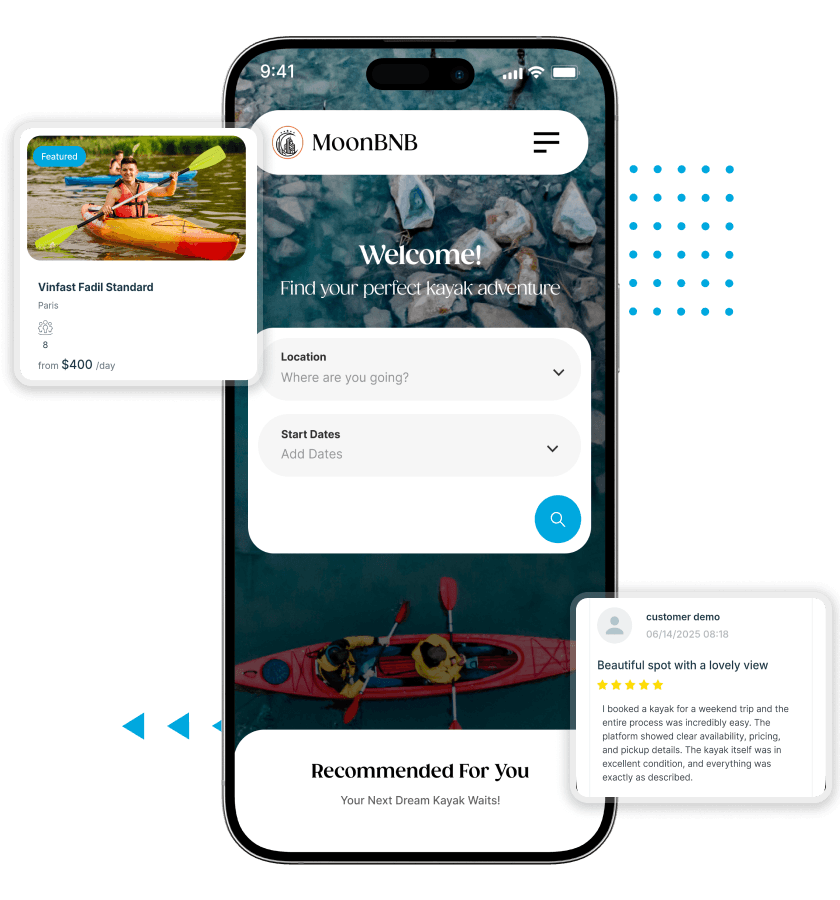
For Customers
-
User Registration
Customers create an account to save their details, preferences, and booking history - so returning customers skip re-entering information every time they book. -
Secure Login
Accounts are protected with secure authentication. Customers log in confidently knowing their personal and payment information is safe. -
Profile Management
Customers update their contact details, preferences, and account information from their personal profile at any time. -
User Dashboard
A personal dashboard gives customers a central view of all their bookings - upcoming, active, and past - alongside account settings and saved details. -
Booking History
Every completed rental is logged in the customer's booking history so they can reference past trips, re-book favourites, or leave a review.
-
Activity Search
Customers search available kayak rentals by activity type, date, or duration to quickly surface options that match what they are looking for. -
Nearby Discovery
Location-based discovery shows customers rental options close to where they are right now - useful for tourists and day-trippers making same-day booking decisions. -
Category Browsing
Customers browse by equipment category - single kayak, tandem, canoe, paddleboard - to navigate your catalogue by what they actually want to rent. -
Activity Pages
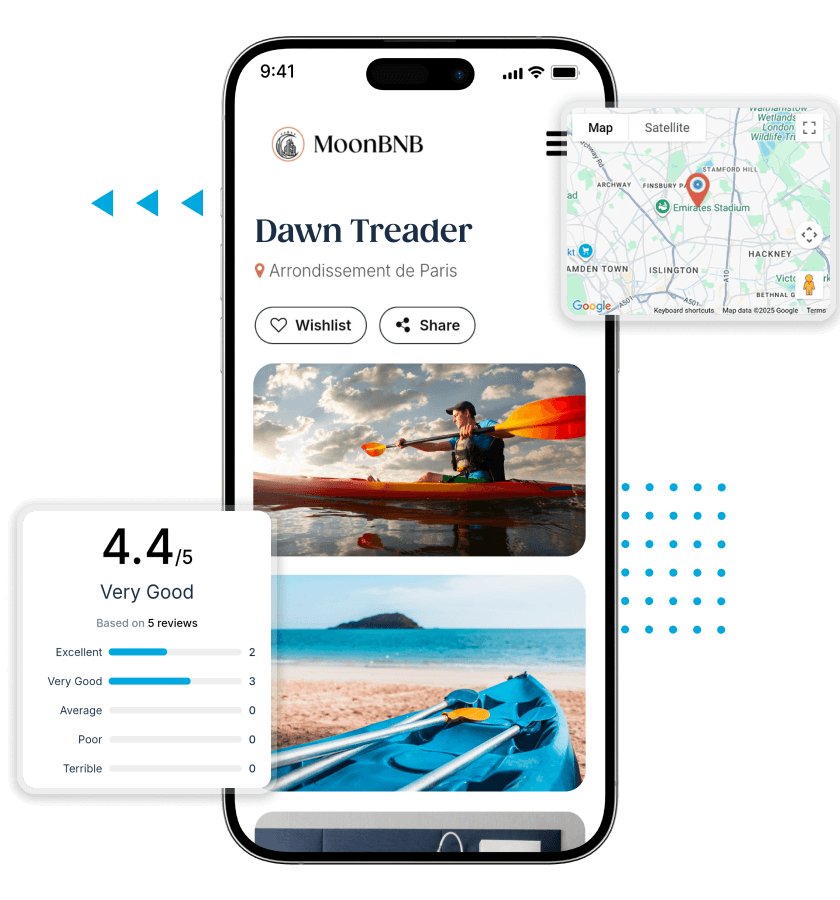
Each rental has a dedicated page with everything a customer needs to decide: description, key details, pricing, availability, and a full media gallery of the actual equipment and location. -
Media Gallery
Photo and video galleries on each listing let customers see exactly what they are booking before they commit. Reduces hesitation and pre-booking questions. -
Key Details
Pickup location, duration options, capacity, included equipment, and any requirements are clearly displayed on each activity page so customers arrive with no surprises.
-
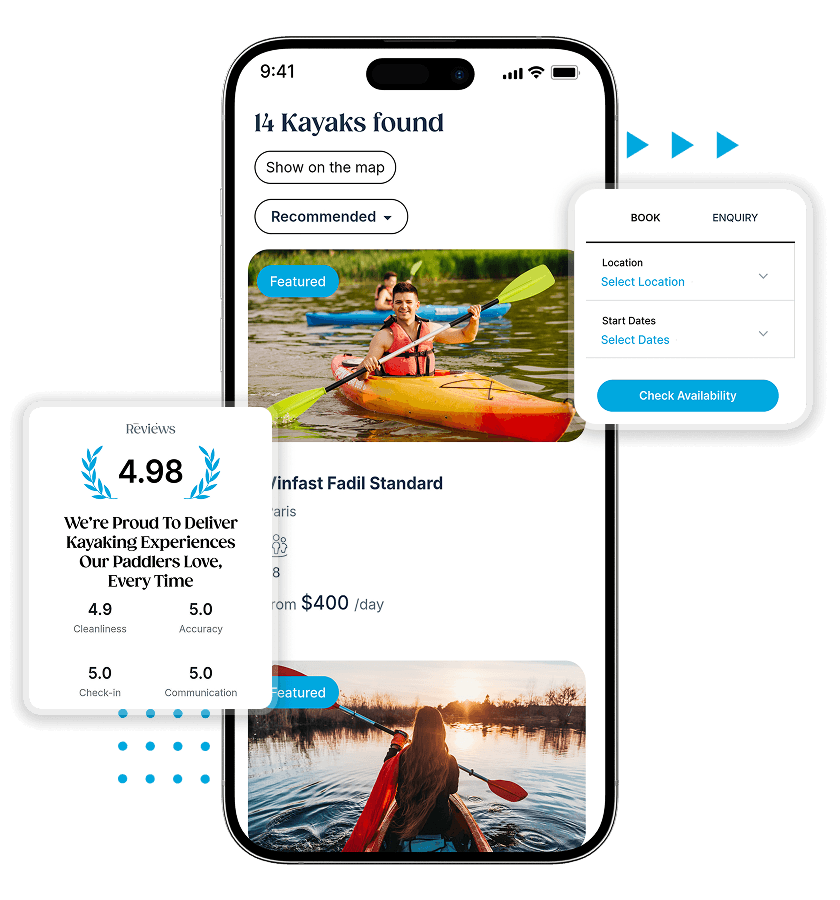
Time-Slot Booking
Customers pick from available time slots on a clean booking interface. Duration, group size, and add-ons are selected before checkout. -
Availability Calendar
A live calendar shows exactly which slots are open and which are taken. Availability updates in real time as bookings are confirmed - no slot can be sold twice. -
Booking Workflow
The end-to-end booking process - slot selection, details, payment, waiver - is structured into a clear step-by-step flow that minimizes drop-off. -
Instant Confirmation
As soon as a booking is completed, customers receive an automatic confirmation with all their reservation details. No waiting, no manual follow-up from your team. -
Status Tracking
Customers can check the current status of any booking from their dashboard at any time - confirmed, pending, completed, or cancelled. -
Cancellation Handling
Customers cancel through the platform according to the policy you set. The slot reopens automatically and the customer receives confirmation without your team being involved. -
Reschedule Support
Customers who need to change their booking date or time can request a reschedule through the platform. The system manages availability updates on both ends.
-
Reviews System
Customers leave written reviews for rentals they have completed. Verified reviews build credibility for vendors and help future customers make confident booking decisions. -
Ratings Display
Star ratings are displayed prominently on listing pages and search results. High-rated listings stand out and convert browsers into bookers more effectively. -
Digital Waivers
Liability waivers are signed digitally as part of the booking flow. Signed records are stored automatically against the booking - no paper at the counter. -
Safety Instructions
Customers read and acknowledge safety information during booking. They arrive informed, which reduces your team's briefing time and improves on-water safety.
- Account & Profile
-
-
User Registration
Customers create an account to save their details, preferences, and booking history - so returning customers skip re-entering information every time they book. -
Secure Login
Accounts are protected with secure authentication. Customers log in confidently knowing their personal and payment information is safe. -
Profile Management
Customers update their contact details, preferences, and account information from their personal profile at any time. -
User Dashboard
A personal dashboard gives customers a central view of all their bookings - upcoming, active, and past - alongside account settings and saved details. -
Booking History
Every completed rental is logged in the customer's booking history so they can reference past trips, re-book favourites, or leave a review.
-
- Search & Discovery
-
-
Activity Search
Customers search available kayak rentals by activity type, date, or duration to quickly surface options that match what they are looking for. -
Nearby Discovery
Location-based discovery shows customers rental options close to where they are right now - useful for tourists and day-trippers making same-day booking decisions. -
Category Browsing
Customers browse by equipment category - single kayak, tandem, canoe, paddleboard - to navigate your catalogue by what they actually want to rent. -
Activity Pages
Each rental has a dedicated page with everything a customer needs to decide: description, key details, pricing, availability, and a full media gallery of the actual equipment and location. -
Media Gallery
Photo and video galleries on each listing let customers see exactly what they are booking before they commit. Reduces hesitation and pre-booking questions. -
Key Details
Pickup location, duration options, capacity, included equipment, and any requirements are clearly displayed on each activity page so customers arrive with no surprises.
-
- Booking Experience
-
-
Time-Slot Booking
Customers pick from available time slots on a clean booking interface. Duration, group size, and add-ons are selected before checkout. -
Availability Calendar
A live calendar shows exactly which slots are open and which are taken. Availability updates in real time as bookings are confirmed - no slot can be sold twice. -
Booking Workflow
The end-to-end booking process - slot selection, details, payment, waiver - is structured into a clear step-by-step flow that minimizes drop-off. -
Instant Confirmation
As soon as a booking is completed, customers receive an automatic confirmation with all their reservation details. No waiting, no manual follow-up from your team. -
Status Tracking
Customers can check the current status of any booking from their dashboard at any time - confirmed, pending, completed, or cancelled. -
Cancellation Handling
Customers cancel through the platform according to the policy you set. The slot reopens automatically and the customer receives confirmation without your team being involved. -
Reschedule Support
Customers who need to change their booking date or time can request a reschedule through the platform. The system manages availability updates on both ends.
-
- Trust & Safety
-
-
Reviews System
Customers leave written reviews for rentals they have completed. Verified reviews build credibility for vendors and help future customers make confident booking decisions. -
Ratings Display
Star ratings are displayed prominently on listing pages and search results. High-rated listings stand out and convert browsers into bookers more effectively. -
Digital Waivers
Liability waivers are signed digitally as part of the booking flow. Signed records are stored automatically against the booking - no paper at the counter. -
Safety Instructions
Customers read and acknowledge safety information during booking. They arrive informed, which reduces your team's briefing time and improves on-water safety.
-
For Vendors
-
Vendor Onboarding
Rental providers complete a structured onboarding flow to set up their operation on the platform - business details, equipment, locations, and pricing all configured before going live. -
Provider Dashboard
A dedicated vendor dashboard shows all active listings, incoming bookings, equipment status, and revenue in one place. Vendors manage their entire operation from here. -
Pickup Locations
Vendors set specific pickup locations for each piece of equipment. Customers see exactly where to go when they arrive. Multi-location operators manage each location separately. -
Equipment Listings
Vendors create a listing for each piece of equipment available to rent. Listings can be published, paused, or archived at any time without admin involvement. -
Media Uploads
Photos and videos of the actual equipment and launch location are uploaded directly to each listing. Strong visuals reduce booking hesitation and pre-booking questions. -
Listing Descriptions
Vendors write descriptions covering the rental experience, what is included, who it is suited for, and any requirements. Full control over how each listing is presented. -
Activity Categories
Each listing is assigned to one or more activity categories - kayaking, canoeing, paddleboarding - so it surfaces correctly in customer category searches and filters.
-
Slot Availability
Vendors configure which time slots are open on which days. Slots can be turned on or off individually to account for seasonal schedules or one-off closures. -
Pricing Setup
Pricing is set per equipment type and per rental duration. Vendors adjust pricing at any time. Changes take effect on new bookings immediately. -
Duration Rules
Vendors define the rental durations available for each listing - one hour, two hours, half day, full day - with separate pricing for each duration tier. -
Capacity Control
A maximum booking count is set per time slot. Once the slot reaches capacity, it becomes unavailable. Overselling a slot is not possible.
-
Booking Handling
Incoming bookings appear in the vendor dashboard in real time. Vendors see customer details, booking date and time, equipment selected, and payment status for each reservation. -
Reservation Tracking
All confirmed, upcoming, and past reservations are tracked in a single view. Vendors can filter by date, equipment, or status to find any booking quickly. -
Inventory Tracking
Every unit of equipment is tracked individually in the system with a real-time status: available, booked, under maintenance, or retired. Vendors see the full fleet position at a glance. -
Maintenance Status
When equipment goes in for servicing, vendors mark it as under maintenance. It is automatically removed from bookable availability until it is marked available again. No manual calendar blocking needed.
- Setup & Listings
-
-
Vendor Onboarding
Rental providers complete a structured onboarding flow to set up their operation on the platform - business details, equipment, locations, and pricing all configured before going live. -
Provider Dashboard
A dedicated vendor dashboard shows all active listings, incoming bookings, equipment status, and revenue in one place. Vendors manage their entire operation from here. -
Pickup Locations
Vendors set specific pickup locations for each piece of equipment. Customers see exactly where to go when they arrive. Multi-location operators manage each location separately. -
Equipment Listings
Vendors create a listing for each piece of equipment available to rent. Listings can be published, paused, or archived at any time without admin involvement. -
Media Uploads
Photos and videos of the actual equipment and launch location are uploaded directly to each listing. Strong visuals reduce booking hesitation and pre-booking questions. -
Listing Descriptions
Vendors write descriptions covering the rental experience, what is included, who it is suited for, and any requirements. Full control over how each listing is presented. -
Activity Categories
Each listing is assigned to one or more activity categories - kayaking, canoeing, paddleboarding - so it surfaces correctly in customer category searches and filters.
-
- Availability & Pricing
-
-
Slot Availability
Vendors configure which time slots are open on which days. Slots can be turned on or off individually to account for seasonal schedules or one-off closures. -
Pricing Setup
Pricing is set per equipment type and per rental duration. Vendors adjust pricing at any time. Changes take effect on new bookings immediately. -
Duration Rules
Vendors define the rental durations available for each listing - one hour, two hours, half day, full day - with separate pricing for each duration tier. -
Capacity Control
A maximum booking count is set per time slot. Once the slot reaches capacity, it becomes unavailable. Overselling a slot is not possible.
-
- Booking & Operations
-
-
Booking Handling
Incoming bookings appear in the vendor dashboard in real time. Vendors see customer details, booking date and time, equipment selected, and payment status for each reservation. -
Reservation Tracking
All confirmed, upcoming, and past reservations are tracked in a single view. Vendors can filter by date, equipment, or status to find any booking quickly. -
Inventory Tracking
Every unit of equipment is tracked individually in the system with a real-time status: available, booked, under maintenance, or retired. Vendors see the full fleet position at a glance. -
Maintenance Status
When equipment goes in for servicing, vendors mark it as under maintenance. It is automatically removed from bookable availability until it is marked available again. No manual calendar blocking needed.
-
For Admin
-
Admin Dashboard
A single dashboard surfaces the full operational picture: total bookings, active vendors, user registrations, platform revenue, and any system alerts requiring attention. -
Platform Settings
Core platform configuration - business rules, notification settings, booking policies, and operational parameters - are managed from the admin settings panel. -
Security Controls
Admin-level security settings govern access permissions, authentication requirements, and data protection across the platform. -
System Notifications
Automated notifications keep customers and vendors informed at every booking touchpoint - confirmation, reminder, status change, and post-rental follow-up - without manual admin action. -
SEO Management
Meta titles, descriptions, and URL structures for listing pages and category pages are managed at the admin level to support organic search visibility.
-
User Management
All registered customer accounts are visible and manageable from the admin panel. Accounts can be reviewed, suspended, or modified. Customer activity and booking history are accessible from the same view. -
Vendor Management
Vendor accounts, onboarding status, listing activity, and performance are all managed from a dedicated admin vendor panel. New vendor applications are reviewed and approved here. -
Listing Control
Admins have oversight of all vendor listings on the platform. Listings can be reviewed, flagged, or taken down from the admin panel without requiring vendor action. -
Category Control
The activity categories that appear in customer browsing and search are managed by the admin. Categories can be added, renamed, or removed platform-wide. -
Location Control
The geographic structure of the platform - regions, areas, and specific pickup locations - is configured and maintained by the admin.
-
Booking Management
Every booking across every vendor on the platform is visible to the admin. Admins can view, update, or intervene on any reservation from the central booking panel. -
Status Tracking
Booking status across the platform - confirmed, active, completed, cancelled, disputed - is tracked in real time and filterable by vendor, date, or equipment. -
Payment Processing
All customer payments are processed through integrated payment gateways. The admin panel shows payment status and transaction records for every booking. -
Commission Setup
Platform commission rates are configured by the admin - either as a percentage of booking value or a flat rate per transaction. Rates can be set globally or per vendor. -
Transaction Tracking
Every financial transaction on the platform is logged and visible from the admin financial panel. Exportable records support reconciliation and accounting. -
Admin Visibility
Admins have read access to the complete financial picture across all vendors: gross revenue, commission earned, vendor payouts, and outstanding balances.
-
Weather Alerts
The platform monitors forecast conditions and flags bookings that fall within a weather window that may affect the rental. Alerts surface in the admin and vendor dashboards for proactive management. -
Booking Reschedule
The admin panel supports manual reschedule actions on any booking - useful for weather-related cancellations or operational disruptions requiring bulk changes. -
Live Availability
Availability across all listings updates in real time as bookings are made, cancelled, or modified. The live inventory state is always accurate and consistent across customer, vendor, and admin views. -
Double-Book Prevention
Capacity enforcement is handled at the system level. Two bookings for the same slot cannot both be confirmed - the system resolves conflicts automatically the moment a booking is completed. -
Instant Booking
Listings configured for instant booking confirm reservations automatically without requiring vendor approval for each one. Vendors choose per listing whether to enable instant or approval-based booking.
- Platform Control
-
-
Admin Dashboard
A single dashboard surfaces the full operational picture: total bookings, active vendors, user registrations, platform revenue, and any system alerts requiring attention. -
Platform Settings
Core platform configuration - business rules, notification settings, booking policies, and operational parameters - are managed from the admin settings panel. -
Security Controls
Admin-level security settings govern access permissions, authentication requirements, and data protection across the platform. -
System Notifications
Automated notifications keep customers and vendors informed at every booking touchpoint - confirmation, reminder, status change, and post-rental follow-up - without manual admin action. -
SEO Management
Meta titles, descriptions, and URL structures for listing pages and category pages are managed at the admin level to support organic search visibility.
-
- User & Vendor Control
-
-
User Management
All registered customer accounts are visible and manageable from the admin panel. Accounts can be reviewed, suspended, or modified. Customer activity and booking history are accessible from the same view. -
Vendor Management
Vendor accounts, onboarding status, listing activity, and performance are all managed from a dedicated admin vendor panel. New vendor applications are reviewed and approved here. -
Listing Control
Admins have oversight of all vendor listings on the platform. Listings can be reviewed, flagged, or taken down from the admin panel without requiring vendor action. -
Category Control
The activity categories that appear in customer browsing and search are managed by the admin. Categories can be added, renamed, or removed platform-wide. -
Location Control
The geographic structure of the platform - regions, areas, and specific pickup locations - is configured and maintained by the admin.
-
- Bookings & Payments
-
-
Booking Management
Every booking across every vendor on the platform is visible to the admin. Admins can view, update, or intervene on any reservation from the central booking panel. -
Status Tracking
Booking status across the platform - confirmed, active, completed, cancelled, disputed - is tracked in real time and filterable by vendor, date, or equipment. -
Payment Processing
All customer payments are processed through integrated payment gateways. The admin panel shows payment status and transaction records for every booking. -
Commission Setup
Platform commission rates are configured by the admin - either as a percentage of booking value or a flat rate per transaction. Rates can be set globally or per vendor. -
Transaction Tracking
Every financial transaction on the platform is logged and visible from the admin financial panel. Exportable records support reconciliation and accounting. -
Admin Visibility
Admins have read access to the complete financial picture across all vendors: gross revenue, commission earned, vendor payouts, and outstanding balances.
-
- System Operations
-
-
Weather Alerts
The platform monitors forecast conditions and flags bookings that fall within a weather window that may affect the rental. Alerts surface in the admin and vendor dashboards for proactive management. -
Booking Reschedule
The admin panel supports manual reschedule actions on any booking - useful for weather-related cancellations or operational disruptions requiring bulk changes. -
Live Availability
Availability across all listings updates in real time as bookings are made, cancelled, or modified. The live inventory state is always accurate and consistent across customer, vendor, and admin views. -
Double-Book Prevention
Capacity enforcement is handled at the system level. Two bookings for the same slot cannot both be confirmed - the system resolves conflicts automatically the moment a booking is completed. -
Instant Booking
Listings configured for instant booking confirm reservations automatically without requiring vendor approval for each one. Vendors choose per listing whether to enable instant or approval-based booking.
-
Optional Add-Ons
These capabilities can be added to the platform at setup or introduced after launch as the business grows.
- Multi-Language Support
Platform interface localized into additional languages for businesses operating in multilingual markets or targeting international tourists.
- Multi-Currency Pricing
Pricing displayed in local currencies for customers booking across different markets. Particularly relevant for platforms serving international visitors.
- Guide and Instructor Booking
Extends the platform to support bookings for guided kayak tours and instruction sessions alongside standard equipment rentals, with separate capacity and pricing rules.
- Damage Deposit Management
Automated deposit collection at booking, hold management during the rental period, and release or partial retention based on equipment condition at return.
- Group Booking Support
Dedicated booking flow for groups requiring multiple kayaks for the same time slot, with group pricing rules and combined confirmation handling.
- QR Code Check-In
Customers present a QR code from their booking confirmation at pickup. Staff scans to verify and check in the rental instantly, eliminating manual lookup.
- Loyalty and Repeat Customer Rewards
A points or credit system for repeat customers that incentivizes return bookings and referrals without requiring manual discount management.
- Partner and Affiliate Management
Tools for managing referral partnerships with hotels, resorts, or travel platforms that send booking traffic, with commission tracking for each partner source.
- Advanced Analytics and Revenue Reporting
Detailed reporting on booking volumes, equipment utilization rates, revenue by listing and location, seasonal demand patterns, and customer return rates.
- SMS Booking Notifications
Booking confirmations, reminders, and status updates delivered by SMS in addition to email, for markets where SMS open rates significantly outperform email.
Rental Operators on Working With Oyelabs

Matt Callahan, Owner
"I was running bookings entirely through phone and text. Weekends were chaos. We went live with the software in 10 days and by the following Saturday, every booking was online. I spent the weekend on the water instead of the phone. The availability calendar alone saved us from three double-bookings that first weekend."

Alice Topley, Operations Manager
"We have three pickup locations and a fleet of about 40 kayaks and paddleboards. Tracking what was out, what was available, and what was in maintenance was a nightmare across spreadsheets. The inventory and maintenance status tracking in the platform replaced all of it. We know exactly what we have available at each location in real time."

Carlos Reyes, Founder
"We were building a multi-vendor platform to bring together several rental operators in the same bay area. The vendor management and commission tools were exactly what we needed. Each vendor manages their own listings and bookings. I manage the platform and the revenue share. It has worked exactly as we planned."
How the Platform Works End-to-End
A kayak rental booking involves multiple steps across customers, vendors, and admin. The system manages each interaction smoothly, ensuring bookings, availability, and operations are handled without manual coordination or errors.

Step 1: Equipment Listing

Step 2: Discovery & Booking

Step 3: Pre-Arrival Setup

Step 4: Active Rental

Step 5: Return & Closure

Step 6: Admin Oversight
Technologies Used In Our Kayak Rental Software

Live in 21 Days: The Delivery Plan
A kayak rental booking involves multiple steps across customers, vendors, and admin. The system manages each interaction smoothly, ensuring bookings, availability, and operations are handled without manual coordination or errors.

Requirements Planning

Branding and Platform Setup

Feature Configuration and Data Entry

End-to-End Testing

Go-Live

Free Support
The Outdoor Recreation Rental Market
Outdoor recreation is one of the most resilient segments of the travel and leisure industry. Kayaking in particular has grown consistently over the past decade, with participation rates rising across North America, Europe, Australia, and Southeast Asian coastal markets. The shift toward experience-based tourism has made water activity rentals a staple offering for coastal destinations, lakefront resorts, and river corridors.
The rental side of this market has a significant operational problem: most businesses are still running on manual processes that create bottlenecks, cause missed bookings, and make scaling to higher volume difficult. Software adoption in outdoor equipment rental is behind where it is in accommodation, transport, and restaurant booking – which means businesses that move to digital-first operations now have a clear competitive advantage over those that have not.
Online booking expectations are no longer limited to major tourism platforms. Customers booking a kayak for a Saturday morning expect the same frictionless experience they get booking a hotel room. Rental businesses that cannot offer that experience lose bookings to those that can. Our software is how you close that gap in 21 days.

Why Rental Businesses Choose Oyelabs
- Rental-First System: This is not a generic booking system repurposed for kayaks. It is built for outdoor rentals, with time-based pricing, slot capacity, maintenance tracking, weather handling, and multi-location support built in.
- 21-Day Delivery: The 21-day delivery timeline is a structured commitment, not an estimate. Our team follows a proven process used across multiple rental platform builds, ensuring predictable and timely delivery.
- Full Ownership: You receive the complete source code upon delivery. No monthly fees, no per-booking charges, and no dependency. The platform runs on your infrastructure, fully under your control.
- Ongoing Support: The same team that builds your platform supports you after launch. You work with people who understand your system, ensuring faster fixes and smoother adjustments.
Clear Pricing: Everything included is defined before development begins. Any custom requirements are discussed and priced upfront, so there are no surprises during or after delivery. - Easy Scaling: Whether you manage one location or multiple rental points, the system supports expansion without restructuring. Add locations, equipment, and availability without operational complexity.
- Real-Time Control: Availability, bookings, and equipment status updates instantly. This keeps scheduling accurate, prevents conflicts, and removes the need for manual coordination.
Life at Oyelabs
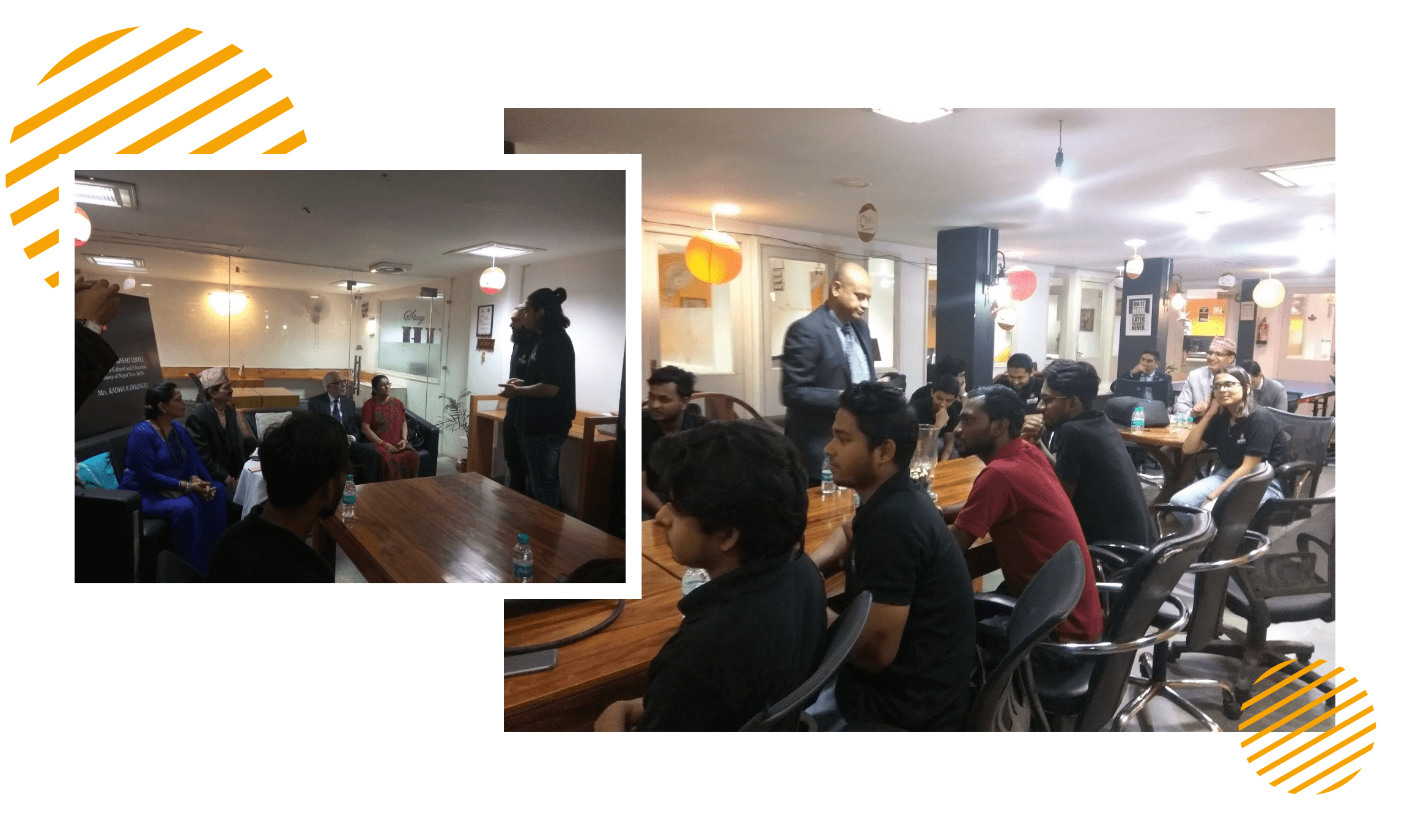
At Oyelabs, we focus on creating innovative and impactful solutions. Our team is diverse, passionate, and driven by a shared commitment to excellence. We work collaboratively, supporting each other to achieve our goals and grow both personally and professionally. Our culture encourages creativity and learning, making Oyelabs a place where ideas thrive. We believe in maintaining a healthy work-life balance, ensuring everyone feels valued and motivated.
- Healthy Work-Life Balance
- Encourage Creativity and Learning
- Commitment to Excellence
- Career Growth Opportunities
- Continuous Learning and Development

ISO Certified – OyeLabs
OyeLabs is an ISO Certified company driven by a commitment to quality, performance, and security. Our development processes align with international standards to deliver dependable and future-ready digital solutions.
Making a Difference Beyond Business.
As a people-centric organization, our success is intervened with the well being and growth of the Individuals we collaborate with. We thrive when our partners associates flourishes.



Other On-Demand Solutions
Explore Oyelabs’ Readymade Solutions for Effortless Work in Different Industries.
Oyelabs presents a suite of ready-made solutions designed for seamless work across diverse industries. Our user-friendly products ensure efficiency and ease, making your tasks hassle-free.
Unleash Your Business’s True Potential, With Our Kayak Rental Software
– Starting at $5,199 $3,999
Product Update History
Version 4.6.1
- Introduced an option to offer discounts based on the number of nights/days booked
- Refined the cloning functionality for flight bookings
- Updated integration with Re-captcha 3
- Added “Surrounding” option for Tours
- Added Multi-language support for Page Templates
- Improved arrangement options for Hotel-related features
- Optimized the tour calculation process
- Refined the Booking success page layout
- Hide mobile settings as required
- Resolved Twilio integration issue
- Fixed Gallery display issue for News section
- Addressed code-related issues in the vendor folder
Version 4.6.0
- Introduced a Mega menu style for improved navigation
- Added the ability for vendors to create and manage Coupons through the new Coupon manager
- Fixed issue with Hotel attribute Position Order
- Updated re-captcha functionality for the user plan checkout process
- Resolved field location issue in the search form
- Fixed issues related to attributes and terms in the filter form
Version 4.5.1
- Removed unused code to improve performance
Version 4.5.0
- Updated Live chat feature
- Added an option for the sticky menu to remain at the top
- Improved “Clone” functionality for the Hotel module
- Optimized Tour creation process
- Enhanced Statistics dashboard
- Refined the filter tool for User Plan management
- Enhanced the Userplan module
- Resolved the flight booking issues
- Fixed the category search issue in Tour bookings
- Replaced TermID with term name in the Listing by Term
- Enhanced the Filter tool in the Booking Report