
White Label Handyman App
 Flutter Powered
Most cities still rely on calls and referrals for hiring plumbers, electricians, cleaners, and other services, making the process slow and unreliable. Our white label handyman app simplifies this completely. Customers can search, book, and pay in minutes with full transparency. Service providers receive consistent booking requests without chasing leads. As the platform owner, you manage operations, control commissions, and run your entire service marketplace from a single, centralized dashboard under your own brand.
Guaranteed Live Within 1 Week *Terms & Conditions Apply
Here’s What You Get:
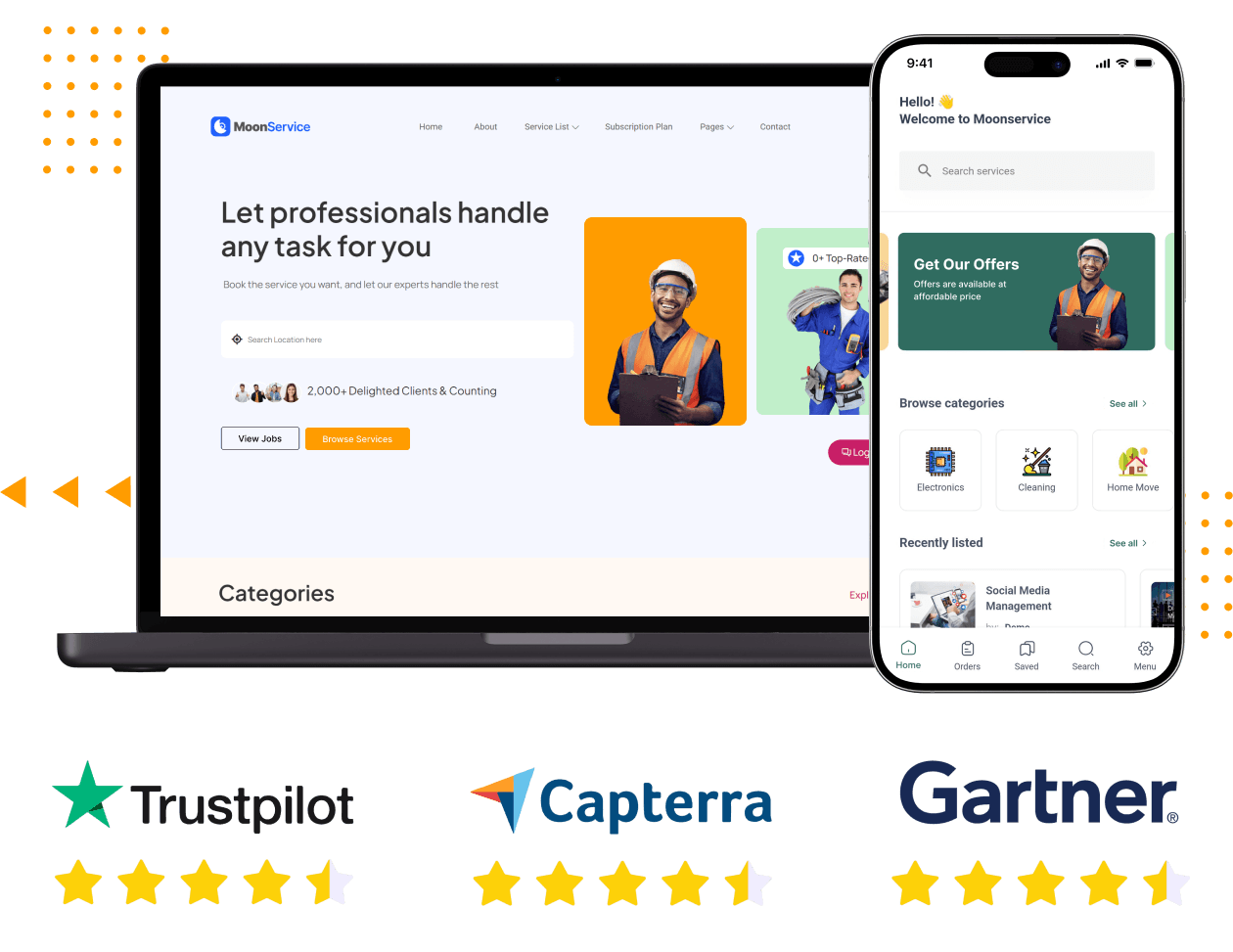





What You Are Launching
You are launching a multi-vendor on-demand service marketplace, the layer that connects customers who need work done with service providers ready to deliver it. You are not the service provider; you own the platform. You control categories, approve providers, set commissions, and manage everything from a centralized admin panel.
The platform connects customers with local providers across home services, repairs, maintenance, and other task-based categories. With built-in location-based discovery, users only see providers available in their area. Bookings, payments, communication, reviews, and earnings tracking are all handled within the system, ready from day one.
You receive full source code, deploy it on your own infrastructure, and operate it entirely under your brand. To your market, it is your platform, your business, and your growth engine.
Full source code - no recurring licence fees to Oyelabs
Web platform, Android app, and iOS app
Google Maps location-based discovery is built in from day one
Multi-vendor marketplace supporting unlimited service providers

White Label Handyman App
Screens of Our New-Edge Handyman App


View Demo

Explore the Live Demo of Our White Label Handyman App Script to See How it Actually Works
The Problem This Platform Solves
The home services industry has a coordination problem that no one has solved at a local level in most markets. Three parties are all operating inefficiently at the same time.
Customers Struggle to Find Reliable Services
Service Providers Lack Consistent Work
No Central Platform Owns the Market
Features You Get With Our White Label Handyman App
Every feature below comes from the base product. No additional development is required to activate any of them.
For Customers
-
Customer Registration and Login
Customers securely register and log in to access service bookings, order history, saved preferences, and manage their account settings across sessions. -
Profile Management
Customers update their name, contact details, and address from a dedicated profile section, ensuring accurate information for bookings and communication with providers. -
Account Information Management
All personal account data, including name, contact details, and preferences, is editable directly by customers anytime without needing to contact support or assistance. -
Password Management
Customers can securely update or reset their passwords through the platform anytime, ensuring account safety and uninterrupted access to services and bookings. -
Customer Dashboard
A centralized dashboard provides a complete view of service requests, booking status, order activity, and account details for easy tracking and management. -
Service Booking History
Every completed order is stored, allowing customers to review past services, track provider interactions, and easily rebook trusted service providers when needed.
-
Service Category Browsing
Customers browse available service categories like plumbing, electrical, cleaning, and painting directly from the home screen to quickly find relevant services. -
Location-Based Service Search
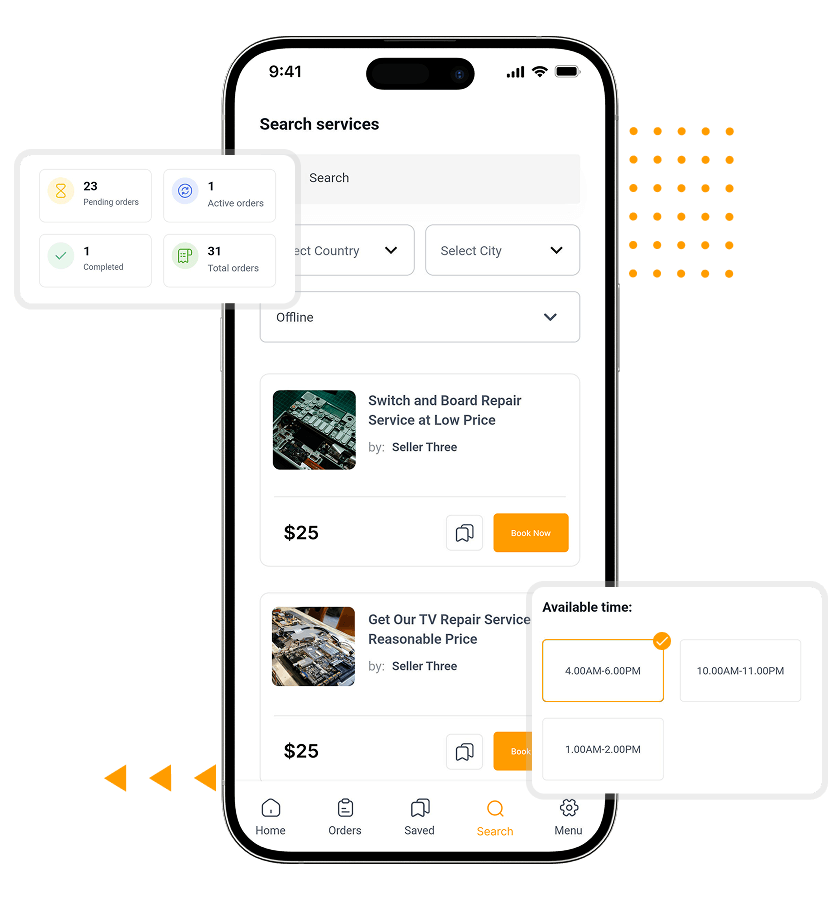
Google Maps displays providers operating within the customer’s area, ensuring users only see service providers who can actually reach and serve them. -
Service Detail Pages
Each service listing includes detailed provider information, service scope, pricing, and ratings, helping customers make informed decisions before placing a booking. -
Service Description and Pricing Display
Clear visibility into what the service includes, associated pricing, and provider performance helps customers understand exactly what they are booking beforehand.
-
Service Booking Workflow
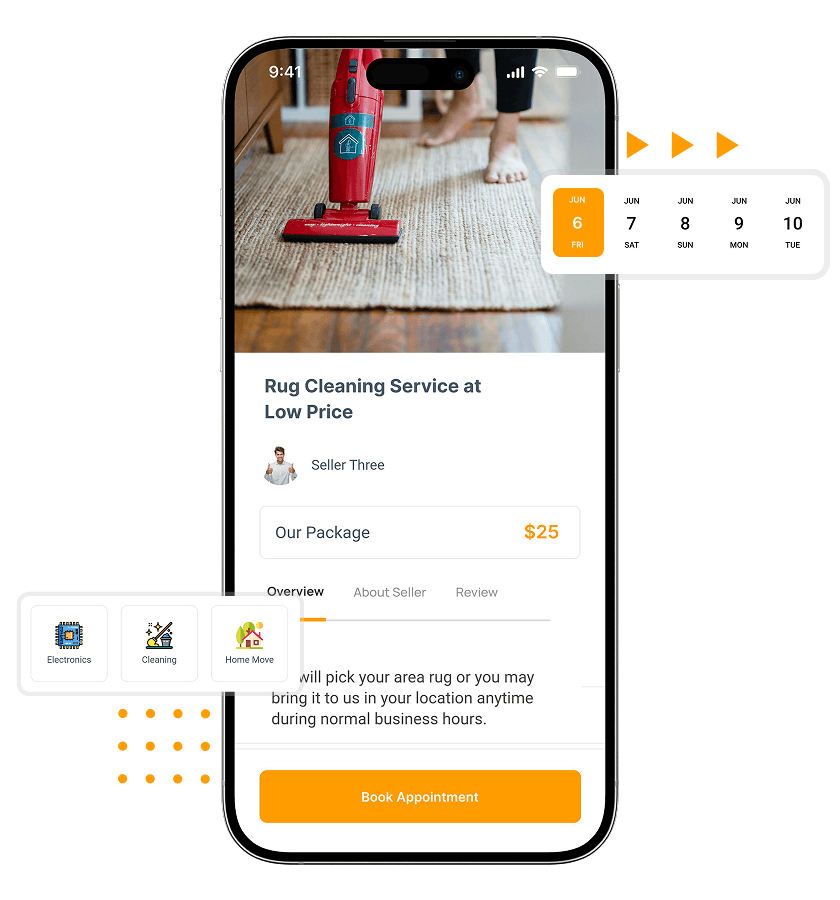
A structured booking flow guides customers from selecting a service to confirming the order, ensuring a smooth and frictionless booking experience every time. -
Service Order Creation
Customers place an order by submitting address, preferred date and time, and job-specific details, ensuring providers understand requirements before accepting the booking request. -
Order Status Tracking
Customers track every order in real time with clear status updates, such as pending, confirmed, in progress, or completed, from their dashboard. -
Booking Confirmation Management
Once a provider accepts a request, a confirmation is automatically generated with full booking details, ensuring clarity and reducing uncertainty for the customer. -
Order Cancellation Handling
Customers can cancel orders directly through the platform based on predefined policies, providing flexibility while maintaining structure in the booking and cancellation process. -
Service Request Records
All active and completed service requests are stored in the customer account, allowing easy access for reference, tracking, or rebooking similar services later.
-
Review Submission
After a completed service, customers can submit detailed reviews linked to verified orders, helping maintain transparency and build trust across the platform ecosystem. -
Rating System
Star ratings from past customers are displayed on provider profiles and listings, allowing new customers to quickly evaluate service quality and reliability before booking. -
Customer and Provider Communication
Built-in messaging allows customers and providers to communicate directly about job details, requirements, and updates before and during service execution. -
Notification Alerts
Customers receive automated alerts for booking confirmations, order status updates, and provider messages, ensuring they stay informed throughout the entire service experience.
- Account and Access
-
-
Customer Registration and Login
Customers securely register and log in to access service bookings, order history, saved preferences, and manage their account settings across sessions. -
Profile Management
Customers update their name, contact details, and address from a dedicated profile section, ensuring accurate information for bookings and communication with providers. -
Account Information Management
All personal account data, including name, contact details, and preferences, is editable directly by customers anytime without needing to contact support or assistance. -
Password Management
Customers can securely update or reset their passwords through the platform anytime, ensuring account safety and uninterrupted access to services and bookings. -
Customer Dashboard
A centralized dashboard provides a complete view of service requests, booking status, order activity, and account details for easy tracking and management. -
Service Booking History
Every completed order is stored, allowing customers to review past services, track provider interactions, and easily rebook trusted service providers when needed.
-
- Finding a Service Provider Nearby
-
-
Service Category Browsing
Customers browse available service categories like plumbing, electrical, cleaning, and painting directly from the home screen to quickly find relevant services. -
Location-Based Service Search
Google Maps displays providers operating within the customer’s area, ensuring users only see service providers who can actually reach and serve them. -
Service Detail Pages
Each service listing includes detailed provider information, service scope, pricing, and ratings, helping customers make informed decisions before placing a booking. -
Service Description and Pricing Display
Clear visibility into what the service includes, associated pricing, and provider performance helps customers understand exactly what they are booking beforehand.
-
- Placing and Managing an Order
-
-
Service Booking Workflow
A structured booking flow guides customers from selecting a service to confirming the order, ensuring a smooth and frictionless booking experience every time. -
Service Order Creation
Customers place an order by submitting address, preferred date and time, and job-specific details, ensuring providers understand requirements before accepting the booking request. -
Order Status Tracking
Customers track every order in real time with clear status updates, such as pending, confirmed, in progress, or completed, from their dashboard. -
Booking Confirmation Management
Once a provider accepts a request, a confirmation is automatically generated with full booking details, ensuring clarity and reducing uncertainty for the customer. -
Order Cancellation Handling
Customers can cancel orders directly through the platform based on predefined policies, providing flexibility while maintaining structure in the booking and cancellation process. -
Service Request Records
All active and completed service requests are stored in the customer account, allowing easy access for reference, tracking, or rebooking similar services later.
-
- Reviews and Communication
-
-
Review Submission
After a completed service, customers can submit detailed reviews linked to verified orders, helping maintain transparency and build trust across the platform ecosystem. -
Rating System
Star ratings from past customers are displayed on provider profiles and listings, allowing new customers to quickly evaluate service quality and reliability before booking. -
Customer and Provider Communication
Built-in messaging allows customers and providers to communicate directly about job details, requirements, and updates before and during service execution. -
Notification Alerts
Customers receive automated alerts for booking confirmations, order status updates, and provider messages, ensuring they stay informed throughout the entire service experience.
-
For Service Providers
-
Service Provider Registration
Providers sign up through a dedicated onboarding flow separate from customer accounts, allowing them to create and manage service listings independently. -
Provider Dashboard
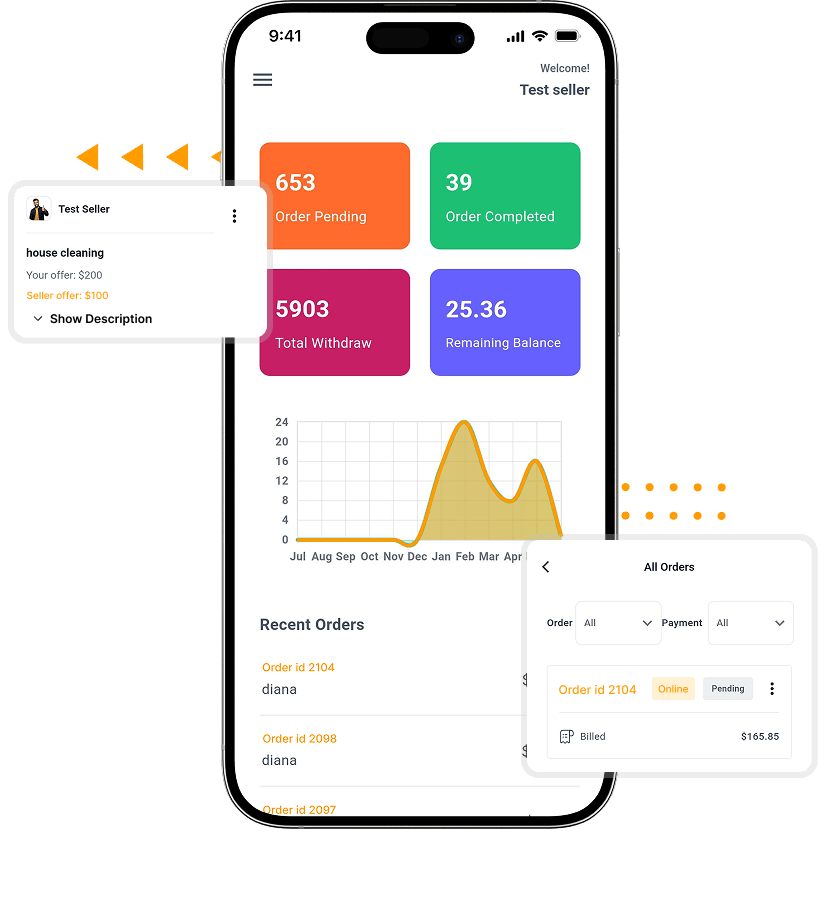
A centralized dashboard shows active services, incoming bookings, completed orders, earnings, and account settings, helping providers manage their entire workflow from one place. -
Service Provider Profile Display
Each provider has a public profile displaying services, ratings, completed jobs, and coverage area, helping customers evaluate credibility before booking a service. -
Booking Request Management
Incoming booking requests appear in the provider dashboard, allowing providers to review details and accept or decline based on availability and job requirements. -
Service Order Tracking
Providers can track all active and completed orders, including customer details, job specifications, and payment status, ensuring complete visibility into ongoing and past work. -
Earnings Overview
Providers get a detailed breakdown of earnings, including completed jobs, pending payments, and transaction history, helping them track income and financial performance clearly.
-
Service Creation and Publishing
Providers create service listings and publish them live on the platform, with options to pause, update, or modify listings anytime as needed. -
Service Pricing Configuration
Providers set their own pricing for each service type, which is displayed clearly to customers on listing pages before booking decisions are made. -
Service Description and Details Management
Providers write and manage detailed service descriptions, including scope, inclusions, requirements, and expectations to ensure customers clearly understand the service offering. -
Service Location Configuration
Providers define their service coverage areas using Google Maps, ensuring only customers within that location can discover and book their services.
- Getting Started and Dashboard
-
-
Service Provider Registration
Providers sign up through a dedicated onboarding flow separate from customer accounts, allowing them to create and manage service listings independently. -
Provider Dashboard
A centralized dashboard shows active services, incoming bookings, completed orders, earnings, and account settings, helping providers manage their entire workflow from one place. -
Service Provider Profile Display
Each provider has a public profile displaying services, ratings, completed jobs, and coverage area, helping customers evaluate credibility before booking a service. -
Booking Request Management
Incoming booking requests appear in the provider dashboard, allowing providers to review details and accept or decline based on availability and job requirements. -
Service Order Tracking
Providers can track all active and completed orders, including customer details, job specifications, and payment status, ensuring complete visibility into ongoing and past work. -
Earnings Overview
Providers get a detailed breakdown of earnings, including completed jobs, pending payments, and transaction history, helping them track income and financial performance clearly.
-
- Listing Services and Coverage
-
-
Service Creation and Publishing
Providers create service listings and publish them live on the platform, with options to pause, update, or modify listings anytime as needed. -
Service Pricing Configuration
Providers set their own pricing for each service type, which is displayed clearly to customers on listing pages before booking decisions are made. -
Service Description and Details Management
Providers write and manage detailed service descriptions, including scope, inclusions, requirements, and expectations to ensure customers clearly understand the service offering. -
Service Location Configuration
Providers define their service coverage areas using Google Maps, ensuring only customers within that location can discover and book their services.
-
For Admin
-
Admin Dashboard
Platform-wide activity - bookings, providers, customers, revenue, and alerts - visible from one screen. -
Platform Configuration Management
Service rules, commission logic, and operational settings are configured from the admin panel. -
Service Category Management
All service categories shown to customers are created and managed entirely by the admin. -
Location-Based Service Availability
Geographic availability and service area logic are configured and maintained at the admin level. -
SEO Configuration
Meta titles and descriptions for service and category pages are managed from the admin panel. -
Google reCAPTCHA Protection
Built-in reCAPTCHA protects all registration, login, and booking forms from bot activity. -
System Notification Management
Automated notifications for bookings, confirmations, and order events are managed from the admin panel.
-
Customer Management
All customer accounts are visible and manageable - review, suspend, or modify from the admin panel. -
Service Provider Management
Provider accounts and listings are approved and managed by the admin before going live. -
Service Listing Management
Admins review, approve, edit, or remove any service listing on the platform at any time. -
Booking and Order Management
Every order across the platform is visible and can be tracked or intervened on from the admin panel.
-
Commission Configuration
Commission per transaction is set as a percentage or flat rate and calculated automatically on every order. -
Payment Configuration
Stripe, PayPal, and Razorpay are configured from the admin panel and activated per market. -
Transaction Tracking
Every financial transaction is logged and viewable in the admin panel, filterable by date or provider. -
Provider Earnings Monitoring
Admins view each provider's earnings, pending payouts, and full transaction history. -
Admin Transaction Visibility
Complete platform financials - gross revenue, commission earned, and net provider payouts - are visible to the admin.
- Running the Platform
-
-
Admin Dashboard
Platform-wide activity - bookings, providers, customers, revenue, and alerts - visible from one screen. -
Platform Configuration Management
Service rules, commission logic, and operational settings are configured from the admin panel. -
Service Category Management
All service categories shown to customers are created and managed entirely by the admin. -
Location-Based Service Availability
Geographic availability and service area logic are configured and maintained at the admin level. -
SEO Configuration
Meta titles and descriptions for service and category pages are managed from the admin panel. -
Google reCAPTCHA Protection
Built-in reCAPTCHA protects all registration, login, and booking forms from bot activity. -
System Notification Management
Automated notifications for bookings, confirmations, and order events are managed from the admin panel.
-
- People and Services
-
-
Customer Management
All customer accounts are visible and manageable - review, suspend, or modify from the admin panel. -
Service Provider Management
Provider accounts and listings are approved and managed by the admin before going live. -
Service Listing Management
Admins review, approve, edit, or remove any service listing on the platform at any time. -
Booking and Order Management
Every order across the platform is visible and can be tracked or intervened on from the admin panel.
-
- Money
-
-
Commission Configuration
Commission per transaction is set as a percentage or flat rate and calculated automatically on every order. -
Payment Configuration
Stripe, PayPal, and Razorpay are configured from the admin panel and activated per market. -
Transaction Tracking
Every financial transaction is logged and viewable in the admin panel, filterable by date or provider. -
Provider Earnings Monitoring
Admins view each provider's earnings, pending payouts, and full transaction history. -
Admin Transaction Visibility
Complete platform financials - gross revenue, commission earned, and net provider payouts - are visible to the admin.
-
Add-Ons
These are optional modules available as additions to any package, delivered by the same team that built the platform.
- Advanced Slot-Based Scheduling
Let customers book exact time slots while providers manage availability dynamically, reducing overlaps, delays, and missed appointments across high-demand service hours.
- Instant Booking (No Approval Required)
Enable customers to confirm bookings instantly without provider approval, reducing friction and increasing conversion rates for standardized or high-frequency services.
- Subscription Plans for Service Providers
Charge providers monthly or yearly fees to access the platform, unlocking predictable recurring revenue beyond per-booking commissions.
Featured Providers & Priority Listings
Allow providers to pay for higher visibility in search results, helping them get more bookings while creating an additional monetization stream.
KYC & Provider Verification Module
Verify provider identities and documents before approval, increasing trust, reducing fraud, and improving overall platform credibility for customers.
- In-App Wallet System
Introduce wallets for customers and providers to manage credits, refunds, and payouts efficiently without relying solely on external payment cycles.
- Multi-City & Geo Expansion Module
Expand your platform across multiple cities with location-based controls, allowing you to scale operations without rebuilding infrastructure.
- Advanced Analytics & Business Insights
Track bookings, revenue trends, provider performance, and customer behavior to make data-driven decisions and optimize platform growth.
AI Add-Ons You Can Get
These are optional modules available as additions to any package, delivered by the same team that built the platform.
AI Job Matching Engine
AI Smart Scheduling Optimization
AI Auto-Reply for Service Providers
AI Pricing Recommendations
AI Review and Sentiment Analysis
AI Fraud and Spam Detection
Pricing and Packages
Three packages. Pick the one that matches where your business is right now. All three include the full standard feature set, client-server deployment, free installation, SSL installation, mobile app submission support, and email support.
OyeStart - $999
OyePro - $1,999
OyeElite - $4,999
Technology Stack
Built on proven technologies designed for production performance, security, and easy scaling across cloud infrastructure.
What Happens When a Customer Books
A booking on a home services platform involves a specific sequence of events. Here is how the platform handles each one.

A Provider Lists Their Service

A Customer Searches and Finds Someone

The Order Is Placed

Payment Is Taken

The Work Happens

The Review Goes Up
Case Study
iDeliverr -

United Kingdom
Launched a Full-Fledged Task Marketplace in Just 10 Days
- The Challenge: iDeliverr needed a branded task marketplace fast. Building from scratch wasn’t an option – too costly, too slow.
- The Solution: They launched on this script. White-labelled, configured, and deployed by Oyelabs in 10 days flat.
- The Outcome: A fully operational marketplace – live bookings, onboarded providers, real revenue – in under two weeks.
“Everything worked as expected, and it never felt transactional – they genuinely approached the project like a partner.” – Darren Sawyer, United Kingdom
Founders on Building With Us

Aaron Owen, Founder
"We launched much faster than expected."
We initially planned to build everything from scratch, but that would have taken months. With Oyelabs, we launched much faster with a stable platform, and their team handled setup, customization, and deployment smoothly.

Yasmine Haddad, CEO
"Support after launch actually matters."
What stood out most was the post-launch support. Their team stayed responsive, helped us resolve issues quickly, and made adjustments as we onboarded users, ensuring our platform kept running smoothly without delays.

Kwame Asante, Co-Founder
"Clear process, no surprises."
The entire process was structured from the start. Timelines were clear, communication was direct, and there were no unexpected delays. We always knew the next steps, which made the entire experience smooth and predictable.
People Love Us! Let’s Hear What they Say



Why Home Services, Why Now
The home services market remains one of the least organized sectors in most cities. While ride-hailing and food delivery are dominated by major platforms, services like plumbing, electrical work, and cleaning still rely on calls and referrals.
At the same time, the market size is massive and growing. The global home services market is expected to grow by over $1 trillion between 2025 and 2029, showing strong demand and rapid expansion.
This shift is happening on both sides. Customers now expect app-based booking, while service providers are increasingly comfortable with digital payments, scheduling tools, and structured workflows.
The opportunity is clear. Local markets are still fragmented, and the first platform to organize demand and supply in a specific geography can build a strong, defensible position.
The white label handyman app gives you the infrastructure to move fast, launch early, and capture that market before it becomes competitive.

Why Choose Oyelabs?
- Full Source Code Ownership – No monthly SaaS fees, no per-booking charges back to us, no platform dependency. The codebase is transferred at delivery. Your platform runs on your servers indefinitely.
- Structured Delivery Process – The configuration, branding, testing, and deployment process is a defined sequence. The timeline is clear before we start and does not expand because of scope ambiguity.
- Expert-Led Support – The team that handles your post-launch support knows every part of what they built. When something needs fixing or adjusting, the turnaround is fast because nobody is reading someone else’s code.
- Proven Experience – You are not starting with a new or untested team. We have experience building and launching marketplace platforms across different industries and use cases.
- Direct Communication – You work directly with the team handling your project. No layers, no delays, and no misalignment between what is promised and what is delivered.
- Responsive Support – Support does not disappear after delivery. When issues arise or changes are needed, you have a responsive team that understands your platform and acts quickly.
- Beyond Delivery – Our role is not limited to handing over code. We understand how these platforms operate in real markets and guide you on structure, flows, and practical decisions.
Life at Oyelabs
At Oyelabs, we focus on creating innovative and impactful solutions. Our team is diverse, passionate, and driven by a shared commitment to excellence. We work collaboratively, supporting each other to achieve our goals and grow both personally and professionally. Our culture encourages creativity and learning, making Oyelabs a place where ideas thrive. We believe in maintaining a healthy work-life balance, ensuring everyone feels valued and motivated.
- Healthy Work-Life Balance
- Encourage Creativity and Learning
- Commitment to Excellence
- Career Growth Opportunities
- Continuous Learning and Development


ISO Certified – OyeLabs
OyeLabs is an ISO Certified company driven by a commitment to quality, performance, and security. Our development processes align with international standards to deliver dependable and future-ready digital solutions.
Making a Difference Beyond Business.
As a people-centric organization, our success is intervened with the well being and growth of the Individuals we collaborate with. We thrive when our partners associates flourishes.



Other Exciting Solutions
Explore Oyelabs’ Ready-Made Solutions for Effortless Launch of Your Dream Business.
Oyelabs presents a suite of ready-made solutions designed for seamless work across diverse industries. Our user-friendly products ensure efficiency and ease, making your tasks hassle-free.
Unleash Your Business’s True Potential,
With Our White Label Handyman App – Starting at $2199 $999
Product Update History
V 3.6.0 (New)
- Resolved an issue with filtering functionality in data tables.
- Fixed a problem with social sign-in.
- Corrected an issue with the chat seller list API.
- Addressed file upload issues.
- Improved mobile responsiveness for logo, RTL, and banner elements.
New Features:
- Introduced the ability to set completed payment orders for services.
V 3.5.0
- System upgraded from Laravel 9 to Laravel 10.
- Admins can now mark orders with a “pending” status.
- Added functionality for sellers to edit order date and time.
- WebP image format support has been introduced.
Fixes:
- Improved RTL responsiveness in seller and buyer panels.
- Manual payment gateway description API corrected.
- Translation issues for price plans resolved.
- Resolved country edit issue.
V 3.4.0
- API created for the Terms and Conditions page.
- API created for the Privacy Policy page.
Fixes:
- Google Map Marker issue resolved.
- Seller remaining balance issue fixed.
- User account status issue addressed.
V 3.3.0
- Subscription expiration reminder issue corrected.
- Fixed issue with customer review addon.
- Resolved various issues within the admin dashboard.
- Corrected issue with service orders via API wallet payment method.
- Service booking map issues addressed.
- Issue with service zone settings fixed.
- Popular service addon issue resolved.
- Fixed ticket order ID issue.
- Image display issue in live chat resolved.
- Logout issue corrected.
V 3.2.1
- Resolved wallet-related issues.
- Corrected mobile API issues.
- Fixed subscription payment gateway issue.
- Addressed job hire modal issue.
- Live chat issue fixed.
V 3.2.0
- Resolved Cashfree payment API issue.
- Fixed seller service API issues.
- Addressed API service filter issue.
- Subscription payment issues corrected.
New Additions:
- Wallet settings have been introduced.
- Apple social login added.