Church App Development Company
- ISO 9001 and ISO 27001 certified
- Rated 4.8/5 by 100+ companies
- Android, iOS and web admin
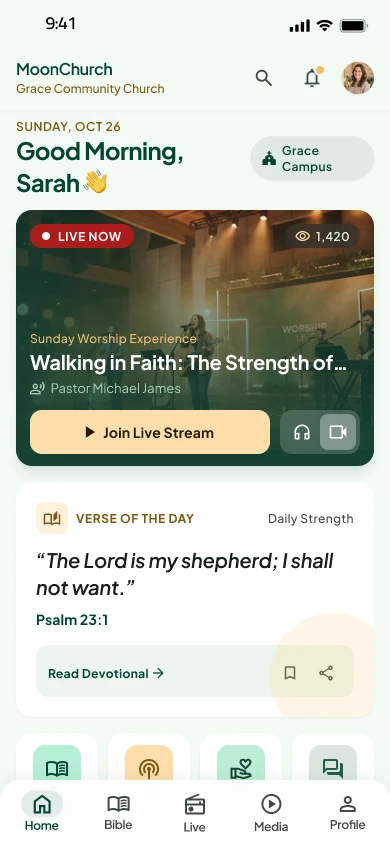
Bible, sermons, live services and events on Android and iOS.
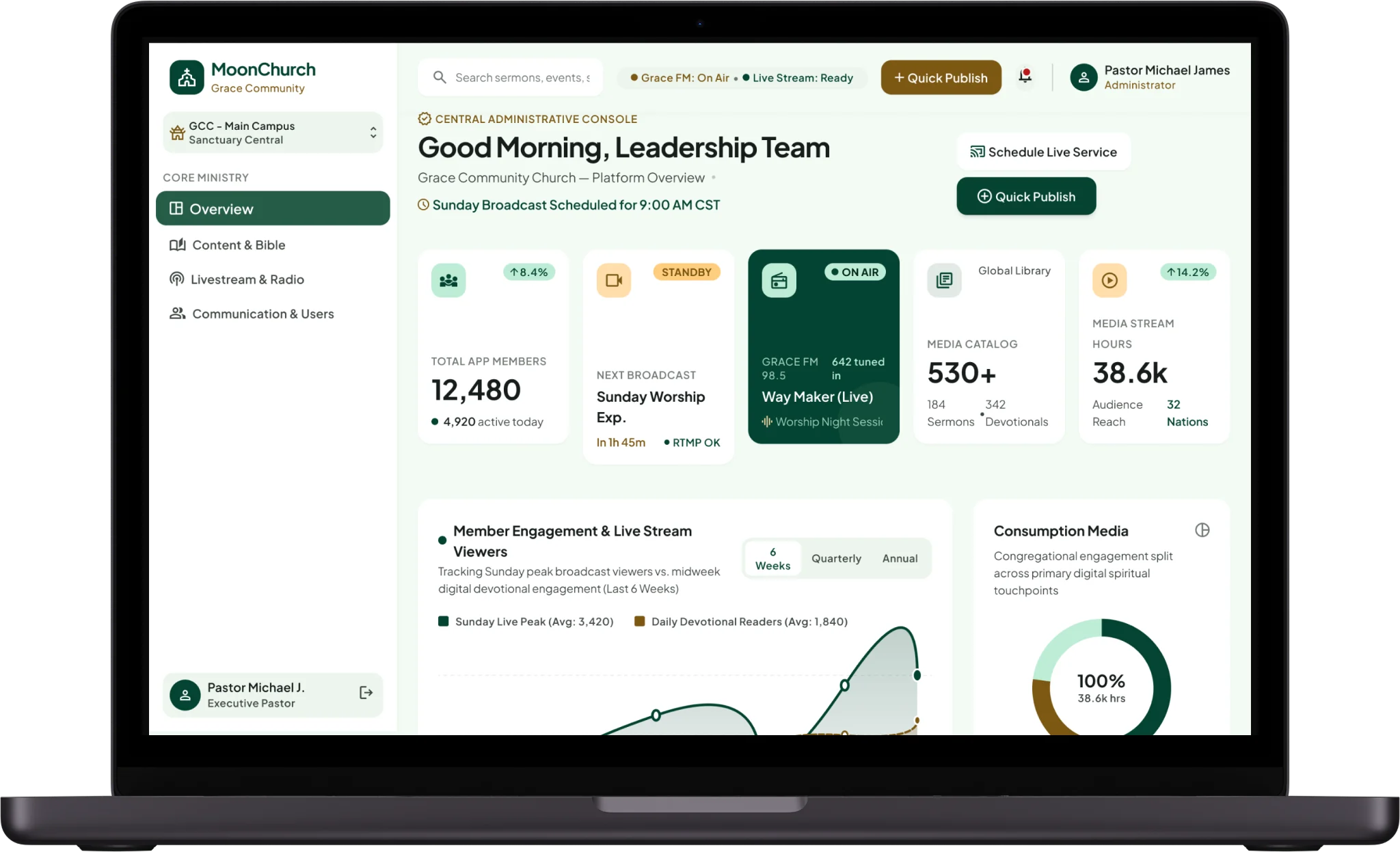
One browser dashboard for content, broadcasts and members.
HD live services and a church radio stream in the same app.
What Does Our Custom Church App Development Solution Include?
Church Member Mobile App
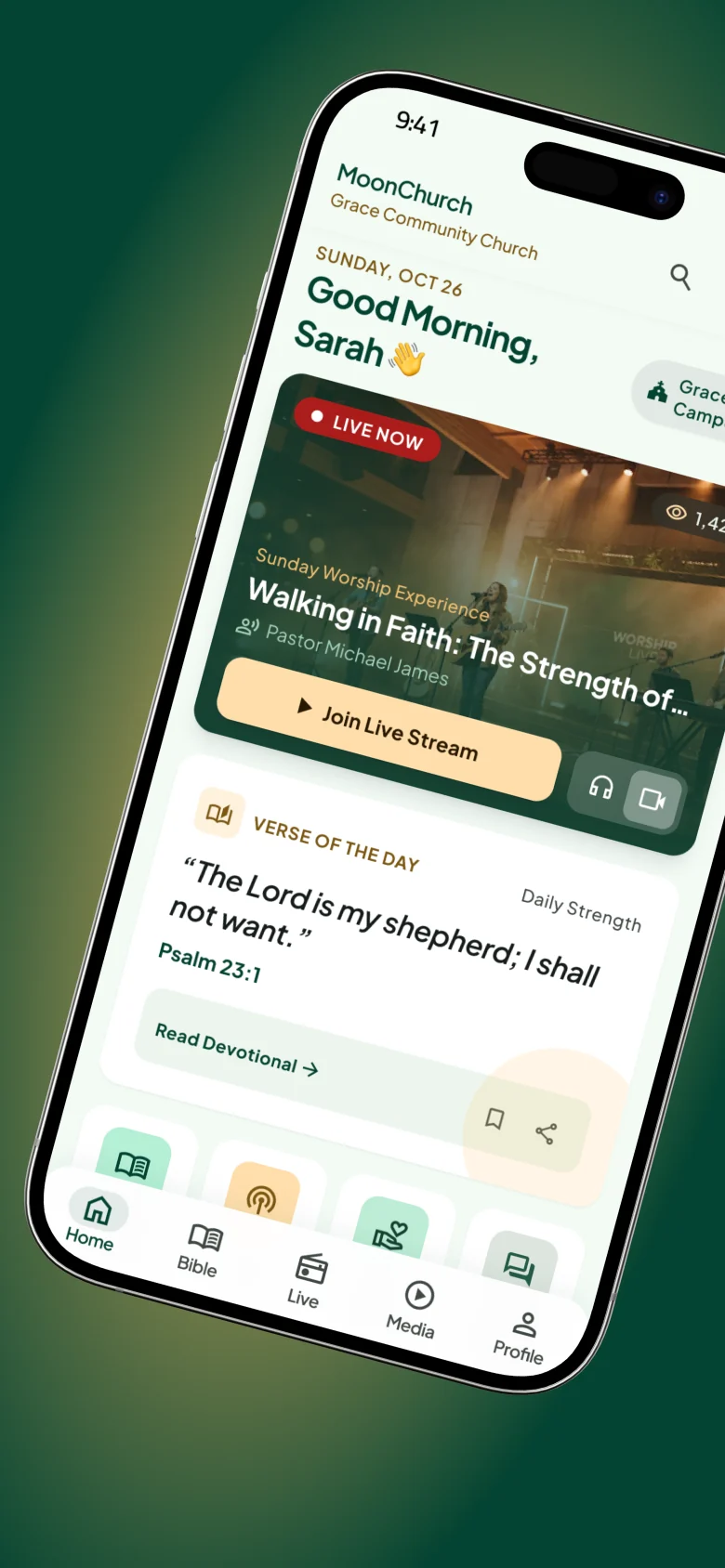
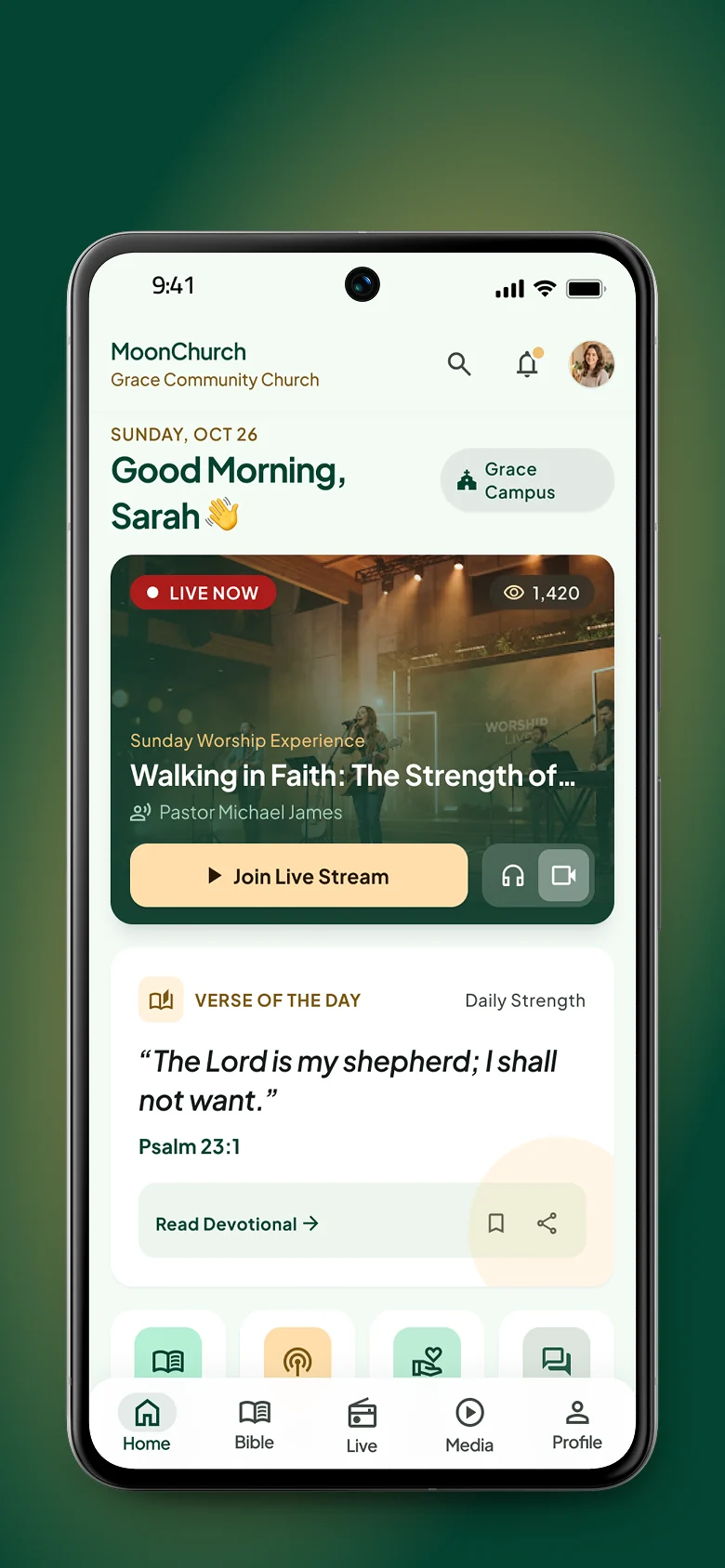
The app your congregation opens every day: a personal home screen with the live service, verse of the day, reading progress and quick links to the Bible, sermons and events.
Web-Based Church Admin Dashboard
One browser-based control centre where pastors and staff publish content, schedule broadcasts, send notifications and see how members engage.
Bible, Sermon and Devotional Content Management
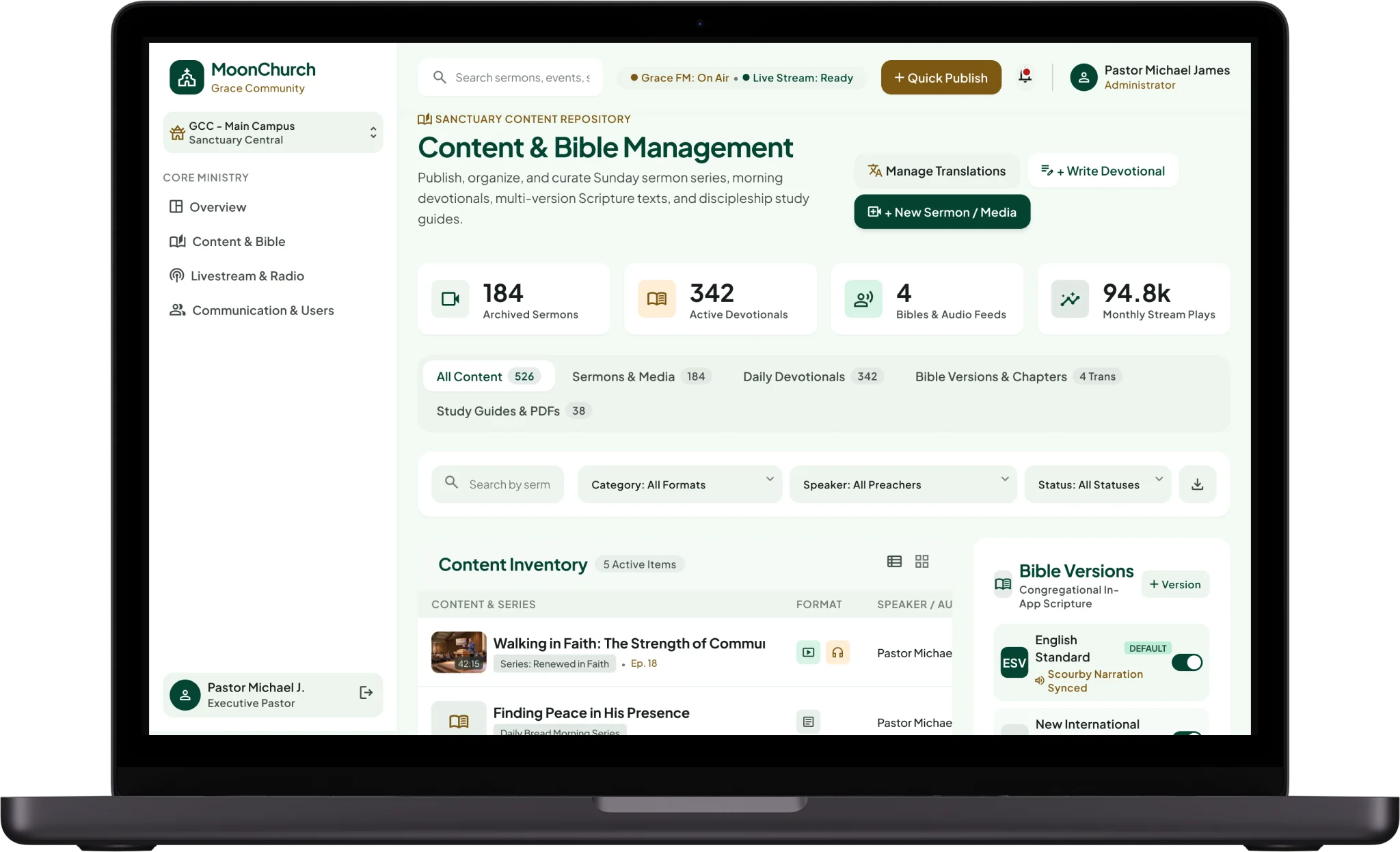
Multiple Bible versions, audio Bible, sermon series and daily devotionals, organised so members can find them and staff can update them in minutes.
Church Communication and Community Features
Announcements, push notifications, prayer requests and reactions that keep members connected between Sunday services.
Want to see these parts working together?
Explore the church app demo screens below, then tell us which parts your church needs.
Explore Our Church App Demo and Screens
Church Admin Dashboard Screens
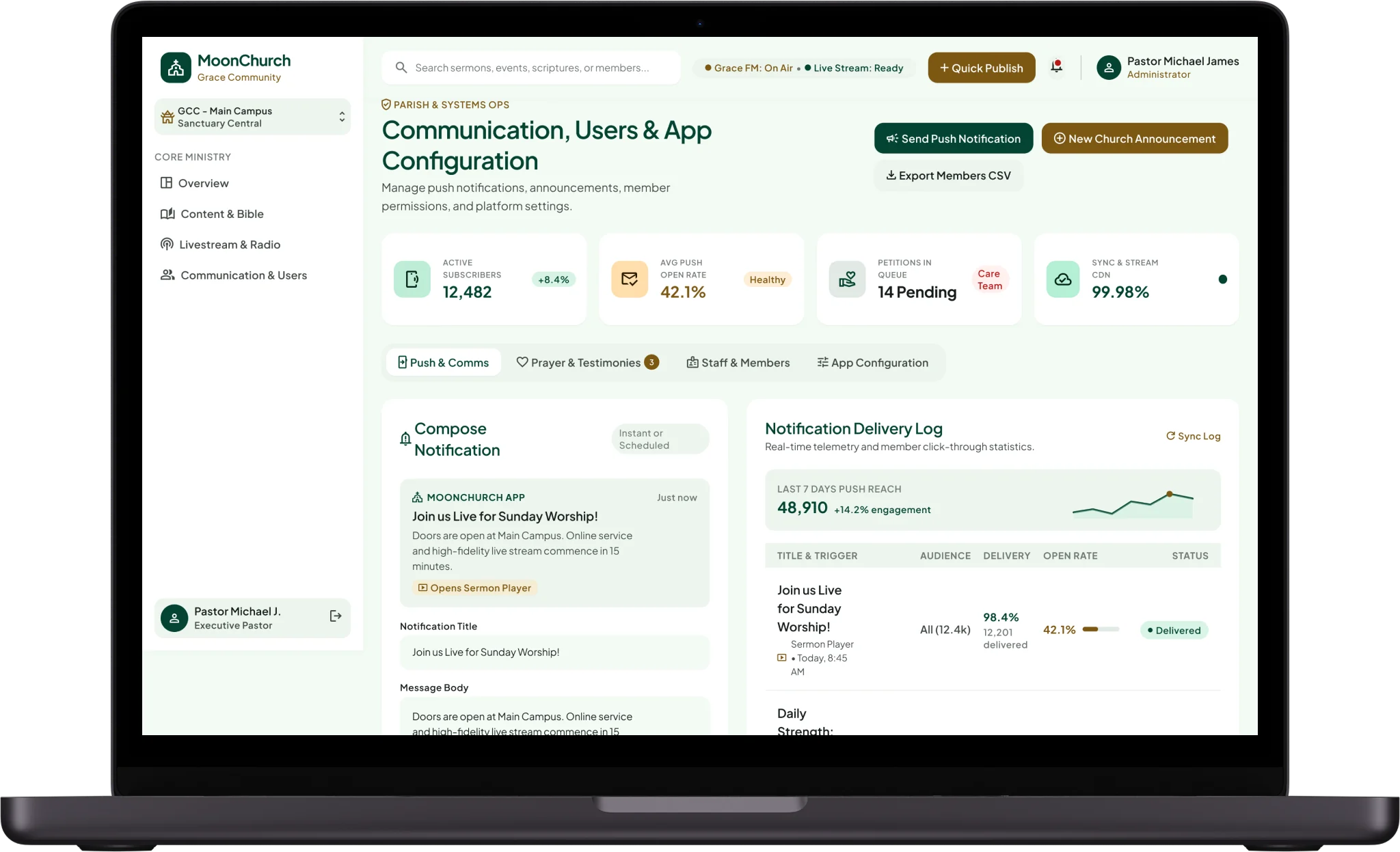
The overview shows members, live broadcast status, media catalogue size, streaming hours and engagement trends at a glance. The communication console handles push notifications, users and app settings.
Bible and Content Management Screens
Staff manage sermons, devotionals, study guides and Bible versions from one content library, with filters by format, speaker and status.
Sermon and Media Management Screens
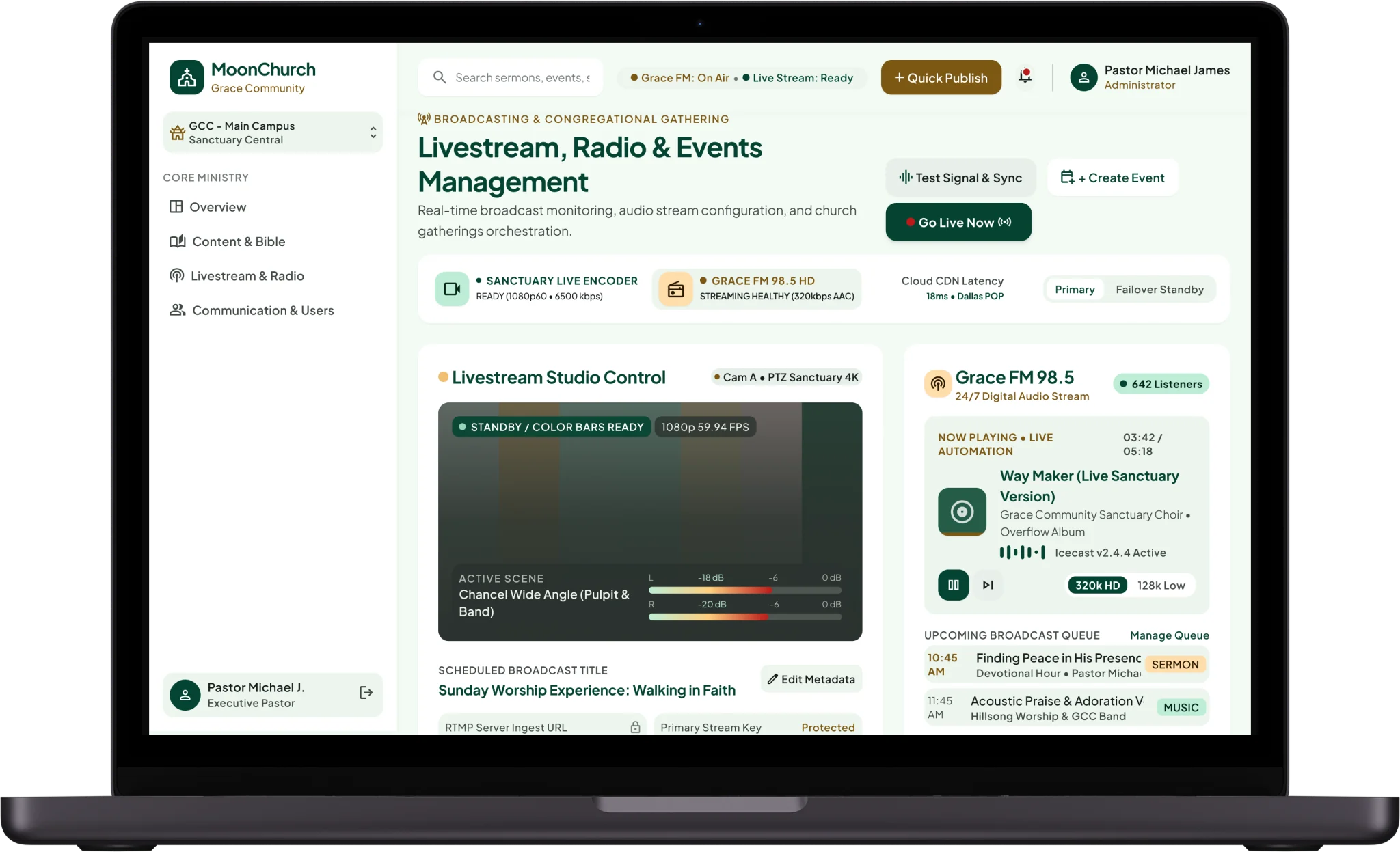
The livestream studio controls the live video feed, scheduled broadcasts, the church radio queue and upcoming events.
Member App Screens
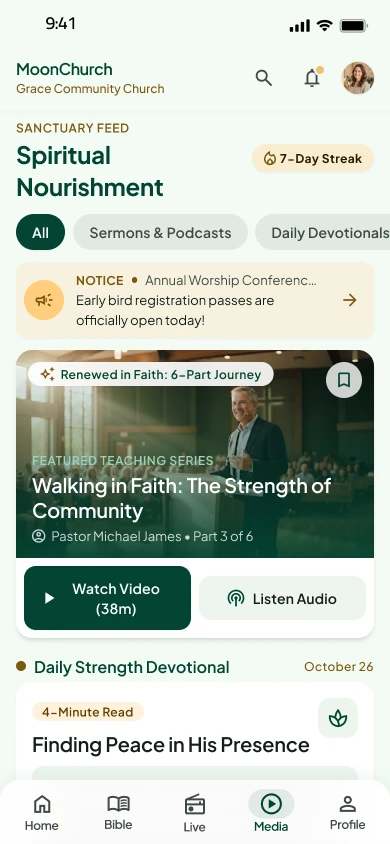
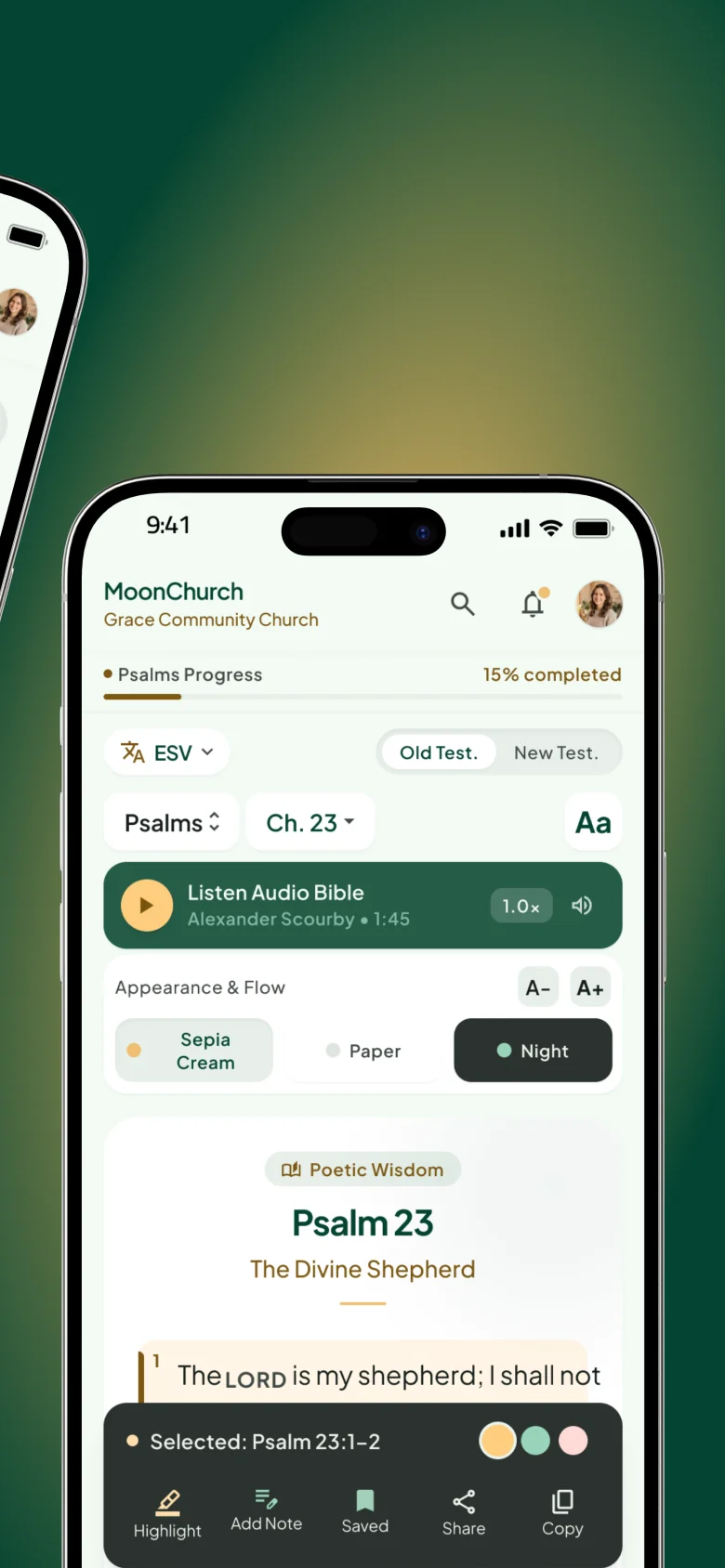
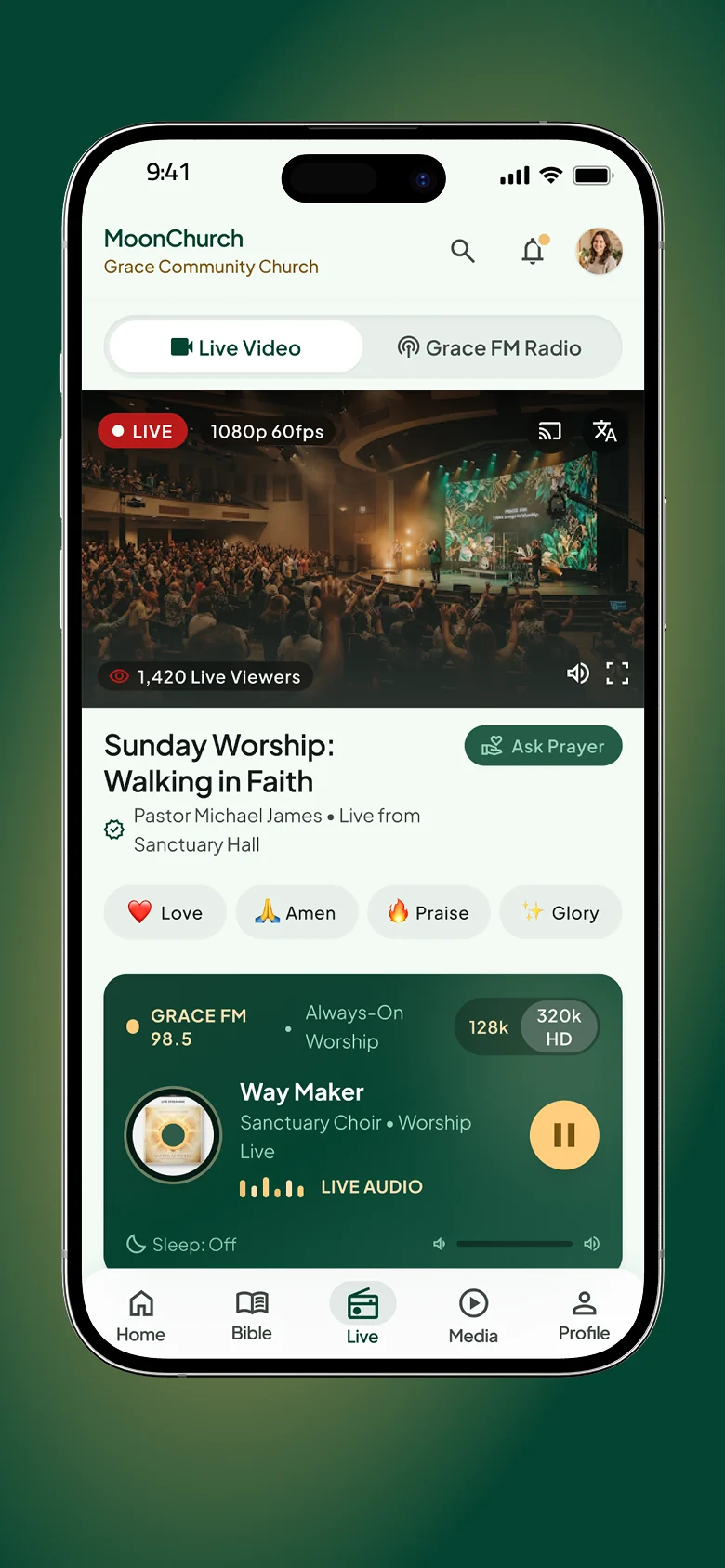
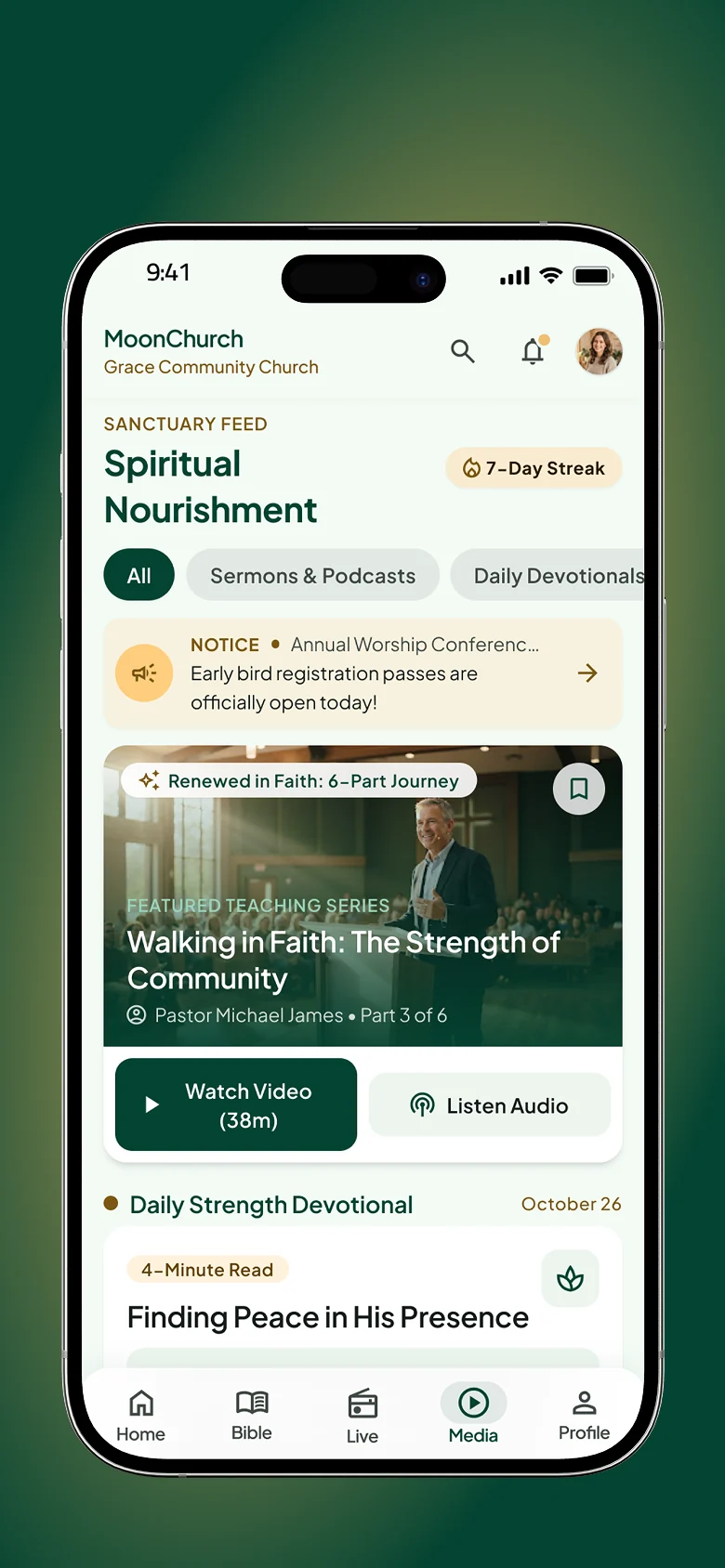
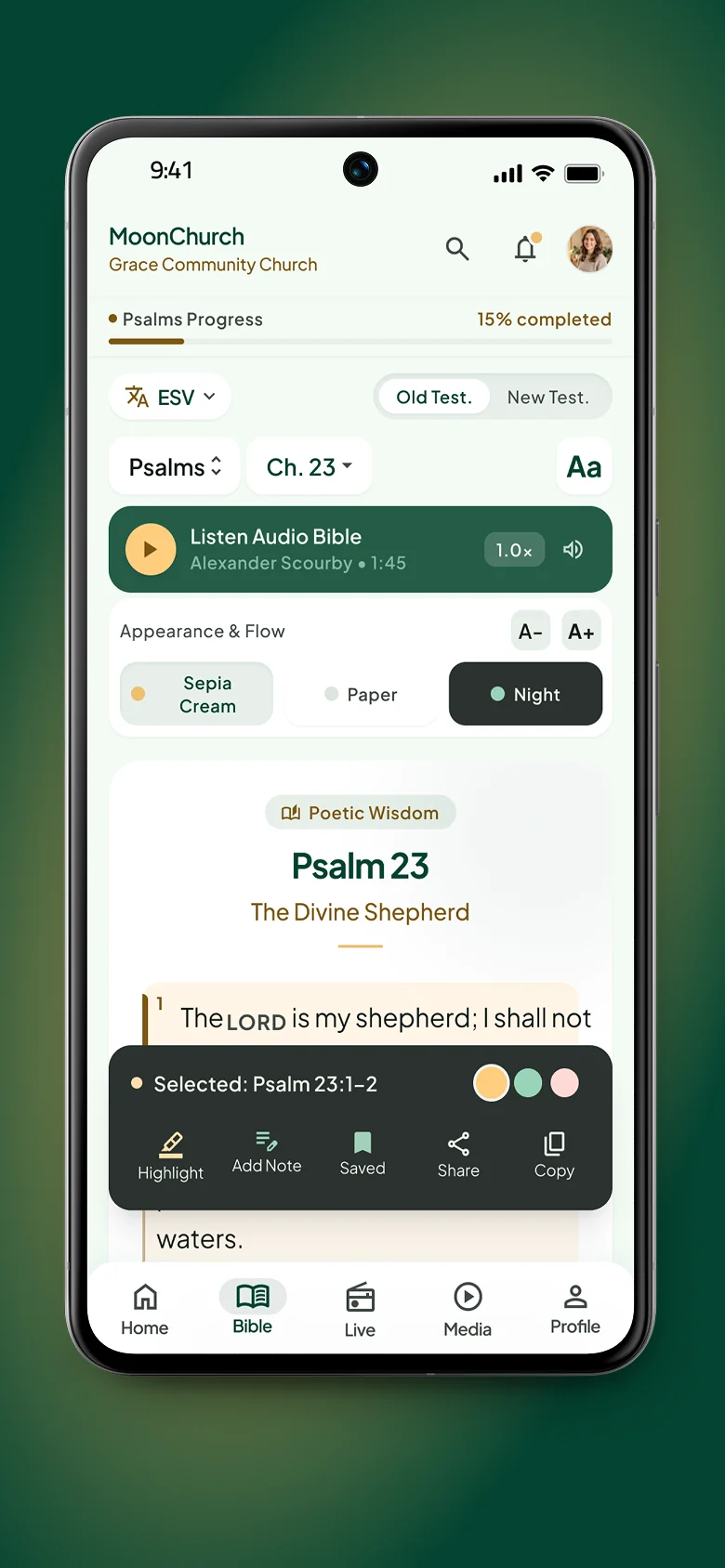
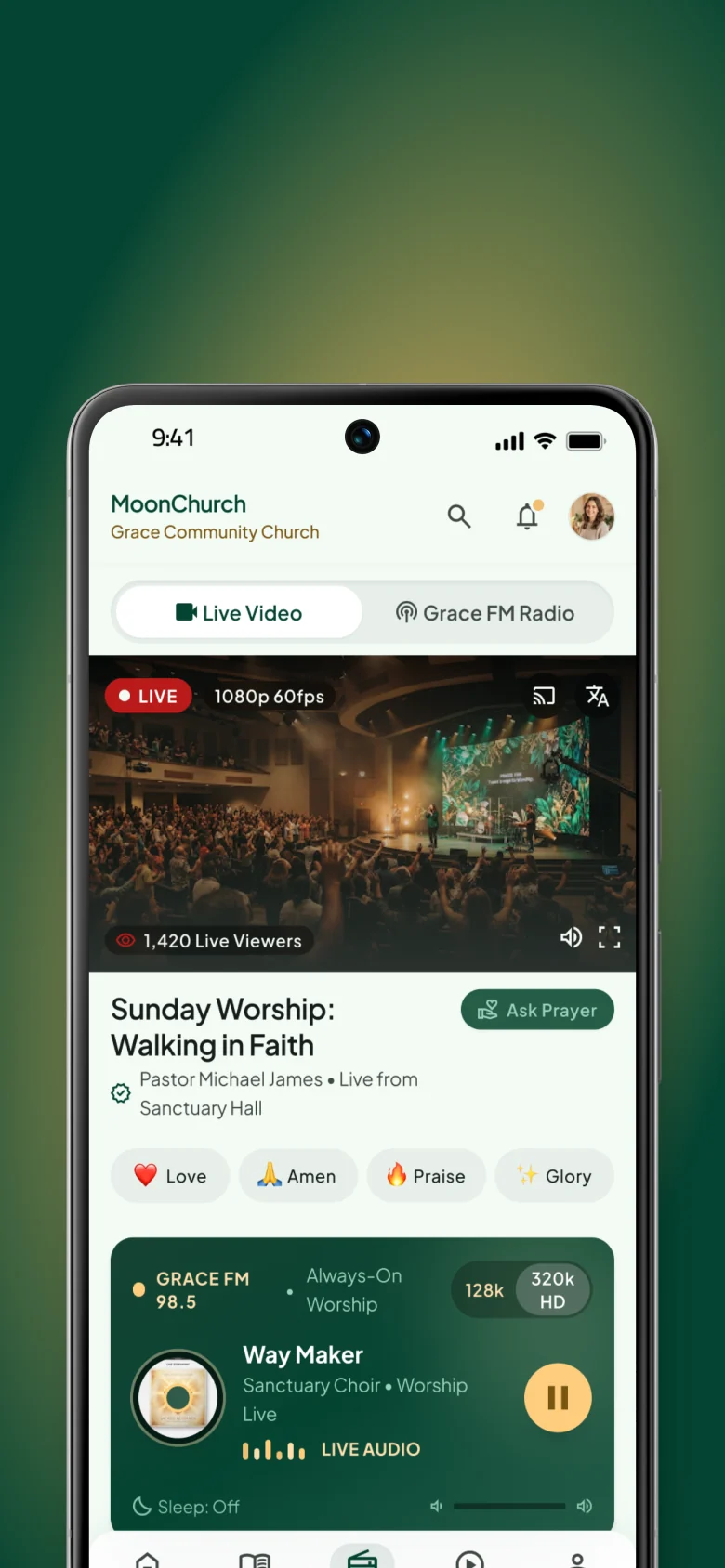
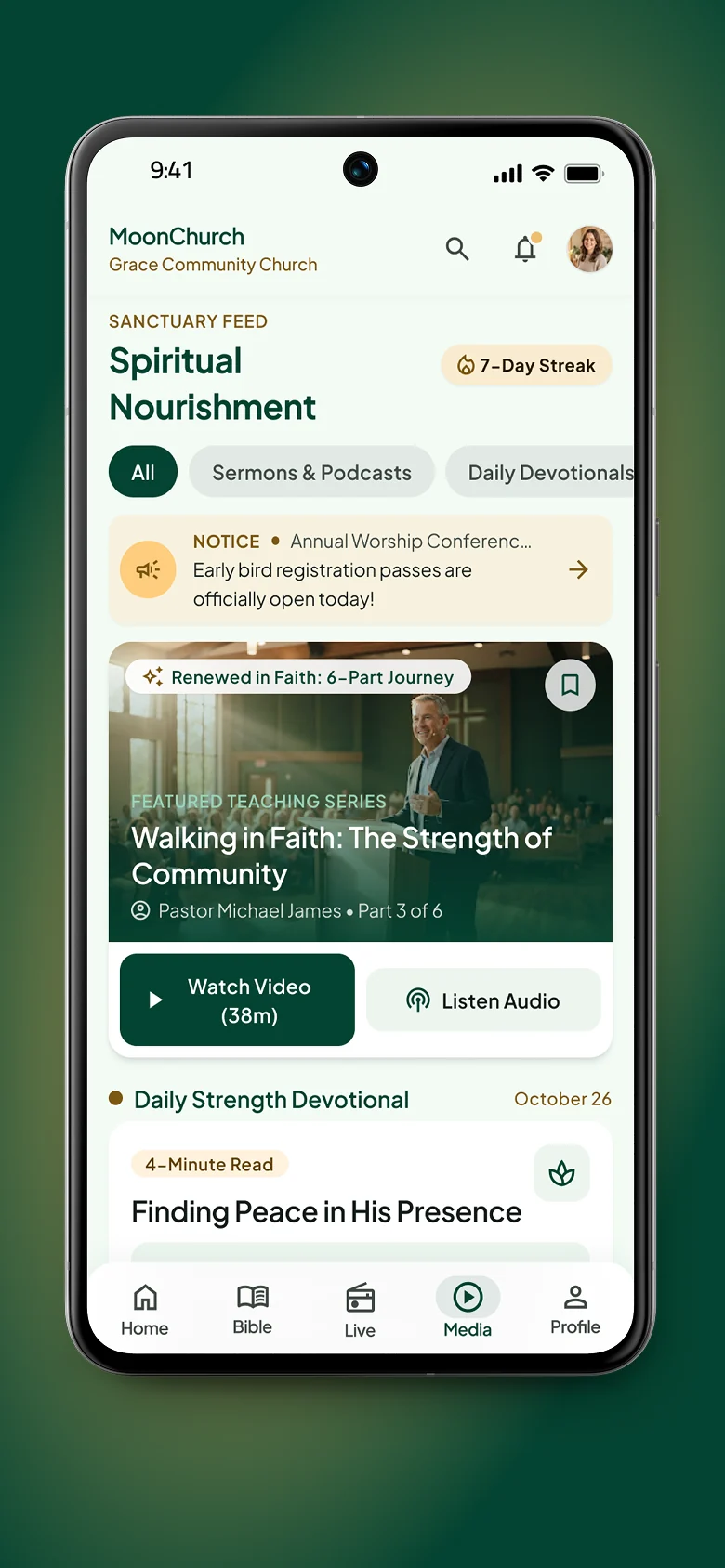
Members get a personal home screen, Bible reading with study tools, live video and radio, and a feed of sermons and devotionals. Switch between the iPhone and Android versions.
How Does a Church App Work?
How Do Church Members Access Sermons and Bible Content?
Members open the app and choose the Bible or Media tab. They can switch Bible versions, listen to the audio Bible, highlight verses and continue reading where they stopped. Sermons are grouped into series with video and audio options.
How Can Members Watch Live Church Services?
When a service goes live, members get a notification and tap Join Live Stream. They can watch in HD, switch to audio-only, react and send prayer requests during the service. The church radio stream plays the rest of the week.
How Do Churches Share Events and Announcements?
Staff create an announcement or event in the dashboard and send it as a push notification. It appears on the member home screen and in the feed, so nobody has to rely on a printed bulletin.
How Do Administrators Manage Church Activities?
Administrators log in to the web dashboard to upload sermons, schedule broadcasts, manage Bible versions, review prayer requests and manage users, all from one place.
What Features We Include in Your Church App?
Bible Reading and Personal Study Tools
Multiple versions, audio Bible, reading plans, highlights, notes and reading themes such as sepia and night mode.
Sermon and Media Library
Video and audio sermons organised by series, speaker and date, with progress saved for every member.
Church Live Streaming and Online Radio
HD live services with audio-only mode, plus a 24-hour church radio stream with a schedule your team controls.
Events and Programme Management
Service times, conferences and programmes with registration, reminders and campus filters.
Daily Devotionals and Spiritual Content
Verse of the day, short devotional readings and reading streaks that build a daily habit.
Push Notifications and Church Announcements
Targeted messages to the whole church, a campus or a ministry group, scheduled in advance.
Member Messaging and Community Engagement
Prayer requests, reactions during live services and community updates that keep members involved.
Web-Based Content and User Management
Roles and permissions for pastors, staff and volunteers, with content and user management in the browser.
Know which features your church needs first?
Share your list and our church app developers will separate the first release from later updates.
What Can You Manage Through the Church Admin Dashboard?
Publish and Organize Church Content
Create sermons, devotionals, notices and study guides, then tag them by series, speaker and campus.
Manage Bible Versions, Books and Chapters
Add or update Bible versions and translations, and control which versions are the default for members.
Upload and Manage Sermons and Media
Upload video and audio, set thumbnails, and keep an archive of every past message.
Schedule Live Broadcasts and Radio Content
Plan live services, check stream status before going live, and manage the radio playlist.
Manage Members and Community Activities
Manage user accounts, roles, prayer requests and testimonies from one place.
Monitor Content and Member Engagement
See active members, live viewers, devotional readers and notification open rates over time.
Hover a task to see its dashboard screen
Church App Development for iOS, Android and Web
iOS Church App Development
Your church app on iPhone and iPad, built to the App Store Review Guidelines and published on the App Store under your church name.
Android Church App Development
The same app on Android phones, built to Google Play policies and published on Google Play.
Web-Based Church Administration Dashboard
A browser dashboard for pastors and staff to manage content, broadcasts, notifications and members from any computer.
One church app, every phone in your congregation.
Launch on Android and iOS together from a single Flutter codebase.
What Technologies Do We Use for Church App Development?
Flutter for Android and iOS App Development
Flutter is Google’s framework for building native apps for Android and iOS from one codebase. It keeps both apps consistent and makes updates faster and less costly.
Firebase Configuration and Backend Services
Firebase provides sign-in, a real-time database, file storage for media and Firebase Cloud Messaging for push notifications.
Server Configuration and Infrastructure
We configure hosting, media storage and streaming delivery around your audience size, and set up separate testing and production environments.
App Security, Performance and Scalability
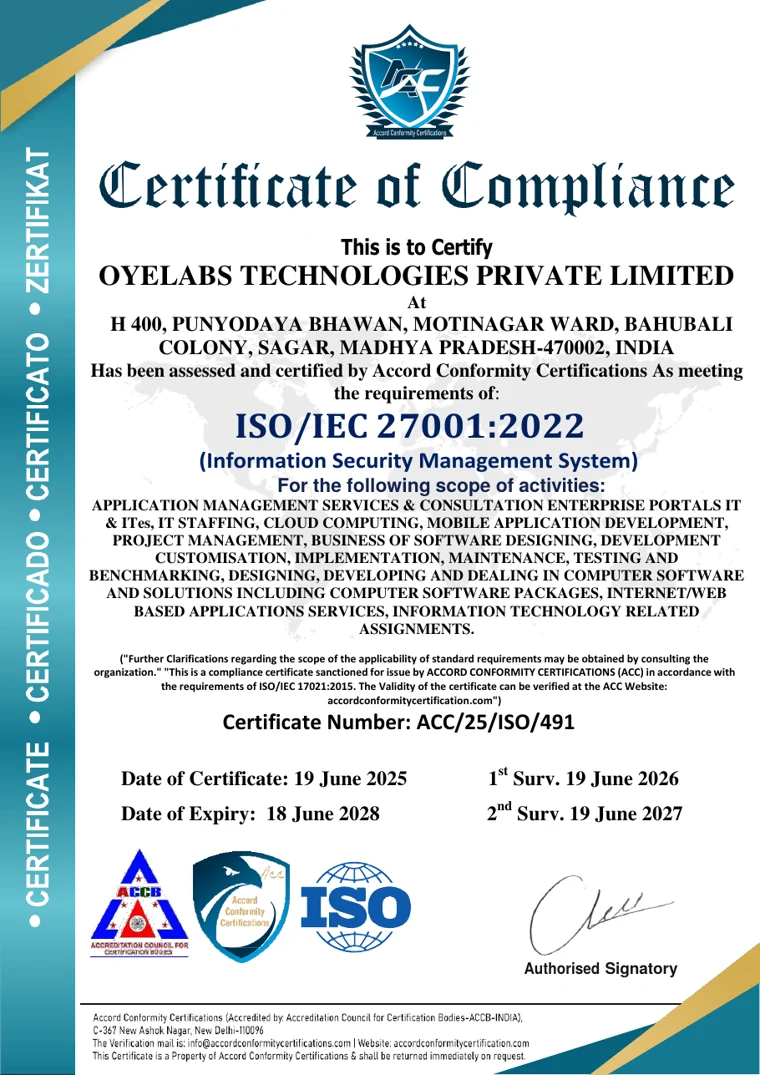
Role-based access, encrypted connections and secure sign-in protect member data, while caching and load testing keep the app fast during Sunday traffic peaks. Oyelabs is certified to ISO/IEC 27001:2022 for information security.
Have a technical question about your church app?
Talk directly with the developers who would build it.
How Does Our Church App Development Process Work?
Consultation and Requirement Analysis
We learn how your church runs, who will use the app and what it must do first.
Church App Planning and Feature Selection
We agree the feature list, platforms and integrations, and split them into releases.
UI/UX Design and Prototyping
We design the member app and dashboard screens and share a clickable prototype.
Flutter App and Admin Dashboard Development
We build the Android and iOS apps in Flutter and the web dashboard, sharing working builds.
Firebase Configuration and Integration
We set up Firebase sign-in, data, storage and notifications, and connect streaming services.
Testing and Quality Assurance
We test on real phones, tablets and browsers, including live-stream and notification flows.
Android and iOS Deployment
We publish the apps on Google Play and the App Store under your church name.
Technical Documentation and Handover
You receive technical documentation and admin training so your team can run the app confidently.
Ready for stage one?
Your first consultation ends with a clear scope for your church app.
Why Choose Oyelabs for Church App Development?
★★★★★
Average client rating from 100+ companies that built their products with Oyelabs.
companies rated Oyelabs
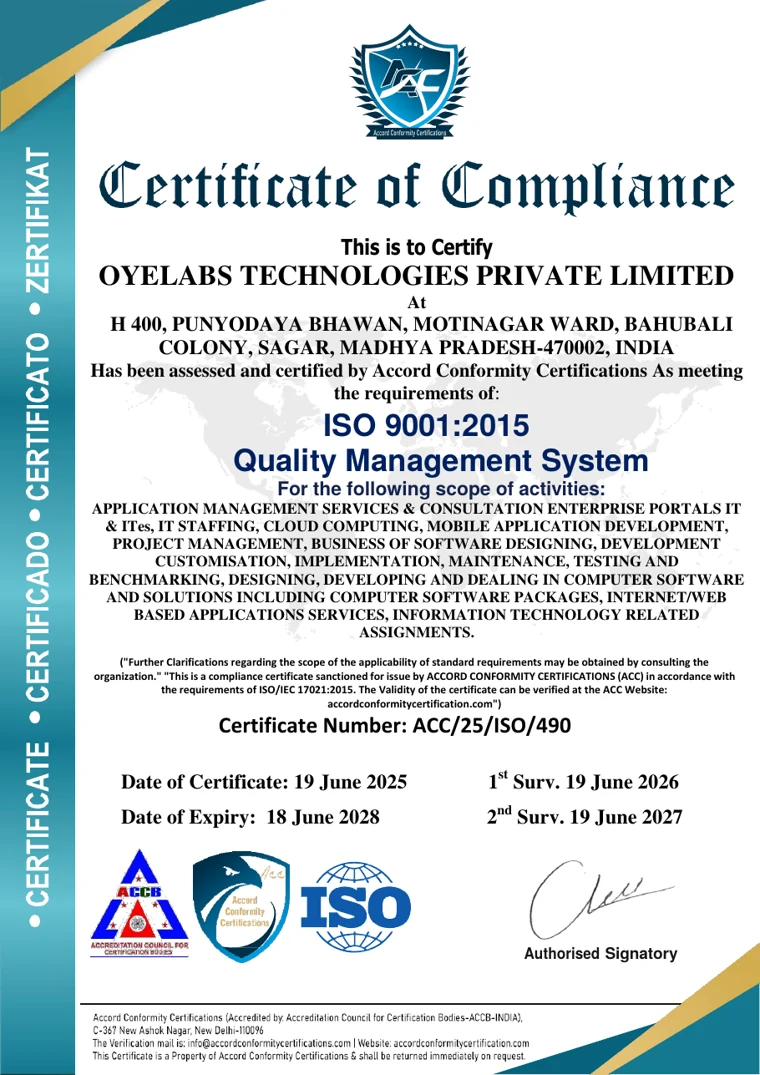
Oyelabs Technologies is certified for quality management and information security by Accord Conformity Certifications.
Custom Features Based on Your Church’s Requirements
We build the features your ministry needs, not a fixed template with your logo added.
Android and iOS App Development with Flutter
One Flutter codebase gives your members a consistent app on both platforms and keeps maintenance simpler.
Centralized Web-Based Administration
Your staff manage content, broadcasts, notifications and members from one dashboard.
Organized Content and Media Management
Bible versions, sermons, devotionals and media stay organised and easy to update.
Technical Documentation and Deployment Support
We handle store publishing and hand over documentation, so your church is never locked out of its own app.
What Do Clients Say About Working With Oyelabs?


Ready to Build Your Custom Church App?
Tell us about your church, your members and the features you need first. Our church app development team will reply with clear next steps and a written project estimate.
- Free consultation with our church app developers
- Written scope and project estimate
- NDA signed on request
FAQs About Church App Development
What is church app development?
Church app development is the process of designing, building and launching a mobile app for a church. It usually includes a member app for Android and iOS and a web dashboard for staff to manage content, live services and members.
What does a church app development company do?
A church app development company plans, designs, builds, tests and publishes your church app, then supports it after launch. Oyelabs also sets up the backend, the admin dashboard and the app store listings.
What features should a church app have?
Most church apps include Bible reading, sermons and media, live streaming, events, daily devotionals, push notifications and a web admin dashboard. Online radio, prayer requests and community features are common additions.
Can I build a custom app for my church?
Yes. Custom church app development lets you choose your own features, branding and workflows instead of using a template app builder.
Can the church app run on both Android and iOS?
Yes. We build the app with Flutter, which produces native Android and iOS apps from one codebase, and publish both under your church name.
Can church members read the Bible through the app?
Yes. Members can read multiple Bible versions, listen to the audio Bible, highlight verses, add notes and track reading progress.
Can I add live streaming to my church app?
Yes. Live services can stream inside the app in HD with an audio-only option, and you can add a 24-hour church radio stream.
Can administrators manage sermons and devotionals?
Yes. Administrators upload sermons, publish devotionals and organise series from the web dashboard without technical skills.
Can I send push notifications to church members?
Yes. Your team can send push notifications to everyone or to a specific campus or group, immediately or on a schedule.
Can I manage the church app through a web dashboard?
Yes. Every church app we build includes a web-based admin dashboard for content, broadcasts, notifications, members and reports.
What technologies are used to develop a church app?
We use Flutter for the Android and iOS apps and Firebase for sign-in, data, storage and push notifications. Hosting and streaming setup are configured per project.
How much does church app development cost?
The cost of church app development depends on the features, platforms, integrations and design depth you need. We share a written estimate after understanding your requirements.
How long does it take to develop a church app?
It depends on the scope. A focused first release launches sooner than an app with many features and integrations. Your estimate includes a milestone plan.
Can I customize the app with my church’s branding?
Yes. The app uses your church name, logo, colours and content, and is published under your church name on both app stores.
Do you provide app deployment and technical documentation?
Yes. We publish the app on Google Play and the App Store and hand over technical documentation and admin guidance.
Do you provide support after the app launches?
Yes. We offer ongoing maintenance for updates, fixes, security patches and new features under an agreed support plan.
Will you sign an NDA for my church app idea?
Yes. We are happy to sign an NDA before you share the details of your church app idea.
Explore Our Related App Development Solutions
Planning more than a church app? These services share the same team.
App Store and iOS are trademarks of Apple Inc. Android, Google Play, Flutter and Firebase are trademarks of Google LLC. Other product names on this page are trademarks of their respective owners and are mentioned for reference only. Oyelabs is not affiliated with or endorsed by them. Screens shown are from our church app demo; names and figures in them are sample data.