
Keeta Clone App: White-Label Food Delivery Platform
Launch a Keeta-like food delivery business with zone-based delivery, live order tracking, and built-in deals
Our white-label food delivery platform helps startups, restaurant groups, and regional operators launch a multi-vendor food delivery app inspired by the Keeta business model. You get a customer app and web app, a restaurant app and panel, a delivery partner app, and an admin panel, ready for your branding. The standard white-label build is delivered in 7 to 10 working days after we receive your technical requirements, and custom features are scoped separately.
 Flutter Powered

Here’s What You Get:
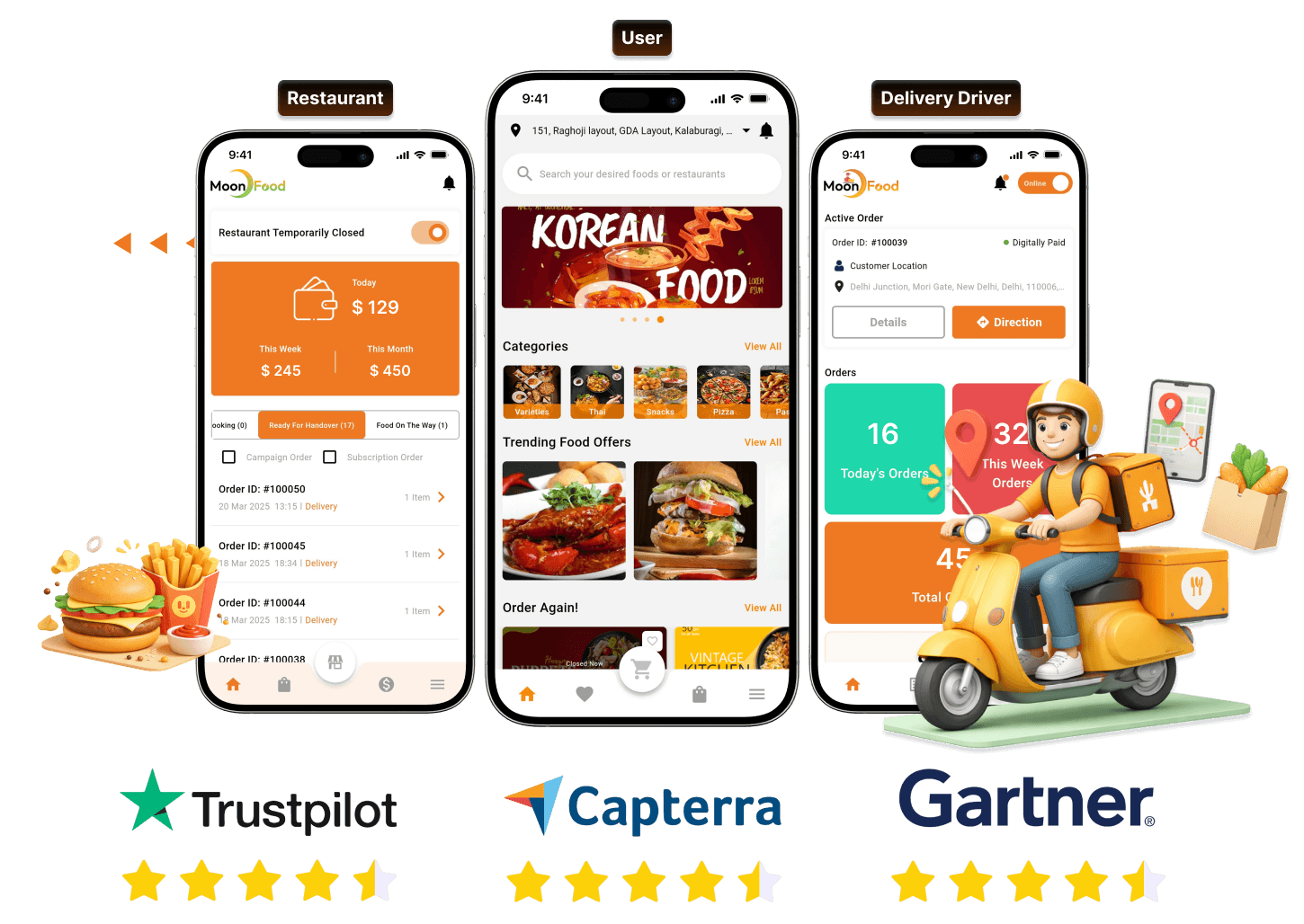


Build a Keeta-Like Platform for Every Food Business Model
Our white-label food delivery app adapts to different business models, so you can launch the restaurant network, marketplace, or delivery-only kitchen that fits your goals.

Single Restaurants

Restaurant Chains

Hyperlocal Marketplace

Cloud Kitchens
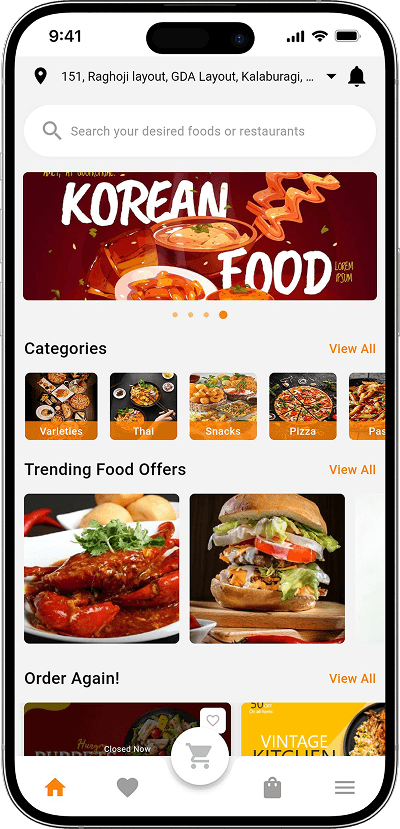
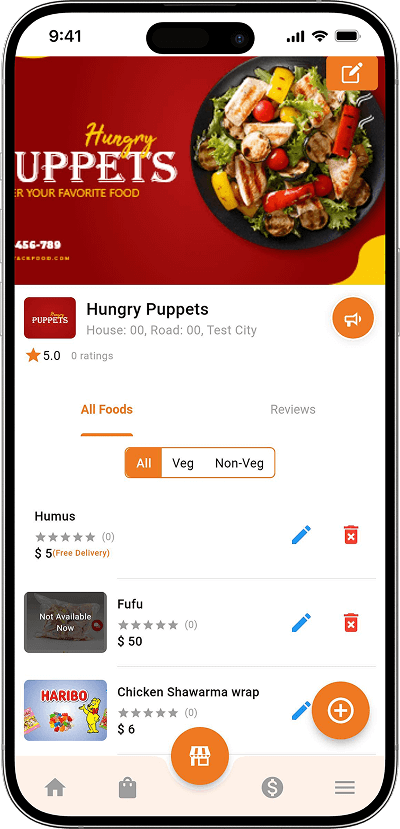
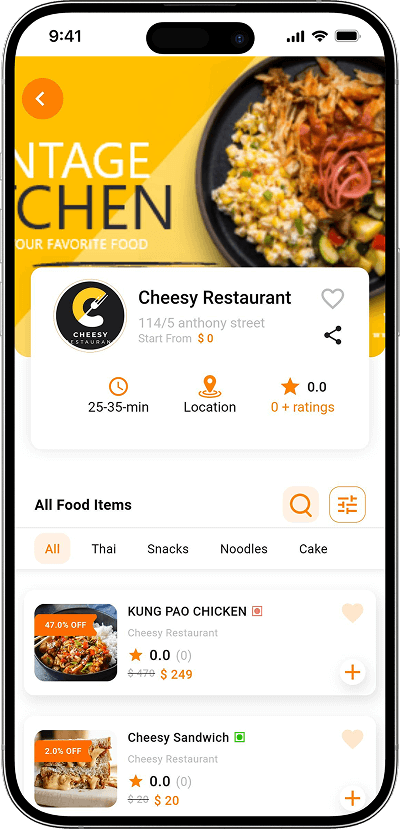
Mockups of Our White-Label Food Delivery App
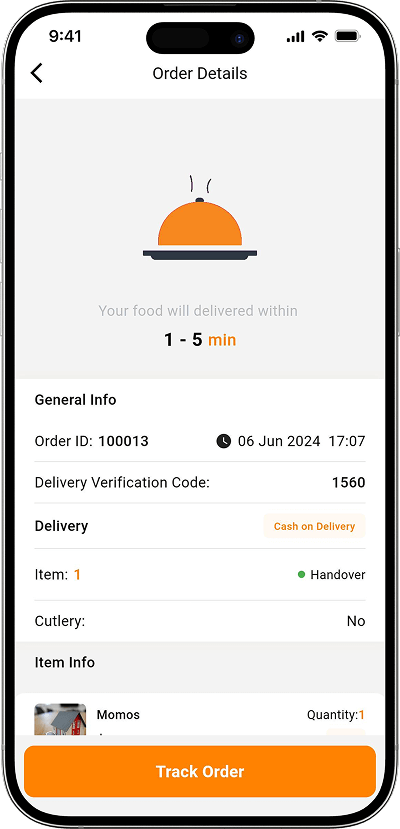
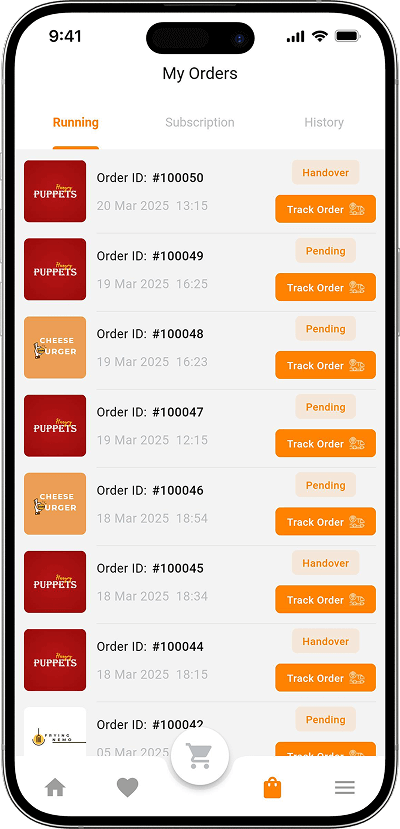
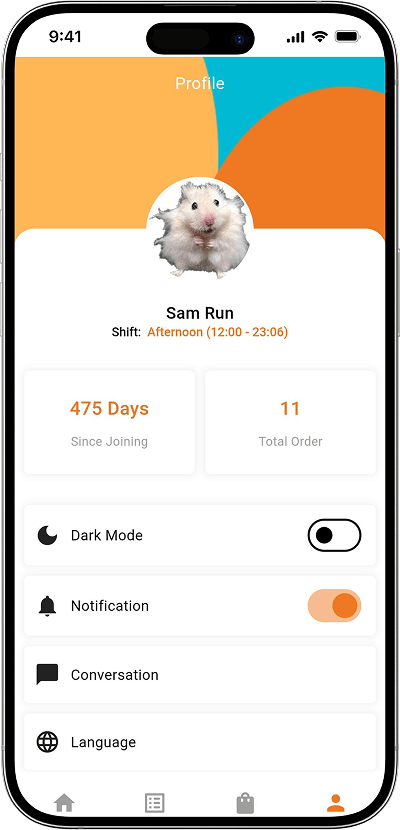
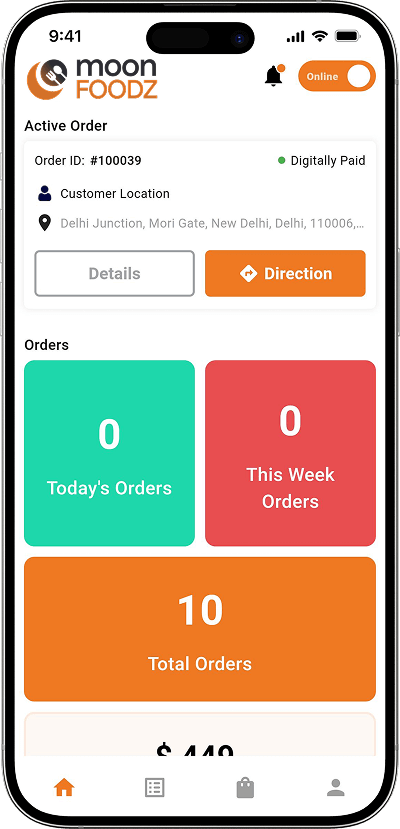
Browse the app screens to see the customer, restaurant, and delivery partner experience of our ready-made food delivery solution.
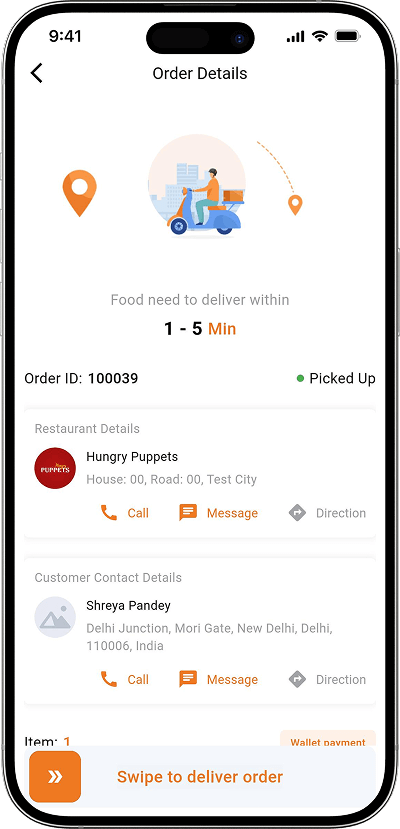
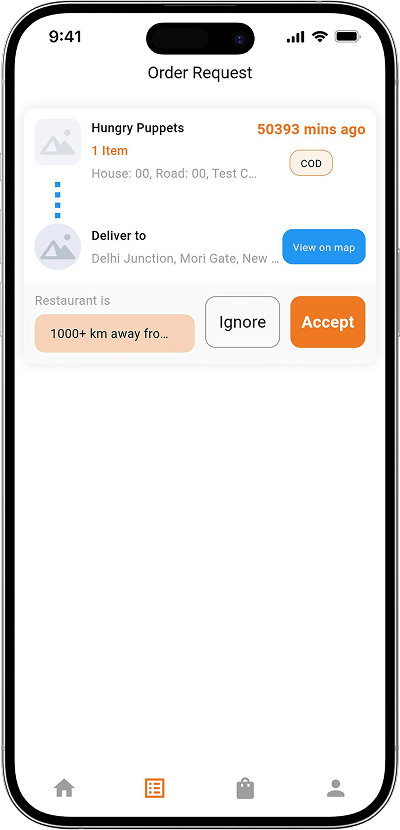
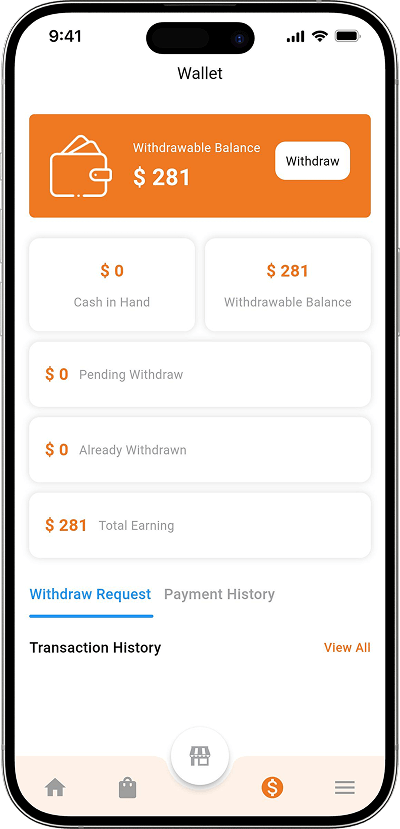
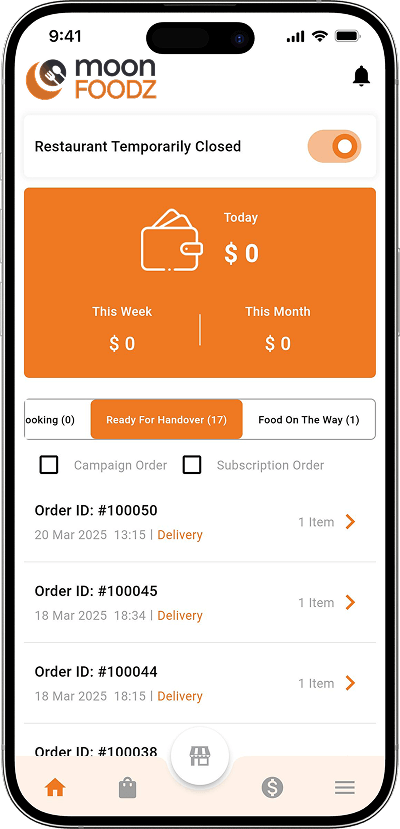
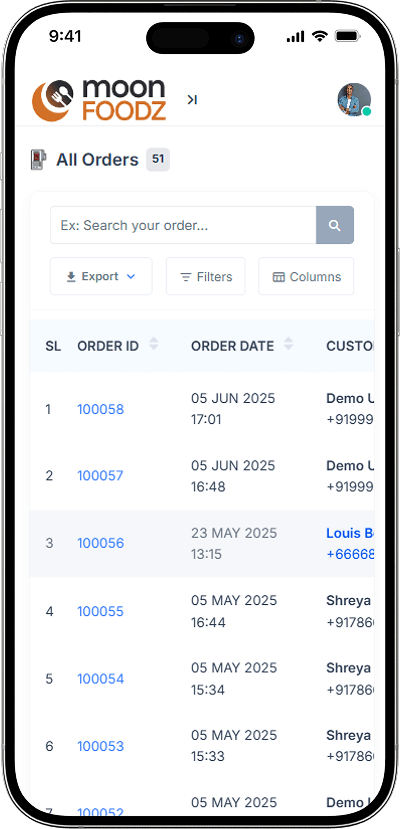
Check Live Demo
Test-drive our demo and see how you can launch a multi-vendor food delivery app. Want to see it in action? Contact us now and your personalized demo access is just a message away!
Included Features of Our Food Delivery Platform
These features are part of the standard platform for customers, restaurants, delivery partners, and admins. Optional add-ons are listed separately below.
Customer Features
-
Live Order Tracking
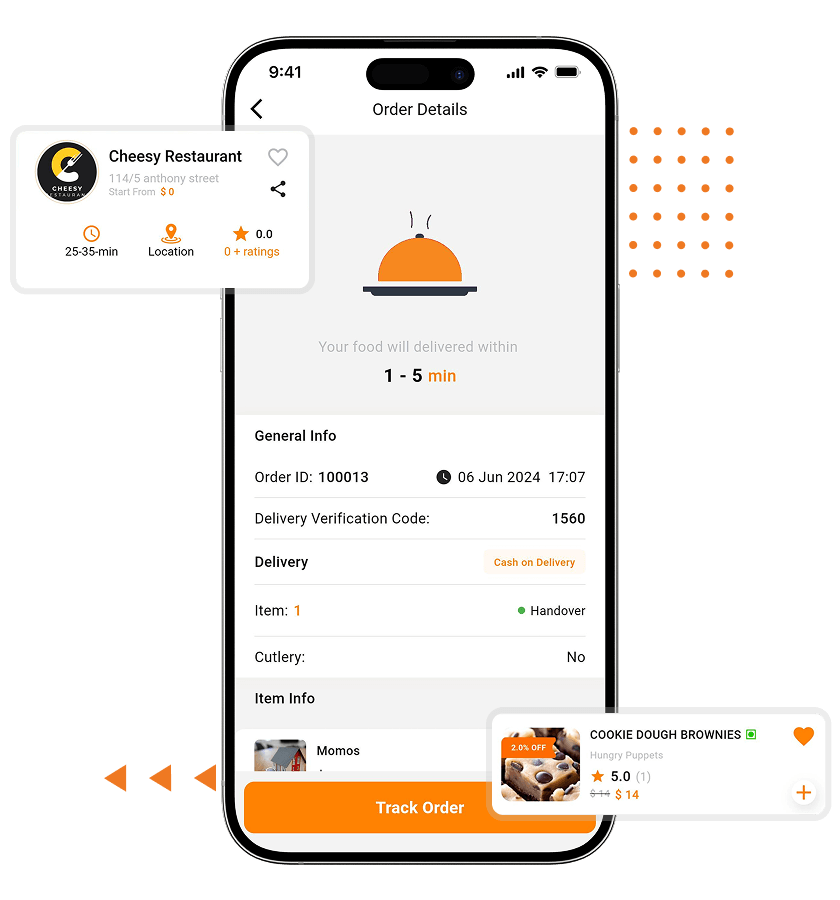
Real-time order tracking is built in. Users get a live map showing the journey from restaurant confirmation to delivery, so they always know exactly where their food is. -
Delivery Instructions
Customers can add delivery instructions at checkout and choose whether to include cutlery, so the restaurant and delivery partner know exactly what is needed. -
Scheduled Orders
Customers can place orders ahead of time in 30-minute slots, with the scheduling window controlled by the admin. -
Takeaway
With the takeaway option, users can skip delivery and collect orders directly from the restaurant, giving customers more flexibility. -
Order History & Reorder
Users can view previous orders and reorder their favorites in a few taps, with item and restaurant availability checks built in.
-
Easy Registration & Login
Customers can register or log in with a phone number, email address, or social login, and accounts can be verified through SMS OTP. -
Search & Browse Restaurants
Customers can browse restaurants and filter by cuisine, category, and search tags, with restaurants sorted by distance on the homepage. -
Coupons & Offers
Customers can apply coupons and see offer prices, including customer-specific and restaurant-specific coupons, on a dedicated coupon page. -
Wallet & Loyalty Points
Customers can pay from a wallet, top it up through payment gateways, and earn loyalty points that convert into wallet balance. -
In-App Chat
Live chat connects customers with the admin, restaurants, and delivery partners, so questions get answered without leaving the app.
- Customer App
-
-
Live Order Tracking
Real-time order tracking is built in. Users get a live map showing the journey from restaurant confirmation to delivery, so they always know exactly where their food is. -
Delivery Instructions
Customers can add delivery instructions at checkout and choose whether to include cutlery, so the restaurant and delivery partner know exactly what is needed. -
Scheduled Orders
Customers can place orders ahead of time in 30-minute slots, with the scheduling window controlled by the admin. -
Takeaway
With the takeaway option, users can skip delivery and collect orders directly from the restaurant, giving customers more flexibility. -
Order History & Reorder
Users can view previous orders and reorder their favorites in a few taps, with item and restaurant availability checks built in.
-
- Customer Website
-
-
Easy Registration & Login
Customers can register or log in with a phone number, email address, or social login, and accounts can be verified through SMS OTP. -
Search & Browse Restaurants
Customers can browse restaurants and filter by cuisine, category, and search tags, with restaurants sorted by distance on the homepage. -
Coupons & Offers
Customers can apply coupons and see offer prices, including customer-specific and restaurant-specific coupons, on a dedicated coupon page. -
Wallet & Loyalty Points
Customers can pay from a wallet, top it up through payment gateways, and earn loyalty points that convert into wallet balance. -
In-App Chat
Live chat connects customers with the admin, restaurants, and delivery partners, so questions get answered without leaving the app.
-
Restaurant and Merchant Features
-
Order Management
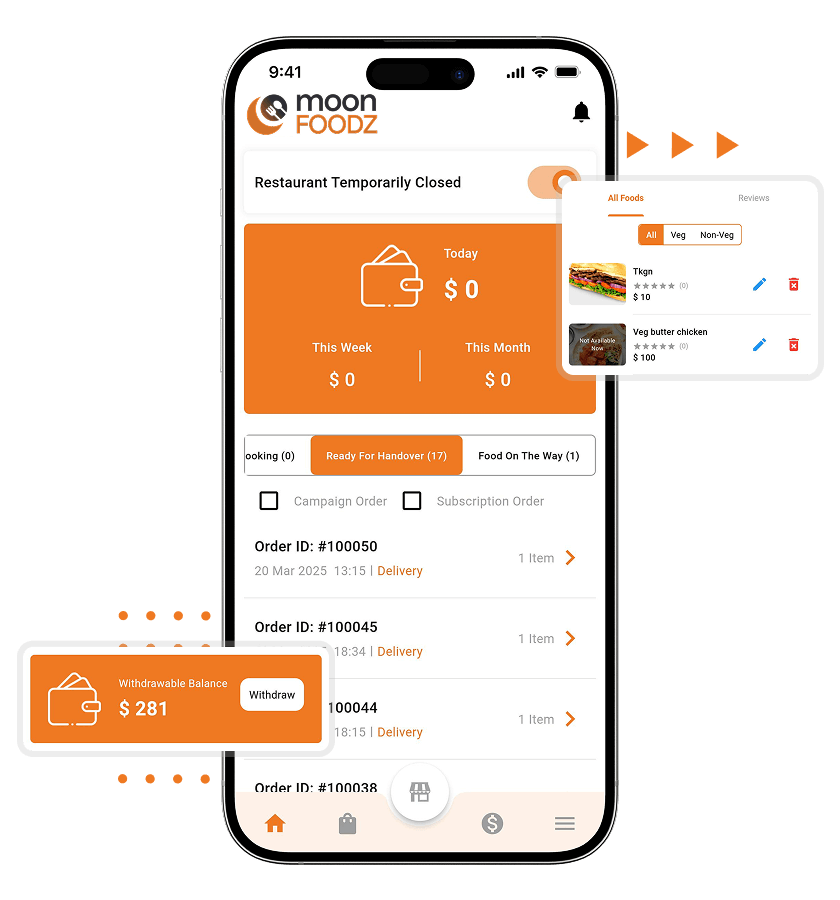
Restaurants can accept, reject, and process orders from the app or panel, update order status, and set order processing times. -
Menu & Food Management
Create and update menus with categories, prices, images, variations, and add-ons from the restaurant dashboard. -
Availability & Stock Control
Manage stock for items and add-ons, and set opening hours and off days, so customers are less likely to order what the kitchen cannot fulfill. -
Veg, Non-Veg & Halal Tags
Label dishes as vegetarian, non-vegetarian, or halal so customers can choose with confidence and local dietary requirements are respected. -
Packaging Charges
Restaurants can add extra packaging charges to each order to recover the cost of customized packaging or additional materials.
-
Earnings Dashboard
Review daily, weekly, and monthly earnings with order, commission, and withdrawal details in one place. -
Commission & Payout Reports
See sales, deducted commissions, and payout requests to keep restaurant finances clear and easy to reconcile. -
Employee & Role Management
Add staff and assign roles with specific access, so each team member sees only what they need. -
Built-In POS
Handle walk-in customer orders with a point of sale in the restaurant panel. Access to POS is controlled by the admin. -
Self-Delivery Option
Restaurants can deliver orders with their own staff instead of using platform delivery partners. -
Ratings & Review Replies
See customer ratings and reviews and reply to them directly to resolve complaints and build trust. -
Low-Stock Alerts
Receive low-stock alerts in the restaurant dashboard so popular items are restocked in time.
- Restaurant App
-
-
Order Management
Restaurants can accept, reject, and process orders from the app or panel, update order status, and set order processing times. -
Menu & Food Management
Create and update menus with categories, prices, images, variations, and add-ons from the restaurant dashboard. -
Availability & Stock Control
Manage stock for items and add-ons, and set opening hours and off days, so customers are less likely to order what the kitchen cannot fulfill. -
Veg, Non-Veg & Halal Tags
Label dishes as vegetarian, non-vegetarian, or halal so customers can choose with confidence and local dietary requirements are respected. -
Packaging Charges
Restaurants can add extra packaging charges to each order to recover the cost of customized packaging or additional materials.
-
- Restaurant Website
-
-
Earnings Dashboard
Review daily, weekly, and monthly earnings with order, commission, and withdrawal details in one place. -
Commission & Payout Reports
See sales, deducted commissions, and payout requests to keep restaurant finances clear and easy to reconcile. -
Employee & Role Management
Add staff and assign roles with specific access, so each team member sees only what they need. -
Built-In POS
Handle walk-in customer orders with a point of sale in the restaurant panel. Access to POS is controlled by the admin. -
Self-Delivery Option
Restaurants can deliver orders with their own staff instead of using platform delivery partners. -
Ratings & Review Replies
See customer ratings and reviews and reply to them directly to resolve complaints and build trust. -
Low-Stock Alerts
Receive low-stock alerts in the restaurant dashboard so popular items are restocked in time.
-
Delivery Partner Features
-
Order Requests
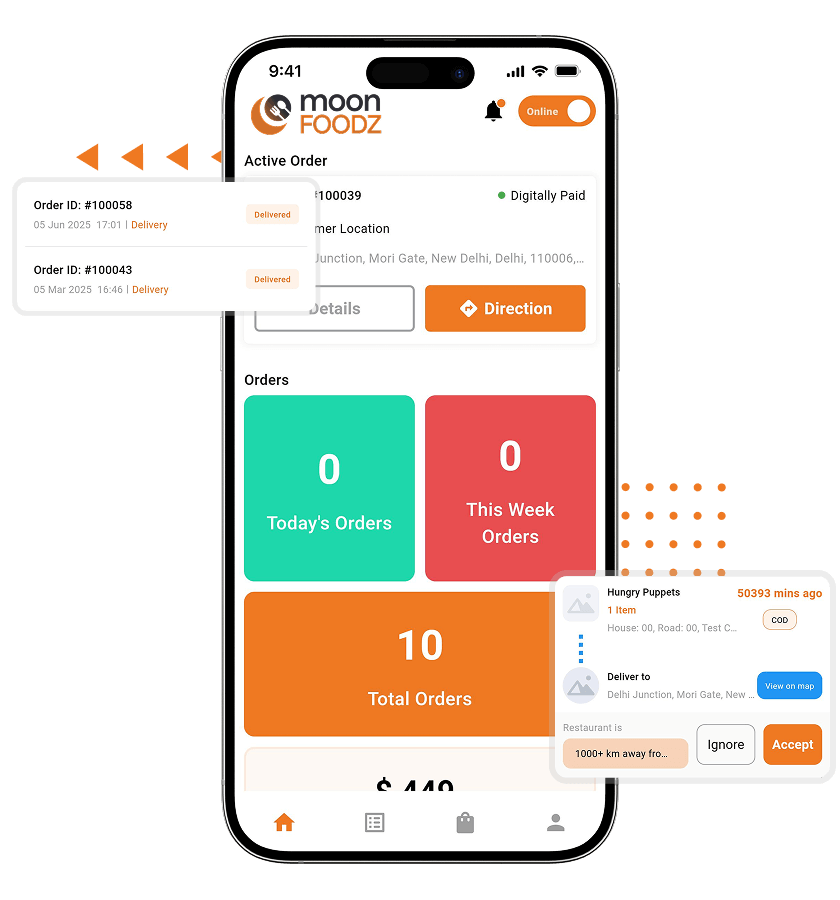
Delivery partners receive order requests in the app and can accept or reject them. -
Pickup & Delivery Workflow
Partners confirm, pick up, and deliver orders through a clear step-by-step status flow in the app. -
Availability Status
Partners switch between online and offline, while online time logs and shift management support workforce planning. -
Proof of Delivery
Delivery partners can manage delivery proof for completed orders, adding accountability to every drop-off. -
Earnings & Incentives
Track per-order earnings and earnings-based incentives, with payouts managed by the admin. -
Order History
View completed and ongoing orders to review past deliveries and resolve related queries. -
Vehicle Type & Delivery Range
Set vehicle types with minimum and maximum delivery ranges and extra charges, so assignments match each partner's capacity.
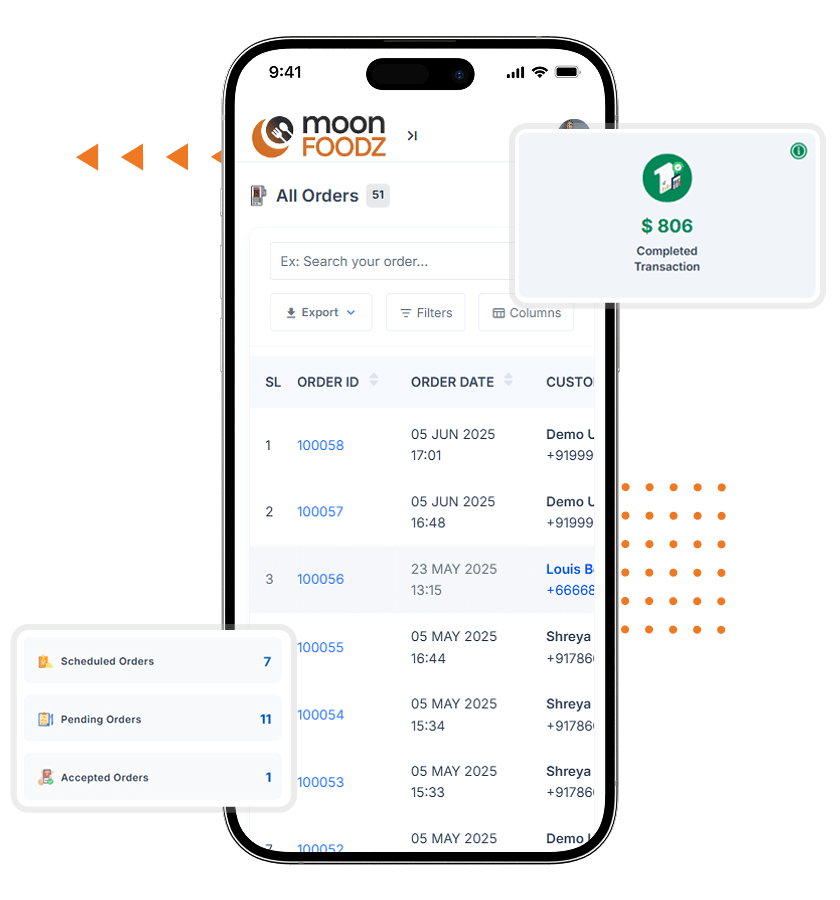
Admin Panel Features
-
User, Driver & Restaurant Management
Admins can add, edit, verify, or block users, delivery partners, and restaurants while monitoring activity across the platform. -
Zones & Map Tool
Draw delivery zones on a map, assign restaurants and delivery partners by area, and set zone-wise delivery charges. -
Dispatch Management
Monitor all ongoing orders from one dispatch view and keep deliveries moving. -
Assignment & Reassignment
Assign an available delivery partner manually, or reassign an order using list and map views when a delivery needs a new partner. -
Commission & Revenue Management
Set a default commission, override it for individual restaurants, and apply commission to delivery charges, with transaction and payout records. -
Promotions Management
Run coupons, campaigns, banners, and push notifications from a single Promotions section. -
Reports & Statistics
Use day-wise and food-wise reports, plus transaction and expense reports, to see what is working and what needs attention. -
Employee & Role Management
Add employees and assign roles to manage operations with controlled access.
Launch Your Food Delivery Platform With Confidence

Food Delivery Platform
How Does Our Food Delivery Platform Work?
Our ready-made food delivery solution connects customers, restaurants, delivery partners, and admins in one system. Here is how an order moves from checkout to doorstep:

Customer Places an Order

Restaurant Confirms & Prepares

Delivery Partner Is Assigned

Pickup & Delivery

Order Completion & Feedback

Admin Oversight
Share your business goals, target market, and launch timeline. Our team will help you validate the model and tailor the platform to your requirements.
Keeta-Aligned Experience for Hyperlocal Food Delivery
Hyperlocal delivery, live tracking, and active promotions drive repeat orders in food delivery marketplaces. These capabilities are already part of the standard platform.
Hyperlocal Delivery
Zone-Based Operations
Draw operating zones on a map so customers can order only from restaurants that serve their area.
Zone-Wise Delivery Charges
Set delivery charges per zone, with optional maximum limits and extra charges by vehicle type.
Free Delivery Settings
Offer free delivery above a chosen order amount or within a set distance.
Conditional Delivery Fees
Raise delivery fees under conditions such as rain, controlled by the admin.
Real-Time Tracking
Live Order Tracking
Customers follow each order from restaurant confirmation to delivery on a live map.
Order Status Alerts
Push notifications, emails, and SMS keep customers, restaurants, and delivery partners informed at key steps.
Auto-Refreshing Order Details
Ongoing order details refresh automatically in the customer app.
Scheduled Orders
Customers can schedule orders in 30-minute slots, and operations begin 15 minutes before the expected delivery time.
Deals & Promotions
Coupons
Create coupons for all customers, specific customers, or specific restaurants.
Campaigns & Banners
Run campaigns and banners, with admin approval for restaurants that want to join.
Referral & First-Order Offers
Reward referrals and offer a first-order discount through referral codes.
Wallet Cashback
Offer cashback campaigns on wallet deposits to bring customers back.
Explore More Features of Our Food Delivery App
From meal customization to staff access control, these included features keep daily operations simple for customers, restaurants, delivery partners, and admins.
For Customers
Meal Customization
Choose variations and add-ons, and include or skip cutlery, to personalize every order.
Loyalty Points
Earn points on orders and convert them into wallet balance to encourage repeat orders.
Wishlist
Save favorite foods and buy them again quickly from the wishlist.
Tip Management
Customers can tip delivery partners, with tip options managed by the admin.
For Restaurants and Drivers
Pre-Order Management
Accept scheduled orders ahead of time so kitchens can plan preparation.
Stock & Availability Updates
Update item availability so customers are less likely to order unavailable items.
Delivery Partner Chat
Chat between delivery partners and restaurants supports accurate pickups.
Cash Collection Limits
Restrict order acceptance when a delivery partner’s cash in hand exceeds the set limit.
For Admin
Multi-Level Access Control
Employee roles control who can manage what in the admin panel and restaurant panels.
Customer Chat with Admin
Customers can chat directly with the admin about issues and queries.
Transaction Management
Collect cash from restaurants and delivery partners, and manage withdrawals and payouts from the admin panel.
Multilingual & RTL Support
Run the apps and panels in multiple languages, including right-to-left layouts such as Arabic.
Halal, Veg, or Any Cuisine – Set Up the Food Categories Your Market Wants

Halal-Tagged Foods

Veg & Non-Veg Labels

Vegan Options

Regional Cuisines

Bakery & Desserts

Coffee & Specialty Drinks

Party & Celebration Catering

Meal Subscriptions

Organic & Farm-to-Table

High-Protein & Fitness Plans

Built-In POS for Restaurants
Our platform includes a point of sale (POS) for restaurants, so walk-in and online orders can be handled in one system. Access to POS is controlled by the admin.
Walk-In Order Handling
Take walk-in customer orders from the restaurant panel alongside online orders.
Billing & Payments
Create orders, accept payments, and print invoices, with print options that support multiple languages.
Customer Registration at POS
Register walk-in customers from the POS, with email notifications for new registrations.
Low-Stock Alerts
Track stock levels and receive low-stock alerts to keep menus reliable for customers.
Sales Reports
Review sales and earnings through reports in the restaurant and admin panels.
Staff Roles & Access
Assign roles to staff so cashiers and managers see only what they need.
Optional Add-Ons for Your Food Delivery App
These capabilities are not part of the base package. They are available as custom development, and scope, cost, and timeline are confirmed in your quotation.
Intelligent Route Optimization
Traffic-aware, multi-stop route planning for delivery partners. Standard map navigation in the app is not route optimization.
Multiple Orders, Single Delivery
Let a driver pick up multiple nearby orders in one trip to improve delivery efficiency.
ETA & Delay Monitoring
Track expected delivery windows, flag delayed orders for the admin, and set optional customer alert or compensation rules.
Grocery & Essentials Expansion
Extend the marketplace beyond restaurants to groceries and everyday essentials with custom catalog and ordering workflows.
Local Payment Gateway Integration
Integrate a payment gateway popular in your market. Each new gateway is scoped as custom development.
Crypto Payment
Enable customers to pay for their orders using cryptocurrencies, providing a modern and flexible payment option.
Multi-Currency Support
Accept and display more than one currency to serve customers across different markets.
Advanced Customer Insights
Go beyond standard reports with deeper analysis of repeat customers, order patterns, and zone performance.
Custom Workflow & UI Changes
Change delivery workflows, screens, or features to match your model. Customization is quoted separately from standard rebranding.
Third-Party Integrations
Connect your platform to external services such as accounting or CRM tools through custom API development.
Optional AI Add-Ons for a Future-Ready Food Delivery App
AI features are optional custom add-ons and are not included in the base package. We scope each one around your data and business goals.
AI Order Recommendations
Suggests meals and restaurants based on each customer’s order history and preferences.
AI Review Analysis
Analyzes customer reviews to highlight service issues and restaurant strengths.
AI Support Chatbot
Answers common order and account questions in the app, with a handoff to your team for complex cases.
AI Demand Forecasting
Forecasts order demand by time and zone to help plan restaurant onboarding and delivery partner supply.
AI Order Predictions
Predicts what a customer is likely to reorder so offers and notifications can be timed better.
AI Inventory Insights
Monitors stock patterns and predicts restocking needs for restaurants, reducing waste.
Pricing and Package
Our white-label food delivery platform comes with a single, all-inclusive standard package for entrepreneurs who value simplicity and transparency. You get the apps, panels, domain-licensed source code, and support listed in the package. Customization and optional add-ons are quoted separately.
- Web Landing Page + WebApp
- Master Admin Panel
- Admin Employees Panel
- Master Restaurant Panel
- User Mobile Apps (Android & iOS)
- Restaurant Mobile Apps (Android & iOS)
- Delivery Agent Mobile Apps (Android & iOS)
- Custom Rebranding (Logo & Color Scheme)
- Solution Deployment on Client Server & App Stores
- Domain License Source Code Ownership
- 30 Days of Free Post-Delivery Support
- Training & Demonstration Video Tutorials
Successful Food Delivery App Project
Mexico

A Food Delivery App Launched on Our Platform
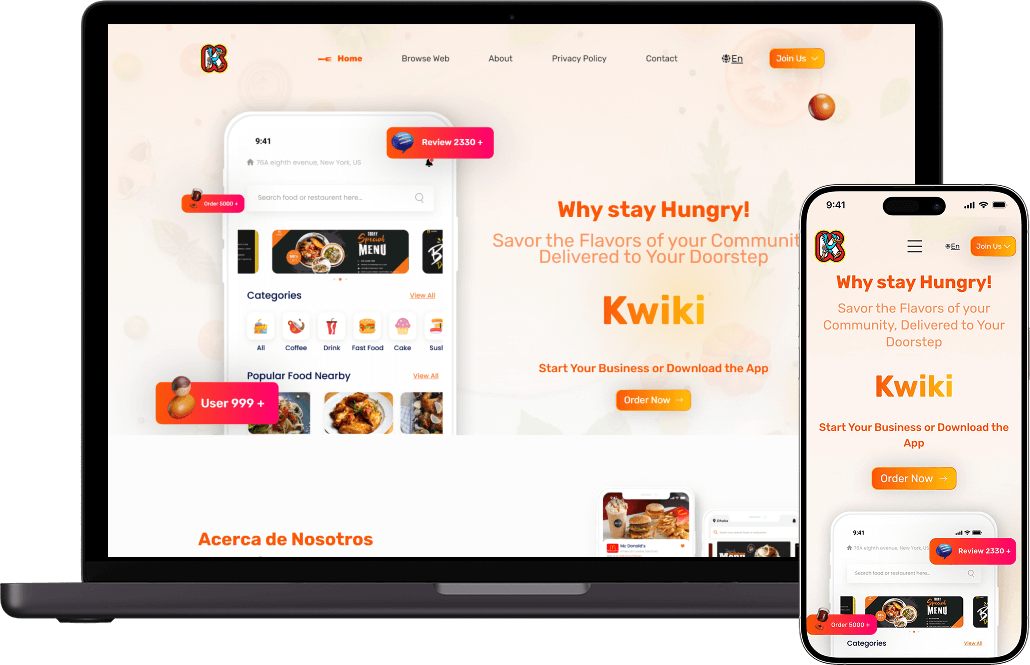
Kwiki, based in Mexico, launched its food delivery app on our ready-made, white-label platform. Read the case study to see how the project came together.
People Love Us! Let’s Hear What they Say



Other Food Delivery Solutions by Oyelabs
Create your own food delivery service with premium scripts that take inspiration from the most popular global brands.


Monetization Models Our Food Delivery Platform Supports
See how our prebuilt platform lets you generate revenue from restaurants, customers, and promotions.
Commission-Based Model
Set a default commission for all restaurants or an individual commission per restaurant, and apply commission to delivery charges.
Subscription Model
Offer restaurants subscription packages, including free trials, for access to the platform.
Delivery Fee Model
Charge customers delivery fees by zone, distance, and vehicle type.
Paid Ad Placements
Let vendors pay to showcase their stores or advertisements in a dedicated section of the app.
Service & Packaging Fees
Add configurable service, packaging, and platform fees with custom labels and amounts.
Conditional Delivery Fees
Raise delivery fees under set conditions, such as bad weather, to keep deliveries sustainable.

Why Choose Oyelabs for Your Keeta Clone App?
- Support- Our team of experts offers technical support throughout the development process, covering bugs, errors, or issues on the platform for the support period included in your package.
- Source Code Ownership- You receive domain-licensed source code for your platform. An unlimited source code license can be requested if you need to use the code on multiple domains.
- Security- At Oyelabs our prime focus is security. We follow security best practices to help keep your platform, your audience, and your business protected.
- Transparency- Transparency fosters trust. We openly share our processes, values, and successes to build a strong, honest connection with our customers.
- Client-Oriented- Our unwavering focus on your needs and satisfaction drives every decision we make. Your success is our priority, and we are committed to exceeding your expectations.
- Clear Timelines- We respect your time and work to a defined timeline, with clear communication if changes in scope affect delivery.
- Secrecy- Your privacy is paramount. We uphold the strictest confidentiality standards, safeguarding your sensitive information and ensuring that your trust in us is always maintained.
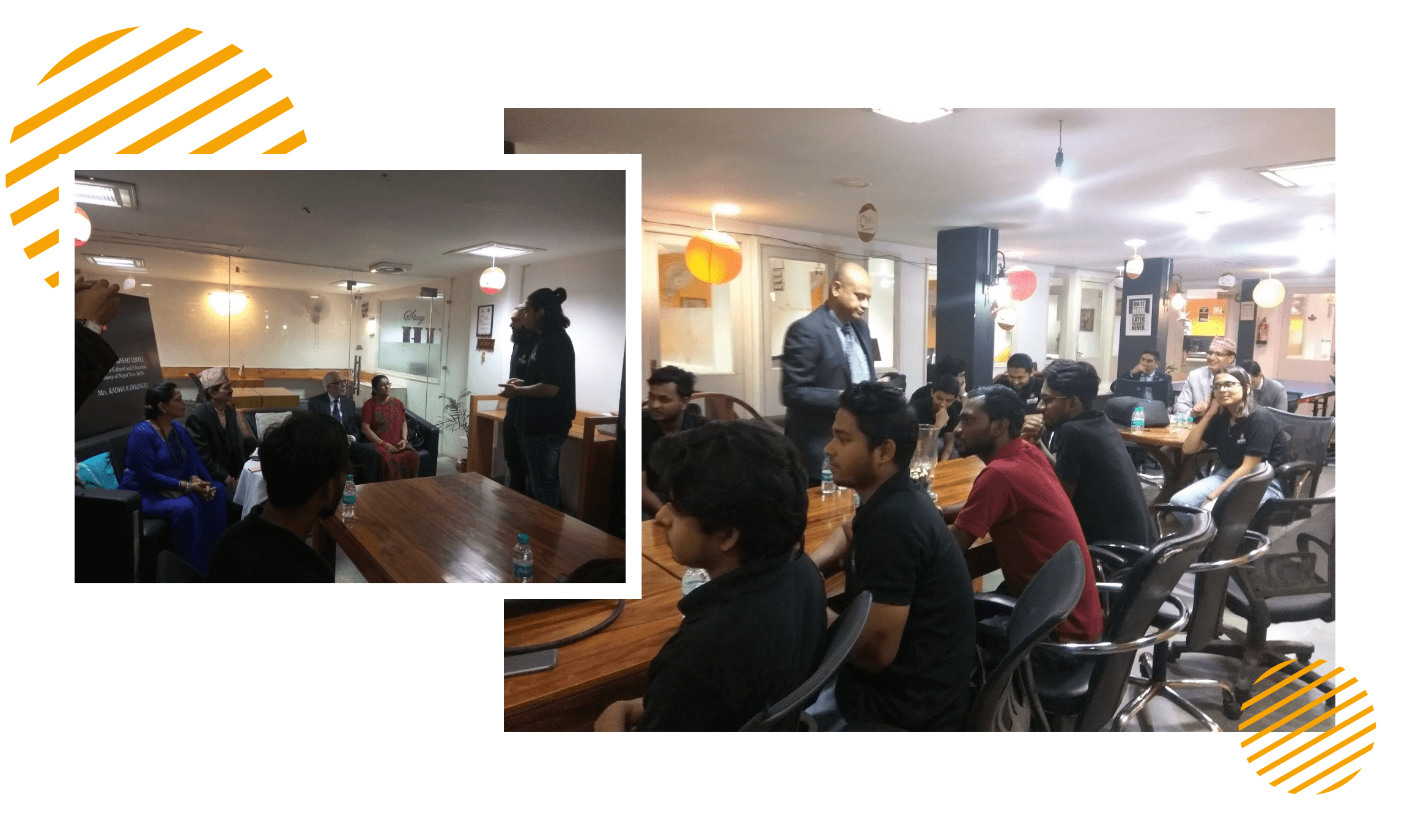
At Oyelabs, we focus on creating innovative and impactful solutions. Our team is diverse, passionate, and driven by a shared commitment to excellence. We work collaboratively, supporting each other to achieve our goals and grow both personally and professionally. Our culture encourages creativity and learning, making Oyelabs a place where ideas thrive. We believe in maintaining a healthy work-life balance, ensuring everyone feels valued and motivated.
- Healthy Work-Life Balance
- Encourage Creativity and Learning
- Commitment to Excellence
- Career Growth Opportunities
- Continuous Learning and Development

OyeLabs is an ISO Certified company driven by a commitment to quality, performance, and security. Our development processes align with international standards to deliver dependable and future-ready digital solutions.
As a people-centric organization, our success is intervened with the well being and growth of the Individuals we collaborate with. We thrive when our partners associates flourishes.

Launch Your Food Delivery App With a Clear Process

Tailored to Your Brand

Rigorous Testing for Perfection

Smooth and Swift Launch
Technologies Used in Our Food Delivery Platform
Release Log
V 8.7 (New)
- Notifications & Alerts: Implemented notifications, emails, and SMS for various processes, with admin-controlled access and toggling options available in the restaurant panel.
- Paid Ad Section: Introduced a Paid Ads feature where vendors can pay to showcase their stores or advertisements in a dedicated section.
- Amazon S3 Integration: Added support for third-party storage with Amazon S3 to provide efficient, scalable storage.
- Auto-Translate: Enabled automatic translation across all features to facilitate multi-language support.
- Enhanced Validation: Comprehensive validation checks for currency and payment gateway configurations; displays validation feedback to users upon configuration changes.
- System Stability: Resolved several issues to improve overall stability and performance.
- Flutter Compatibility: Ensured compatibility with Flutter version 3.22.2.
V 8.6.1
- Flutter Compatibility Update: Made the app compatible with Flutter SDK 3.19.6.
- Important Note: Please follow the updated Firebase setup instructions here: Firebase Configuration.
V 8.6
- Review Responses: Sellers can now directly reply to reviews for improved customer interaction.
- Wallet Cashback: Added option to offer cashback campaigns for wallet deposits.
- Packaging Charges: Added control over extra packaging charges, adjustable by the restaurant.
- Stock Management Options: Introduced varied stock management options for food items and add-ons.
- First Order Discount: Implemented a first-order discount option using referral codes at registration.
Restaurant Characteristics: Added restaurant characteristic details to enhance user information.
- Subscription Order UX: Enhanced the user experience for subscription orders for a smoother process.
- UI Enhancements: Refined UI and content for apps.
- Performance Boost: Optimized queries and improved system performance.
- Flutter SDK Compatibility: Compatible with Flutter SDK 3.19.6.
V 8.5
- POS Notifications: Added customer registration notifications via email through the POS system.
- Account Notifications: Introduced email notifications for account block/unblock events.
- Halal Product Tag: Added a Halal tag option for products.
- Enhanced Business Logic: Refined various business processes across web panels and app.
- Query Optimization: Improved database queries for better performance.
- Flutter SDK Compatibility: Updated for compatibility with Flutter SDK 3.19.4.
FAQs
What is a Keeta clone app?
Is this an exact copy of Keeta?
How much does a food delivery app like Keeta cost?
Can I customize the platform?
Will I receive the source code?
Does it support zone-based, hyperlocal delivery?
Does it include intelligent or AI dispatch?
Can I run deals and promotions?
Does it support Arabic and right-to-left languages?
Which payment gateways are supported?
Can it support groceries and everyday essentials?
How is this different from your UberEats clone?
What updates are included?
Do updates affect my existing data or users?
Do you provide assistance during the update process?
What kind of assistance is included with the free technical support?
When does the free technical support officially begin?
Will I continue receiving product updates after my technical support period ends?
What does the free post-delivery support include?
Full deployment on your domain and app stores (Android & iOS) so the platform is live and accessible.
Bug fixes and minor issue resolutions to keep your system running smoothly.
Basic setup assistance, including payment gateway configuration and general admin settings.
Tutorials and training videos that explain how to manage the apps, admin panel, and core features.
What services are not included in the free technical support?
How can I contact your technical support team?
What is your typical response time for technical support requests?
Will you help publish my app on the Google Play Store and Apple App Store?
Will you assist with server migration or hosting issues?
What does a complimentary app installation include?
Is a free SSL certificate setup included?
What is included in the free white-label service?
Will my app be ready to launch after the free setup?
Are third-party integrations included in the free setup?
What’s the difference between static and dynamic language translation?
- Static Translation: This covers fixed text elements like buttons (“Order Now,” “Track Order”), headings, and system alerts. These are automatically translated if multi-language is enabled.
- Dynamic Translation: This refers to user-generated or business-specific content like restaurant names, food item descriptions, and menu categories. Since this content varies across restaurants, it needs to be added or translated manually for each vendor.
Which hosting provider or setup do you recommend for best performance?
Minimum recommended configuration:
- 6 vCore CPU
- 8 to 16 GB RAM
This ensures smooth deployment, better load handling, and efficient app performance.
- About Product
-
What is a Keeta clone app?
A Keeta clone app is a ready-made, white-label food delivery platform for launching a business similar to Keeta. It includes a customer app and web app, a restaurant app and panel, a delivery partner app, and an admin panel that you can brand as your own. It is customizable and is not an exact copy of Keeta.Is this an exact copy of Keeta?
No. The platform is inspired by the business model of food delivery marketplaces like Keeta, but it does not use Keeta's code, technology, or branding, and we do not claim full feature parity. It is a customizable, white-label food delivery platform that you can brand and adapt to your market.How much does a food delivery app like Keeta cost?
Our standard white-label package starts at $2,599. The final cost depends on your customization requirements, optional add-ons, third-party integrations, and the platforms you need (Android, iOS, and web).Can I customize the platform?
Yes. Standard rebranding covers your logo and color scheme. Changes to workflows, UI, features, payment gateways, languages, and notifications are handled as customization and quoted separately, so you can shape the platform around your business model.Will I receive the source code?
Yes. You receive domain-licensed source code ownership, which lets you use the code on one domain. An unlimited source code license can be requested if you need multiple domains. The exact terms follow your agreement with Oyelabs.Does it support zone-based, hyperlocal delivery?
Yes. Admins draw operating zones on a map, assign restaurants and delivery partners by area, and set zone-wise delivery charges. Customers can order only from restaurants that serve their location.Does it include intelligent or AI dispatch?
The standard platform includes dispatch management: order requests go to delivery partners, and the admin can monitor ongoing orders and assign or reassign partners manually. Intelligent route optimization and other AI features are optional add-ons and are not part of the base package.Can I run deals and promotions?
Yes. You can run coupons, campaigns, banners, push notifications, loyalty points, referral rewards, wallet cashback, and free-delivery rules from the admin panel.Does it support Arabic and right-to-left languages?
Yes. The apps and panels support RTL layouts and multiple languages, and languages can be added from the admin panel. Halal tagging for food items is also available for markets where it matters.Which payment gateways are supported?
Multiple payment gateways are integrated, along with cash on delivery, wallet payments, and manual payment methods managed by the admin. If you need a specific local gateway, we confirm during requirement discussions whether it is already available or needs custom integration.Can it support groceries and everyday essentials?
The platform is built for restaurant and food delivery. Grocery or essentials workflows can be added through customization, with scope and timeline confirmed in your quotation.How is this different from your UberEats clone?
Both pages describe the same ready-made food delivery platform. This page focuses on hyperlocal delivery, live tracking, and promotions for a Keeta-like marketplace, while our UberEats clone page covers a different market positioning. - About Updates
-
What updates are included?
Bug fixes and product updates depend on the support and maintenance terms in your agreement. Your Oyelabs representative confirms which updates are included in your package and which require an OyeCare plan before you purchase.Do updates affect my existing data or users?
No. Product updates are designed to preserve your existing user data, orders, and business information. However, we always recommend taking a complete backup before applying any update to your live platform.Do you provide assistance during the update process?
Yes. Our technical team can guide you through the update process or assist with installing updates on your server to ensure a smooth and hassle-free upgrade. - About Tech Support
-
What kind of assistance is included with the free technical support?
Our complimentary technical support covers installation guidance, deployment assistance, bug reporting, issue troubleshooting, and help with the standard features of your food delivery app. Our team is available to ensure your platform runs smoothly after deployment.When does the free technical support officially begin?
Your free technical support starts once your food delivery solution has been successfully delivered or deployed. The support duration will be communicated at the time of purchase based on your selected package.Will I continue receiving product updates after my technical support period ends?
Product updates depend on the support and maintenance terms in your agreement, and your Oyelabs representative confirms what applies to your package. If you need installation help, troubleshooting, or technical guidance after the support period, you can purchase an extended support plan.What does the free post-delivery support include?
The standard package includes 30 days of free post-delivery support, covering:
Full deployment on your domain and app stores (Android & iOS) so the platform is live and accessible.
Bug fixes and minor issue resolutions to keep your system running smoothly.
Basic setup assistance, including payment gateway configuration and general admin settings.
Tutorials and training videos that explain how to manage the apps, admin panel, and core features.What services are not included in the free technical support?
Free technical support does not cover new feature development, major UI/UX redesigns, third-party integrations, custom business logic, server management by third-party providers, or issues caused by modifications made outside the original product. These services are available as paid custom development.How can I contact your technical support team?
You can reach our support team through email, our customer support portal, or your dedicated communication channel provided after purchase. We recommend including screenshots, error logs, or a detailed description of the issue to help us resolve your request more efficiently.What is your typical response time for technical support requests?
Our team aims to respond to all support requests within one business day. Critical issues affecting the operation of your platform are prioritized to minimize downtime and ensure your business continues running smoothly.Will you help publish my app on the Google Play Store and Apple App Store?
Yes. We provide guidance and assistance throughout the app submission process to help you publish your customer and delivery applications on the Google Play Store and Apple App Store, provided all store requirements are met.Will you assist with server migration or hosting issues?
Yes. We can assist with server migration and hosting-related tasks as part of our professional services. Depending on the scope of work, these services may be offered separately from the standard technical support package. - About Free Support
-
What does a complimentary app installation include?
Our complimentary app installation includes setting up your food delivery solution on your preferred server, configuring the core application, connecting the database, and ensuring all standard components are installed correctly so your platform is ready for deployment.Is a free SSL certificate setup included?
Yes. We can assist with installing and configuring a standard SSL certificate on your server to help secure your website and encrypt data transmitted between your platform and users. An active SSL certificate also improves customer trust and supports secure online transactions.What is included in the free white-label service?
Our standard white-label service replaces our branding with your logo and color scheme so you can launch under your own brand. Other changes, such as workflow, UI, or feature changes, are handled as customization and quoted separately.Will my app be ready to launch after the free setup?
Yes. Once the installation, configuration, and white-label branding are complete, your platform will be technically ready for testing and launch. Any customizations requested beyond the standard package will be completed separately before going live.Are third-party integrations included in the free setup?
Basic configuration of the standard integrations included with the product is covered. Custom integrations, additional APIs, or third-party services outside the default package may require additional development. - Know the Difference
-
What’s the difference between static and dynamic language translation?
In our platform, multi-language support can include:
- Static Translation: This covers fixed text elements like buttons (“Order Now,” “Track Order”), headings, and system alerts. These are automatically translated if multi-language is enabled.
- Dynamic Translation: This refers to user-generated or business-specific content like restaurant names, food item descriptions, and menu categories. Since this content varies across restaurants, it needs to be added or translated manually for each vendor. - Recommended Hosting
-
Which hosting provider or setup do you recommend for best performance?
For optimal performance of your platform, we recommend using a WHM-enabled VPS with a cPanel (Ubuntu) server. This setup is compatible with major hosting providers like AWS, DigitalOcean, Backblaze, Contabo, and others.
Minimum recommended configuration:
- 6 vCore CPU
- 8 to 16 GB RAM
This ensures smooth deployment, better load handling, and efficient app performance.
Disclaimer
The term “Keeta” is referenced on this site solely to describe the type of food delivery experience our platform is inspired by. Keeta is a trademark of its respective owner. As an independent app development provider, Oyelabs has no association with, endorsement by, or affiliation with Keeta or its owner, and our software does not use Keeta’s code, technology, or branding.
While we maintain proprietary elements in our software solutions, we integrate select third-party components pursuant to appropriate licensing agreements. All such integrations comply with respective intellectual property rights, and we do not incorporate any unauthorized copyrighted materials into our products.