
Kwai Clone
 Flutter Powered
Launch a Short Video App Built for Viral Content and Live Entertainment
Bring music-driven videos, creative effects, social discovery, and competitive livestreams into one engaging mobile experience. Launch your own Kwai-style platform where creators share content, audiences interact, and virtual gifts create monetization opportunities for your business.
Guaranteed Live Within 1 Week *Terms & Conditions Apply
Here’s What You Get:
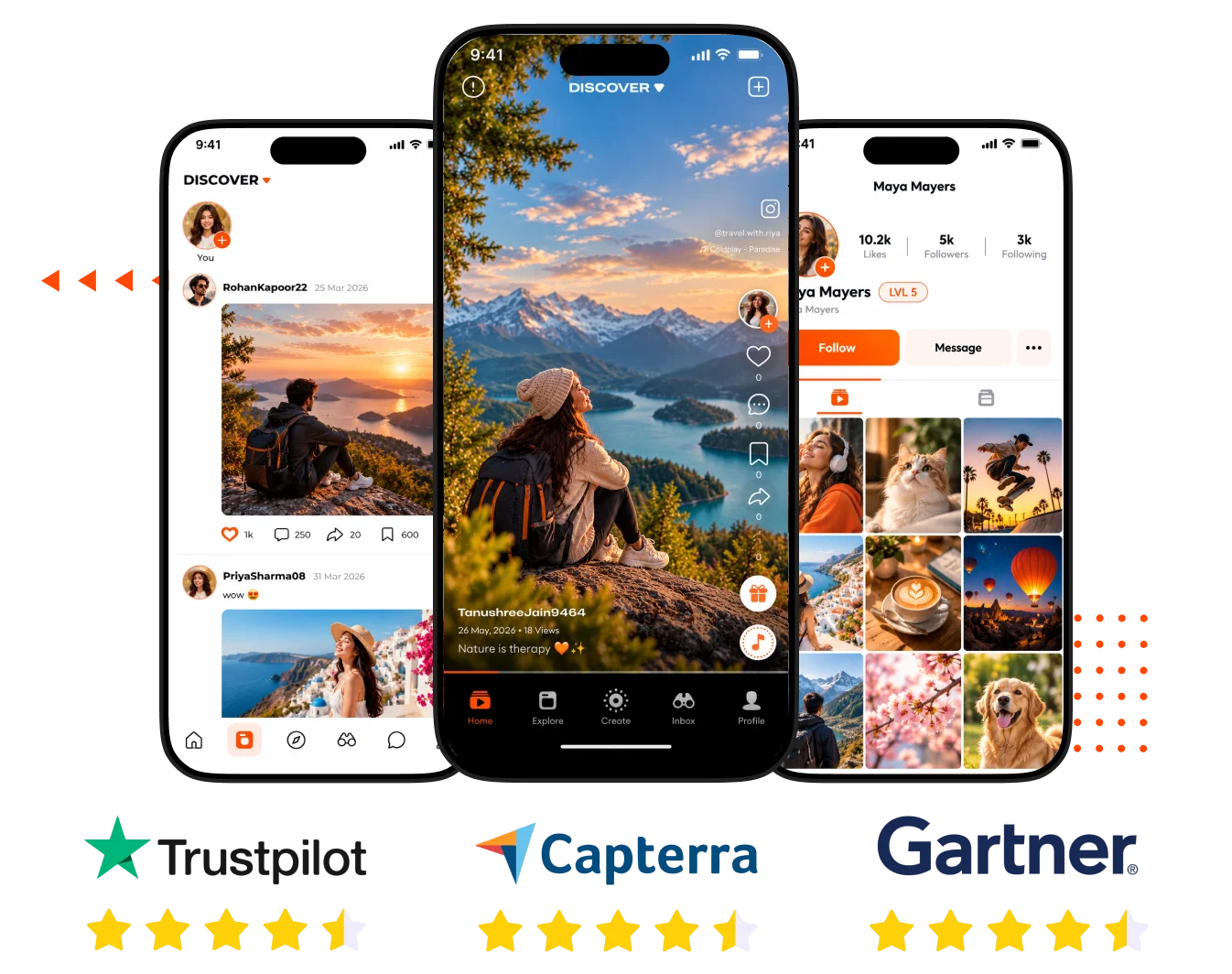





What is a Kwai Clone Script?
A Kwai Clone is a ready-made social video application that gives entrepreneurs a practical starting point for building their own creator-focused business. Instead of developing user accounts, content management, social interactions, monetization workflows, and administrative controls separately, founders start with an existing platform foundation.
With Android and iOS app source code, a Laravel admin panel, and documented short-video and livestreaming capabilities, businesses can focus more resources on branding, audience acquisition, and choosing a revenue model that fits their target market.
7 Day Launch Without the Long Wait
Built for Both Web & Mobile Audiences
2 Months Free Support Beyond Launch
Flexible Source Code

Kwai Clone Script
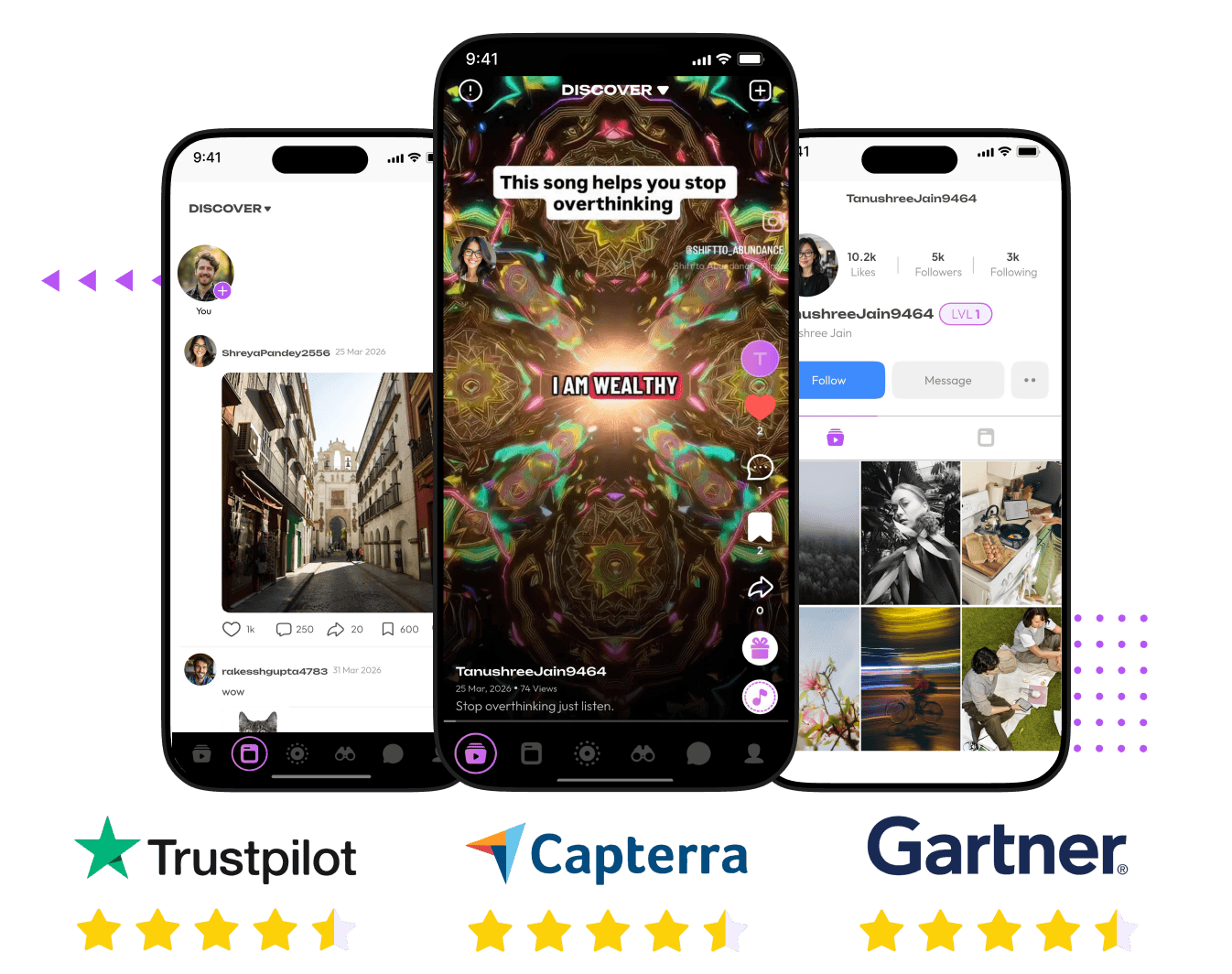
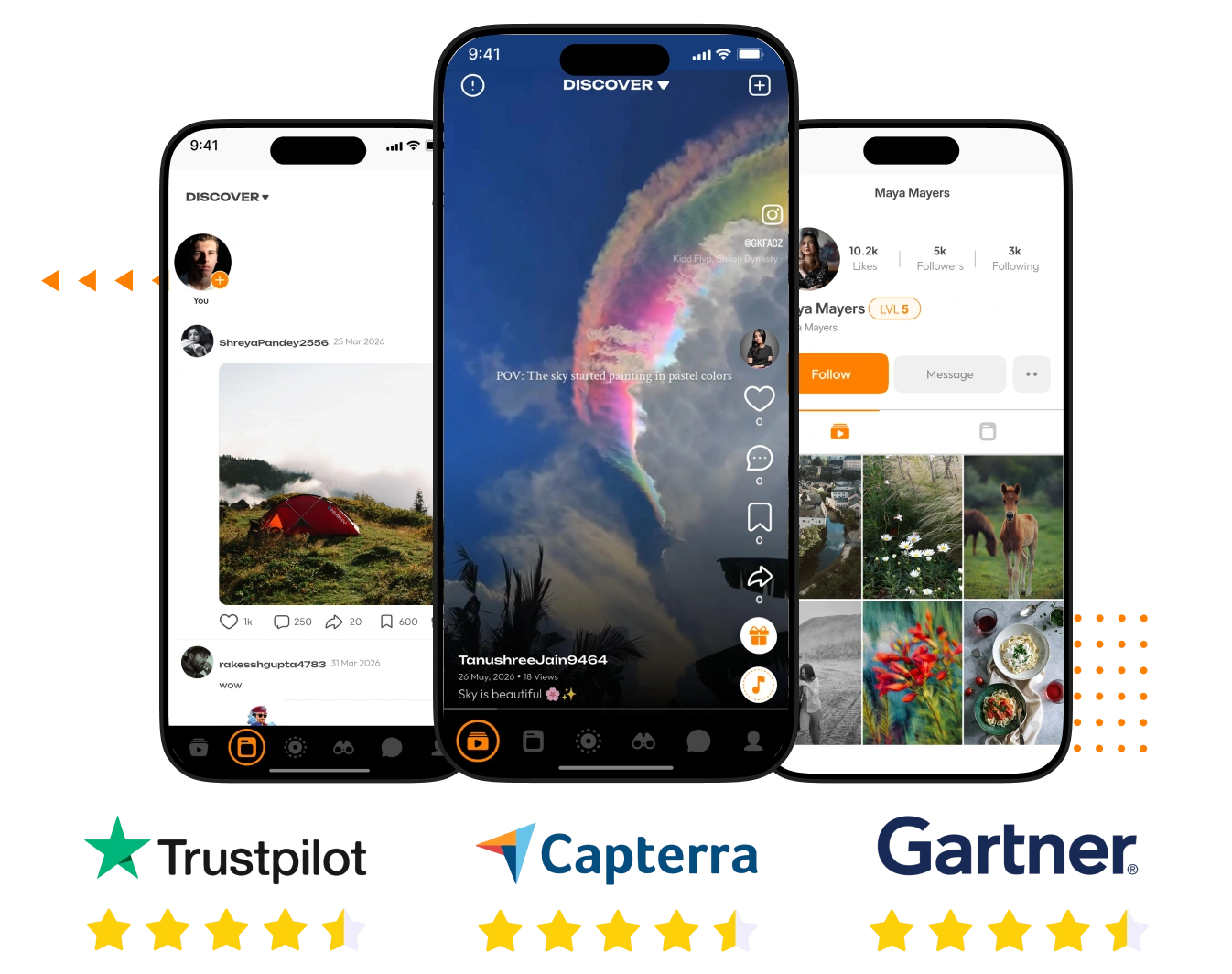
Screens of Our AI-Powered Kwai Clone


View Demo
For Users
For Admin
Explore the Live Product Demo of Our Kwai Clone App to See How it Actually Works
Core Features Integrated into Our Kwai Clone
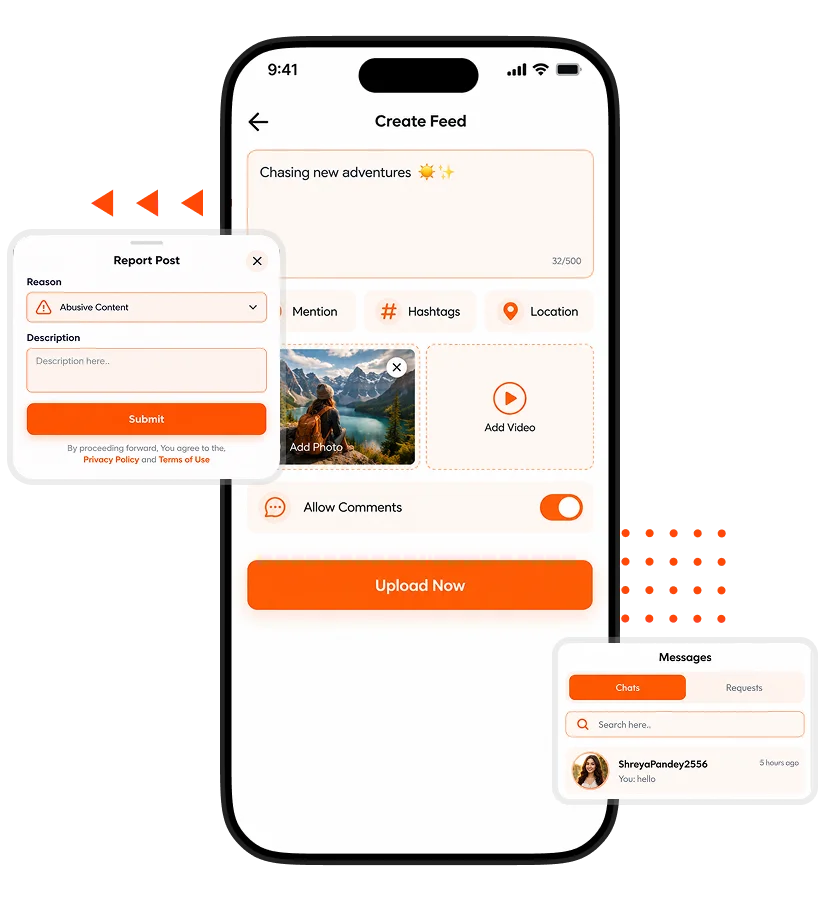
Short Video Creation
Video Posts
Reel Creation
Music Integration
AR Effects
Video Watermarks
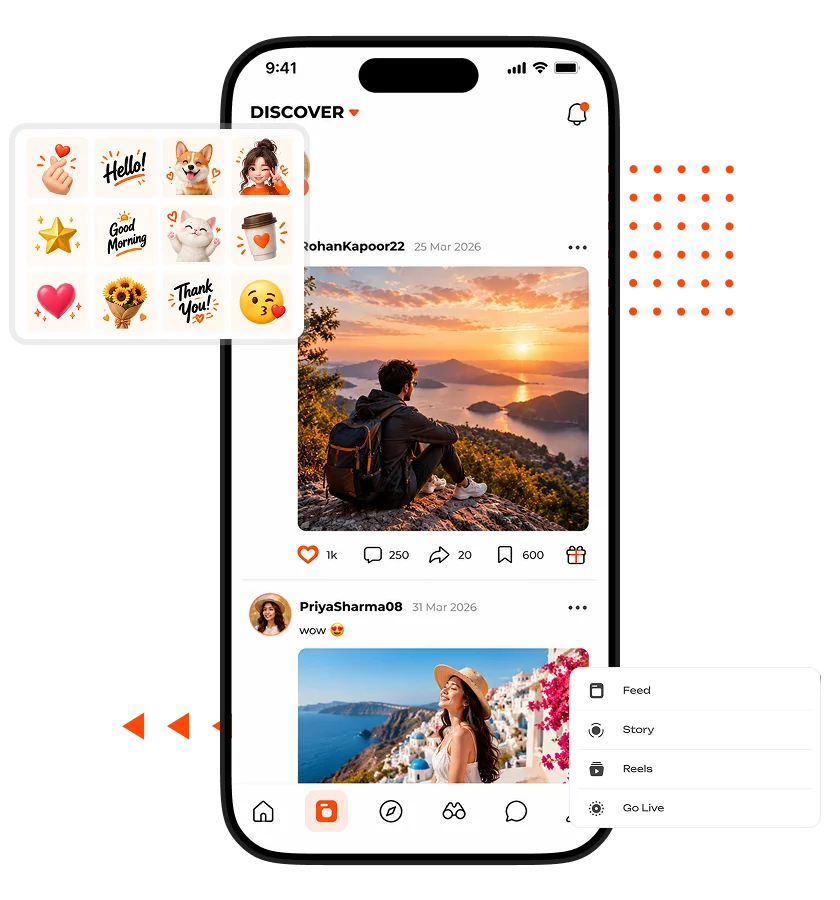
Live Entertainment
Live Streaming
Multi-Host Sessions
PK Battles
Live Gifting
Audience Reactions
Creator Monetization
Coin Wallet
Virtual Gifts
Premium Subscriptions
In-App Purchases
Ad Monetization
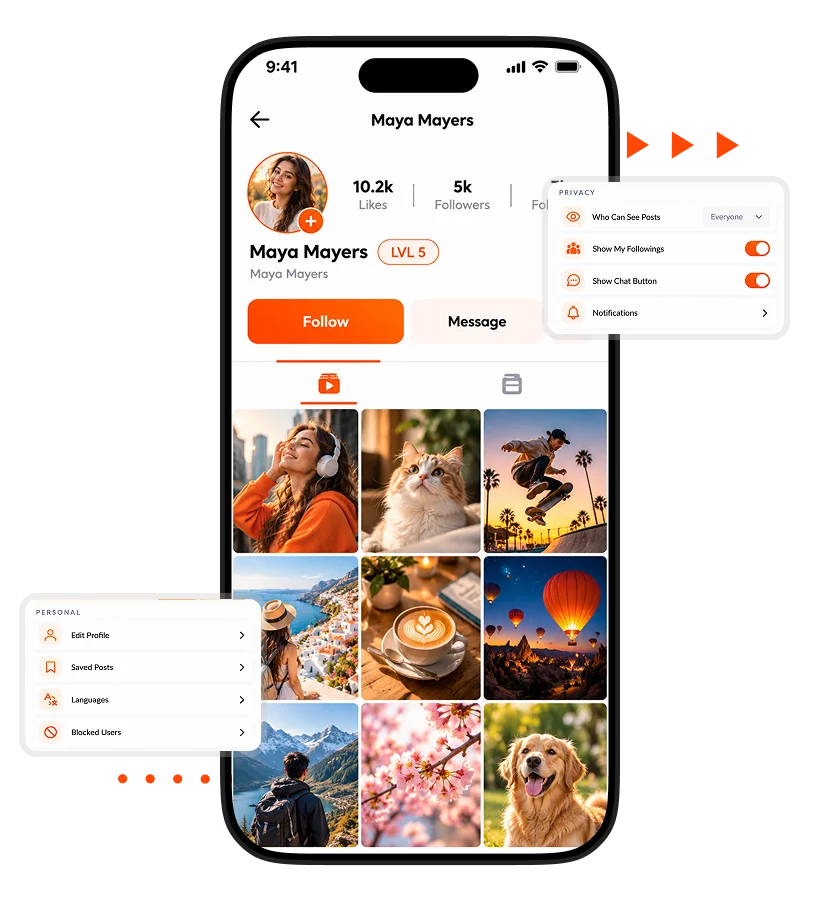
Explore More Features We Can Offer for the Kwai Clone
Content Discovery and Community
- Explore Feeds
Dedicated discovery feeds organize content browsing, giving your platform multiple pathways for audiences to find posts relevant to their interests.
- Nearby Discovery
Location-based discovery surfaces nearby content, adding a local dimension that helps your platform connect audiences with geographically relevant posts.
- Trending Content
Trending and curated explore sections highlight popular posts, helping your platform surface engaging content and improve discovery opportunities.
- Hashtag Search
Hashtag-based search connects related posts, making niche topics easier to explore and helping communities form around shared interests.
- Music Search
Music-based search connects tracks with related content, making it easier to explore videos through the platform’s integrated music library.
- Location Search
Place-based search helps people find geographically tagged posts, adding useful context to content discovery across your platform.
- Followed Feeds
A dedicated following feed brings followed accounts’ content together, helping audiences stay connected with creators they already enjoy.
- Stories Sharing
Image, video, and text stories add a flexible publishing format, giving your platform more ways to encourage frequent social interaction.
- Profile QR Codes
Scannable profile QR codes simplify profile sharing, helping people direct others to accounts and expand connections beyond in-app discovery.
Social Interaction and Personalization
- Direct Messaging
One-to-one messaging with text, images, videos, GIFs, music, shared posts, and virtual gifts keeps social conversations within your platform.
- Chat Requests
Accept, reject, or block incoming chat requests, giving users control over new conversations and helping manage unwanted interactions.
- GIF Comments
GIF-enabled comments add expressive visual responses to posts, making conversations more engaging and giving your platform richer social interactions.
- Nested Replies
Nested comment replies keep discussions organized, helping people follow conversations and making community interactions easier to navigate.
- Post Privacy
Post visibility settings offer everyone or followers-only access, giving users greater control over who can view their shared content.
- Comment Controls
Per-post comment settings let creators enable or disable discussions, helping them manage engagement according to their content and community needs.
- Saved Posts
A saved-post collection helps users revisit content later, adding a practical bookmarking feature that encourages continued interaction with the platform.
- Custom Notifications
Personalized notification preferences help users manage updates, while relevant alerts bring attention to platform activity and important interactions.
- Language Preferences
User language settings make the platform more accessible to diverse audiences, helping your business serve communities across different language preferences.
Platform Management and Administration
- Analytics Dashboard
An interactive analytics dashboard tracks active users, registrations, post activity, and withdrawals, helping founders monitor platform performance and business activity.
- User Management
Manage user accounts, moderators, profile details, wallet balances, and account restrictions from one administrative panel, simplifying day-to-day platform operations.
- Content Moderation
Review posts and comments, manage inappropriate content, and restrict usernames, helping administrators maintain platform standards as the community grows.
- Report Management
Review reported posts, assess submitted complaints, and approve or reject reports, giving administrators a structured process for handling community concerns.
- Music Management
Manage music libraries and organize tracks into categories, keeping the platform’s music catalog organized for short-video creation and discovery.
- Hashtag Management
Create and manage hashtags through the admin panel, helping maintain organized content topics and consistent discovery options across the platform.
- Withdrawal Management
Review creator withdrawal requests, track their status, and manage related account details, helping administrators oversee payouts and financial operations.
- Livestream Controls
Manage livestream permissions, oversee dummy livestreams, and control broadcasting access, giving administrators direct oversight of live platform activity.
- PK Battle Configuration
Configure PK battle rules and participant permissions through the admin panel, keeping competitive livestream settings under centralized administrative control.
Optional Add-ons for Your Kwai Clone
- Creator Fund Management
Launch a structured creator rewards program with eligibility rules, performance-based payouts, and reward budgets to incentivize consistent, high-quality content creation.
- Watch-Time Rewards
Reward qualifying viewing sessions through configurable campaigns, encouraging repeat visits and longer viewing sessions while giving your platform greater control over engagement incentives.
- Shoppable Video Commerce
Add product tagging, in-video shopping links, and purchase attribution to turn short-form videos into shopping experiences that generate sales and commerce revenue.
- Live Shopping Campaigns
Introduce scheduled shopping livestreams with product showcases, limited-time offers, and purchase tracking to help creators and sellers convert live audiences into customers.
- Content Scheduling Suite
Let creators prepare videos in advance, schedule publication times, and manage upcoming posts, helping maintain consistent publishing across creator communities.
- Creator Verification System
Introduce identity checks and verified creator badges to strengthen profile credibility, reduce impersonation risks, and build trust around prominent accounts.
- Creator Challenges
Launch themed video challenges with participation rules, leaderboards, and sponsor-funded prizes to spark content creation and attract new audiences.
- Video Series and Playlists
Organize episodic videos into structured series with follow-up prompts, helping creators build repeat viewing habits around continuing content.
- Digital Collectibles
Offer limited digital badges and collectible creator items, giving communities new ways to express fandom and creating optional purchase opportunities.
- Fan Club Memberships
Give creators dedicated fan clubs with membership fees, exclusive community spaces, and supporter recognition to strengthen loyalty and recurring revenue.
Premium AI Add-Ons for Our Readymade Kwai Clone
- AI-Powered Feed Ranking
Personalize video recommendations using viewing patterns, completion rates, skips, and interests to improve content relevance, increase watch time, and encourage repeat visits.
- Automated Video Clipping
Identify compelling moments in longer videos and generate short clips automatically, helping creators publish more content with less editing effort.
- AI Caption and Subtitle Generation
Generate synchronized captions and subtitles from spoken audio, improving accessibility and helping videos reach audiences who prefer watching without sound.
- Multilingual Voice Dubbing
Translate spoken video content into other languages with AI-generated voice dubbing, helping creators reach new audiences across international markets.
- Intelligent Content Moderation
Analyze uploaded videos, captions, and comments for potentially harmful content, prioritizing suspicious cases for review and reducing manual moderation workloads.
- AI Spam Detection
Identify suspicious comments, repetitive promotions, bot-like activity, and coordinated spam patterns, helping protect community quality as the platform grows.
Client’s Reviews

Juan Morris, CTO
“We needed short videos, livestreaming, creator gifting, and user management without funding a lengthy custom build. Having these capabilities in one starting solution helped us simplify planning and focus on preparing our launch.”

Greg Paine, Co-Founder
“Our goal was to shape the platform around our brand rather than launch something generic. Having access to the mobile app source code and admin panel gave our team a clearer path to customization.”

Missy Faulkner, Founder
“We wanted a business model beyond advertising alone. The coin wallet, virtual gifting, subscriptions, and in-app purchases gave us several monetization options to evaluate while shaping our creator economy strategy.”
People Love Us! Let’s Hear What they Say



What Technologies Power Our Kwai Clone App?

How Does Our Kwai Clone Work?

Create Account

Discover Content

Create Content

Build Connections

Engage Live

Monetize Activity
Kwai Clone Development Process We Follow at Oyelabs

Business Discovery

Scope Confirmation

Branding and Customization

Configuration and Integration

Testing and Approval

Deployment and Handover
What Makes Our Short-Form Video Social Media Platform the Best
More Than Video Feeds
Operational Control
Creator Activity Insights
Built Around Creator Economies
Short Video App Market – Statistics, Growth, and Trends
The short-video app market reached US$14.47 billion in 2025 and is projected to hit US$29.07 billion by 2032, growing at a 10.38% CAGR. For founders, the opportunity isn’t simply building another TikTok. It’s finding an audience underserved by existing platforms, whether through regional content, niche communities, or creator-led entertainment. Kwai Clone gives you a starting product, so you can focus on winning that audience rather than building everything from scratch.

Why Choose Oyelabs for Your Kwai Clone?
- Product Development Experience: Oyelabs builds technology solutions for businesses entering digital markets, helping founders start with an established product foundation instead of navigating every development decision independently.
- Flexible Customization: Shape the platform around your brand identity, audience, and business model through agreed customization, helping your product stand apart from competing short-video applications.
- Source Code Access: The solution includes mobile app source code, a Laravel admin panel, database structure, and configuration documentation, giving your team a clearer foundation for future changes.
- Clear Project Communication: Align on requirements, deliverables, and milestones before implementation begins, helping reduce misunderstandings and giving founders better visibility into project progress and launch expectations.
- Business-Focused Delivery: Plan implementation around your essential requirements and launch priorities, helping your team focus resources on the capabilities needed to introduce the platform to its intended market.
- Support for Launch: Get clarity on deployment requirements, configuration, and handover expectations before launch, helping your team prepare for platform operations with fewer unanswered questions.
Life at Oyelabs
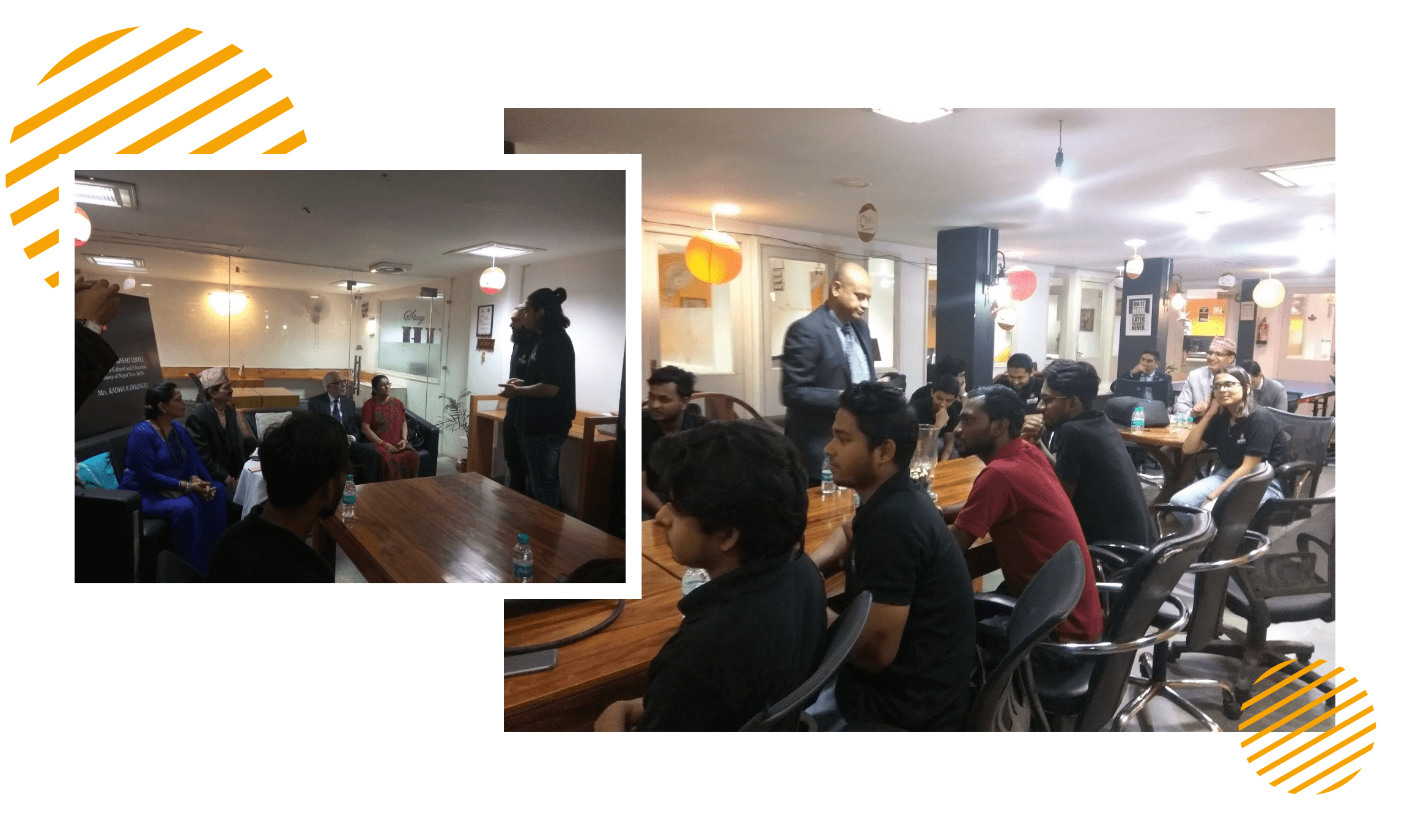
At Oyelabs, we are dedicated to developing creative and effective solutions. Our staff is diverse, energetic, and guided by a common drive for excellence. We collaborate, working together to push through our goals and develop ourselves both personally and professionally. Our environment nurtures creativity and learning, and Oyelabs is an environment where ideas flourish. We believe in working in a healthy work-life balance, making everyone feel appreciated and encouraged.
- Healthy Work-Life Balance
- Encourage Creativity and Learning
- Commitment to Excellence
- Career Growth Opportunities
- Continuous Learning and Development
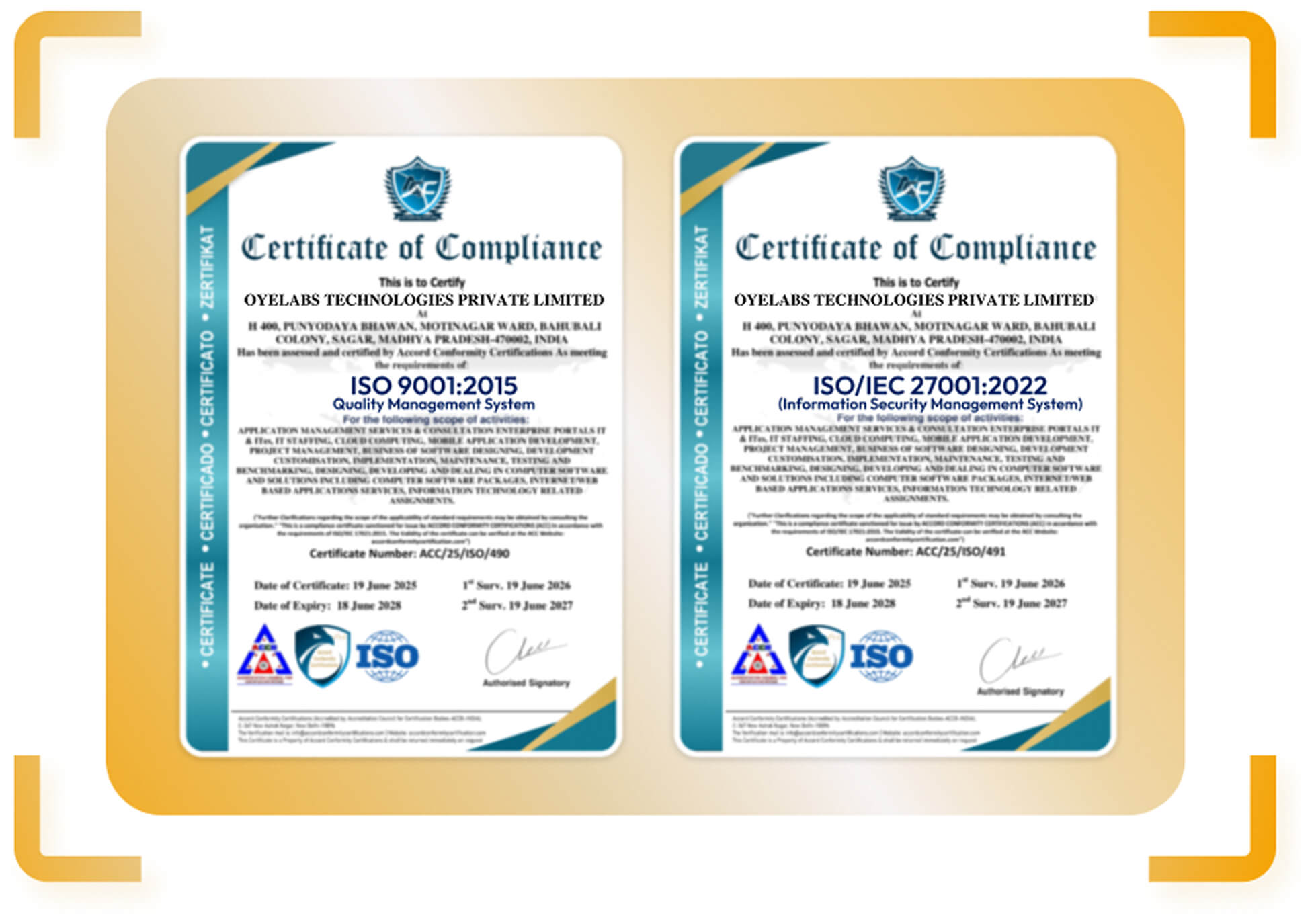
ISO Certified – OyeLabs
OyeLabs is an ISO Certified company driven by a commitment to quality, performance, and security. Our development processes align with international standards to deliver dependable and future-ready digital solutions.
Making a Difference Beyond Business.
Being a people-focused entity, our success is deeply connected with the welfare and development of the Individuals we work with. We prosper when our partners and allies prosper.



Other Social Media Solutions
Discover Oyelabs’ Ready-Made Solutions for Seamless Work in Various Industries.
Oyelabs offers an array of ready-made solutions tailored for effortless work in various industries. Our easy-to-use products provide you with efficiency and convenience, making your work trouble-free.
Unleash Your Business’s True Potential,
With Our kwai Clone – Starting at $3999 $1899
Release Log
V 5.0.2 (New)
- Resolved app crashes for smoother functionality.
- Performance enhancements for faster load times.
- Redis Cache integrated in the backend for better data handling.
- Enabled custom thumbnails for videos during posting.
- Registration system migrated to Firebase, supporting Google, Email, and Phone sign-ups.
- Removed Twilio service integration for improved messaging support.
V 5.0.1
- Added support for PHP 8.0 for compatibility.
- Fixed backend errors and crashes to improve system stability.
V 5.0
- Introduced PK Battle feature in live streaming for interactive user experiences.
- Added Ecommerce/Shop module for product sales integration.
- Enabled live streaming product sales feature.
Bugs Fixed
- Improved view binding across multiple screens for smoother transitions.
- Adjusted the position of the live users button on the home screen for better accessibility.
- Organized Shop module icons into a dedicated resource folder for easier management.
V 4.9
- Introduced a Daily Check-in feature to engage users regularly.
- Integrated Banuba SDK for enhanced augmented reality features.
Bugs Fixed
- Resolved app crashes for improved stability.
- Fixed issues with wallet coin functionality.
- Addressed issues related to live streaming performance.
V 4.8
- Fixed app crash issues to enhance performance.
- Corrected the admin add sound feature for smoother operation.
- Addressed issues with wallet coin management.
V 4.7
- Integrated AdColony for better ad experiences.
- Added a referral reward feature to encourage user growth.
- Enabled multi-image support for video creation to offer more creative options.
- Added a backend settings page for easier administrative control.
Bugs Fixed
- Fixed duet feature issues for improved user experience.
- Resolved space-related problems to optimize app performance.
- Fixed wallet coin-related bugs.
- Addressed withdraw request bugs for a smoother payout process.
- Improved video quality for a better viewing experience.
V 4.6
- Introduced MoonTokX Spaces, a Twitter Spaces alternative for live audio conversations.
- Added video promotion using coins to boost video visibility.
- Implemented promotion analytics to track the effectiveness of video promotions.
Bugs Fixed
- Resolved issues with the duet feature.
- Addressed space-related issues.
- Fixed video scrolling bug for smoother navigation.
- Resolved streaming issues for improved performance.
- Corrected promo video bugs.
- Code optimization for better overall app performance.
- Fixed inactive live user issue to ensure accurate live user tracking.
- Fixed UI bugs for a cleaner interface.
- Addressed wallet coins issue.
Folders Updated
- Controller
- Model
- Library
V 4.5
- Introduced video analytics to measure video performance and engagement.
- Added video promotion using coins for greater content exposure.
- Implemented promotion analytics for tracking the success of paid promotions.
Files Changed
- ApiController.php
- AdminController.php
- ConfigController.php
V 4.4
- Added video playback speeds (1x, 2x, 3x) for creators to customize viewer experience.
- Enabled Light/Dark mode toggling for better user interface personalization.
- Introduced playlist feature for organizing videos.
- Added profile views insight for users to track the popularity of their profile.
- Sticker addition via admin panel to enhance video content.
- Enabled image upload feature on the video record screen for enhanced media sharing.
- Introduced advanced video editing options for more creative freedom.
- Added video pinning to profile top for featured videos.
- Introduced pinned comment feature for highlighting important feedback.
- Enhanced live streaming with public/private modes, payment for entry, and duet live streaming options.
V 4.3
- Added comment delete option for better user control.
- Introduced comment pinning for highlighting key interactions.
- Enabled comment copying for easier sharing.
- Added tagging friends in comments for social interaction.
- Introduced playlist and pinned video features for video organization.
- Added repost video option for better content sharing.
Bugs Fixed
- Resolved video scrolling issues for smooth navigation.
- Fixed streaming issues for better performance.
- Addressed null video/profile issues for more reliable content.
- Fixed profile picture issues for consistent visuals.
- Resolved notification click issues for seamless interaction.
- Code optimization for enhanced app performance.
- Fixed duet feature bugs for improved functionality.
V 4.2
- Resolved duet crash issues for smoother functionality.
- Fixed live streaming bug for more stable broadcasts.
- Addressed crash on notification click for seamless interaction.
New Features
- Added pinned comment feature to highlight important comments.
- Introduced notification for tagged users to notify when they are mentioned.
V 4.1.1
- Resolved Android 12 video upload issue for better compatibility.
- Updated API max version to 32 for improved performance.
- Implemented sound search for enhanced content discovery.
- Fixed deep link configuration for better navigation.
- Resolved profile UI issue from links to improve user experience.
- Updated library for multi-screen compatibility to enhance usability across devices.
- Upgraded in-app purchase billing to V5 for a more secure transaction experience.
V 4.1.0
FAQs
How can I differentiate my Kwai Clone from established short-video apps?
How can I attract creators when launching a new short-video platform?
How can I keep users engaged between livestreams?
Can livestreaming become the main business model for my platform?
Which revenue streams can I launch with from the beginning?
Can creators earn money without hosting livestreams?
How will my team manage creator earnings and withdrawal requests?
Can I launch in multiple languages?
How much can I manage without hiring developers for daily operations?
How can I control inappropriate content as the community grows?
What ongoing costs should I expect after purchasing the platform?
Can I expand the platform after validating my business idea?
Can I combine short videos with shopping and product sales?
Disclaimer
The term “Kwai” is referenced on this site solely to demonstrate the functionality and workflow of related services in a detailed manner.
As an independent app development provider, we affirm that we have no association with or connection to any of the mentioned companies.
While we maintain proprietary elements in our software solutions, we integrate select third-party components pursuant to appropriate licensing agreements. All such integrations comply with respective intellectual property rights, and we do not incorporate any unauthorized copyrighted materials into our products.