
White Label Real Estate Marketplace App
 Flutter Powered
Real estate search begins online, and the platform that surfaces the right listings wins the lead. Our white label real estate marketplace app lets you launch that platform under your own brand. List properties, enable search with filters and map view, and connect buyers with agents seamlessly. Manage listings, inquiries, and user activity from a single system while building a scalable marketplace that captures high-intent property demand and converts it into consistent business opportunities in your target market.
Guaranteed Live Within 1 Week *Terms & Conditions Apply
Here’s What You Get:
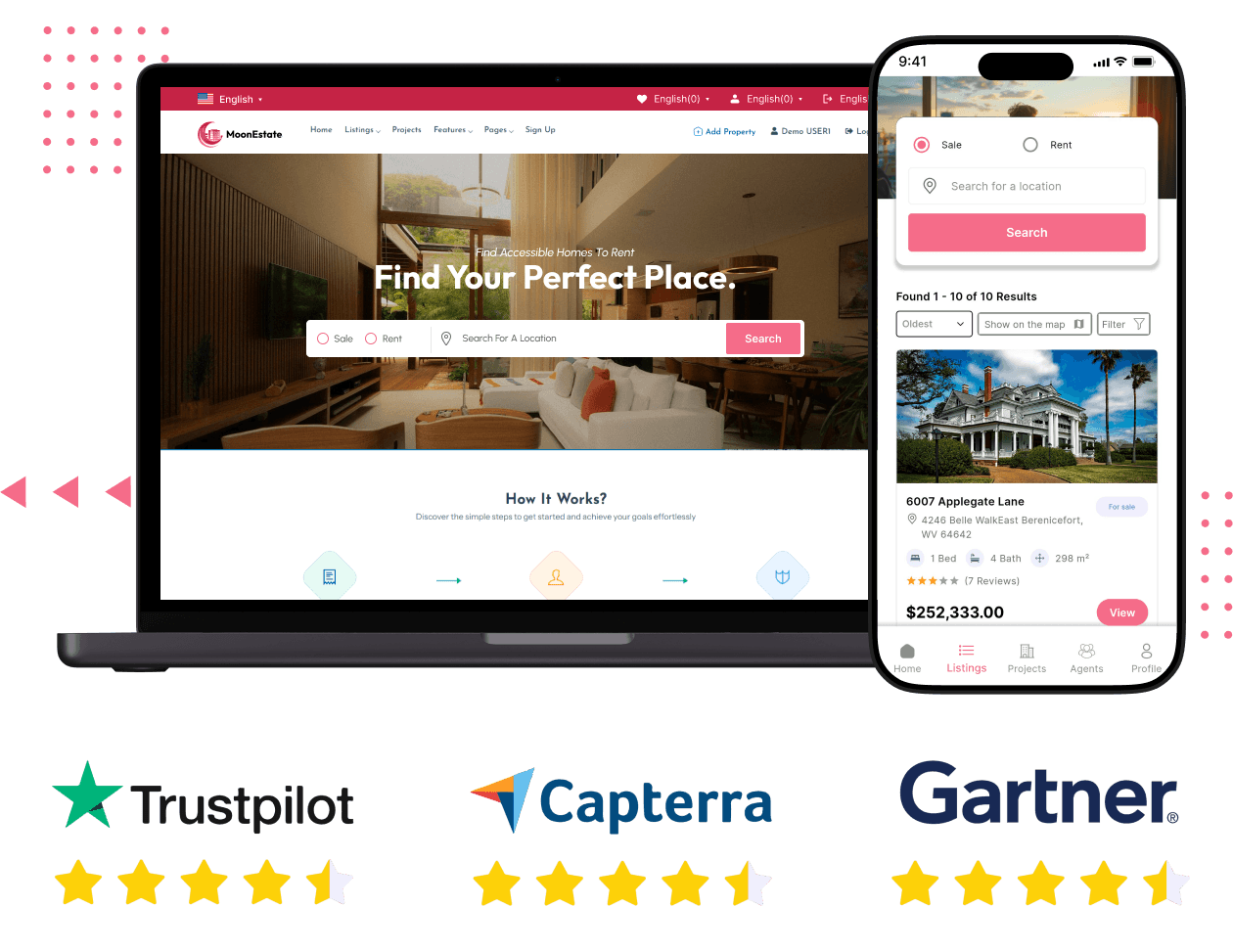





What Kind of Real Estate Platform Can You Launch
The platform is built for real estate directory and marketplace use cases across multiple property business models. The same codebase supports all of them.

Local Property Portal

National Real Estate Directory

Agency or Developer Website
Screens of Our New-Edge White Label Real Estate Marketplace App


Features You Get With Our White Label Real Estate Marketplace App
Every feature below is part of the base product. Organized by the three parties who use the platform: property seekers who search, agents and agencies who list, and the admin who manages the platform.
User App
-
Advanced Property Search
Powerful filters help users narrow listings by location, price, property type, size, and amenities, making it easier to find highly relevant properties quickly. -
Map View Search
An interactive map displays property locations alongside listings, helping users understand exact positioning and explore nearby options before opening individual property pages. -
Grid and List Layout Options
Users switch between grid and list views, allowing flexible browsing based on whether they prefer visual exploration or detailed information comparison. -
Property Type Browsing
Properties are organized into categories like apartments, villas, commercial spaces, and land, enabling structured browsing before applying detailed filters. -
For Sale, Rent Filters
Clear separation of sale, rental, and sold listings ensures users see only relevant inventory based on their intent, improving search efficiency. -
Recently Viewed Properties
A browsing history feature allows users to revisit previously viewed listings easily, improving convenience and reducing the need to repeat searches.
-
Registration and Login
Secure authentication system supports email, phone, and social login, enabling fast onboarding and reliable account access across devices. -
Social Login
One-tap login through Google and Facebook reduces signup friction and improves conversion for first-time users entering the platform. -
Password Reset and Multi-Device Access
Secure recovery and session management ensure users can access accounts seamlessly across devices without losing saved preferences or activity.
-
Detailed Property Pages
Each listing presents complete information, including specifications, pricing, images, and location, helping users make informed decisions before contacting agents. -
Property Comparison
Side-by-side comparison allows users to evaluate multiple properties based on key details, reducing decision time and improving enquiry quality. -
Property Image Gallery
High-quality image galleries provide a clear visual understanding of the property, helping users assess condition and features before scheduling a visit. -
Agency and Agent Profiles
Each listing displays agent or agency profiles with contact details and active listings, helping users evaluate credibility before initiating communication. -
Agent Reviews and Ratings
Verified reviews and ratings build trust by showing past client experiences, helping users choose reliable agents for their property search.
-
Booking Submission
Users submit viewing requests or enquiries directly from listings, enabling quick connection with agents and improving lead generation across the platform. -
Messaging with Agents
Built-in messaging allows direct communication between users and agents, keeping all discussions within the platform for better tracking and coordination. -
Wishlist
Users save properties for later, increasing return visits and helping them track shortlisted options without repeating the search process. -
WhatsApp Property Sharing
Integrated sharing option allows users to send listings via WhatsApp, making it easier to involve family or partners in the decision process.
- Property Discovery and Search
-
-
Advanced Property Search
Powerful filters help users narrow listings by location, price, property type, size, and amenities, making it easier to find highly relevant properties quickly. -
Map View Search
An interactive map displays property locations alongside listings, helping users understand exact positioning and explore nearby options before opening individual property pages. -
Grid and List Layout Options
Users switch between grid and list views, allowing flexible browsing based on whether they prefer visual exploration or detailed information comparison. -
Property Type Browsing
Properties are organized into categories like apartments, villas, commercial spaces, and land, enabling structured browsing before applying detailed filters. -
For Sale, Rent Filters
Clear separation of sale, rental, and sold listings ensures users see only relevant inventory based on their intent, improving search efficiency. -
Recently Viewed Properties
A browsing history feature allows users to revisit previously viewed listings easily, improving convenience and reducing the need to repeat searches.
-
- Account and Access
-
-
Registration and Login
Secure authentication system supports email, phone, and social login, enabling fast onboarding and reliable account access across devices. -
Social Login
One-tap login through Google and Facebook reduces signup friction and improves conversion for first-time users entering the platform. -
Password Reset and Multi-Device Access
Secure recovery and session management ensure users can access accounts seamlessly across devices without losing saved preferences or activity.
-
- Property Evaluation
-
-
Detailed Property Pages
Each listing presents complete information, including specifications, pricing, images, and location, helping users make informed decisions before contacting agents. -
Property Comparison
Side-by-side comparison allows users to evaluate multiple properties based on key details, reducing decision time and improving enquiry quality. -
Property Image Gallery
High-quality image galleries provide a clear visual understanding of the property, helping users assess condition and features before scheduling a visit. -
Agency and Agent Profiles
Each listing displays agent or agency profiles with contact details and active listings, helping users evaluate credibility before initiating communication. -
Agent Reviews and Ratings
Verified reviews and ratings build trust by showing past client experiences, helping users choose reliable agents for their property search.
-
- Engagement and Communication
-
-
Booking Submission
Users submit viewing requests or enquiries directly from listings, enabling quick connection with agents and improving lead generation across the platform. -
Messaging with Agents
Built-in messaging allows direct communication between users and agents, keeping all discussions within the platform for better tracking and coordination. -
Wishlist
Users save properties for later, increasing return visits and helping them track shortlisted options without repeating the search process. -
WhatsApp Property Sharing
Integrated sharing option allows users to send listings via WhatsApp, making it easier to involve family or partners in the decision process.
-


For Agents and Agencies
-
Agency Registration
Agencies create a branded profile that showcases their listings, team, and contact details, helping build a strong presence and credibility on your platform. -
Agent Registration
Agents register independently or under an agency, creating a profile that displays their listings, contact information, and client reviews in one place. -
Agent Dashboard
A dedicated dashboard gives agents full control over listings, enquiries, messages, and bookings, helping them manage daily operations without relying on admin support. -
Agency Dashboard
Agency-level dashboard allows management of multiple agents, listings, and client interactions from a single interface, enabling better coordination across the entire team. -
Property Listing Creation
Agents create detailed property listings with specifications, pricing, location, and amenities, ensuring every listing is complete and ready for buyer discovery. -
Property Photo Upload and Sorting
Agents upload multiple images and arrange their order, ensuring the most attractive visuals appear first in search results and property galleries.
-
Listing Availability Management
Agents update property status as available, under offer, or sold, keeping listings accurate and helping buyers avoid outdated or unavailable properties. -
Property Project Type
Dedicated support for project listings allows agents to showcase developments, including multiple units, project details, and investment-specific information within structured listings. -
Property Import and Export via CSV
Bulk upload and export features allow agents to manage large property inventories efficiently without manual entry, saving time and reducing operational effort.
-
Credits System for Posting
Agents use credits to publish listings, creating a direct monetization model where you control pricing and generate revenue from active listings. -
Featured Listings
Agents promote properties as featured listings, increasing visibility in search results and homepage sections, helping them attract more enquiries while generating additional revenue for your platform.
- Listing and Profile Management
-
-
Agency Registration
Agencies create a branded profile that showcases their listings, team, and contact details, helping build a strong presence and credibility on your platform. -
Agent Registration
Agents register independently or under an agency, creating a profile that displays their listings, contact information, and client reviews in one place. -
Agent Dashboard
A dedicated dashboard gives agents full control over listings, enquiries, messages, and bookings, helping them manage daily operations without relying on admin support. -
Agency Dashboard
Agency-level dashboard allows management of multiple agents, listings, and client interactions from a single interface, enabling better coordination across the entire team. -
Property Listing Creation
Agents create detailed property listings with specifications, pricing, location, and amenities, ensuring every listing is complete and ready for buyer discovery. -
Property Photo Upload and Sorting
Agents upload multiple images and arrange their order, ensuring the most attractive visuals appear first in search results and property galleries.
-
- Inventory and Listing Control
-
-
Listing Availability Management
Agents update property status as available, under offer, or sold, keeping listings accurate and helping buyers avoid outdated or unavailable properties. -
Property Project Type
Dedicated support for project listings allows agents to showcase developments, including multiple units, project details, and investment-specific information within structured listings. -
Property Import and Export via CSV
Bulk upload and export features allow agents to manage large property inventories efficiently without manual entry, saving time and reducing operational effort.
-
- Monetization and Promotion
-
-
Credits System for Posting
Agents use credits to publish listings, creating a direct monetization model where you control pricing and generate revenue from active listings. -
Featured Listings
Agents promote properties as featured listings, increasing visibility in search results and homepage sections, helping them attract more enquiries while generating additional revenue for your platform.
-
For Admin
-
Admin Dashboard
A centralized dashboard shows listings, agents, enquiries, revenue, and system activity, giving you complete visibility and control over platform operations in one place. -
User and Agent Management
Manage all users and agents from a single panel, including approvals, profile reviews, suspensions, and account removal when required. -
Agency Management
Control agency onboarding and activity, allowing you to approve agencies, monitor performance, and manage their associated agents from one interface. -
Property Listing Management
Review, approve, edit, feature, or remove property listings, ensuring catalogue quality and maintaining a consistent standard across your platform. -
Post Approval Controls
Configure whether listings require admin approval before going live, giving flexibility between curated quality control and open publishing models. -
Reviews Oversight
Monitor and manage all reviews submitted by users, ensuring content quality while maintaining trust and credibility across agents and property listings.
-
Multiple Home Page Layouts
Choose from different homepage layouts to match your brand and audience, allowing flexibility in how listings and content are presented. -
Multi-Language Support
Add unlimited languages with full RTL compatibility, ensuring the platform works seamlessly across different regions and language requirements. -
Multi-Currency Configuration
Configure supported currencies so pricing displays correctly for users across different markets, improving usability for international audiences. -
Payment Gateway Configuration
Enable and manage multiple payment gateways from one panel, allowing flexible payment options based on your target regions and business model. -
SEO Settings
Control metadata, URLs, and indexing settings for listings and pages, helping improve search visibility and organic traffic across your platform. -
Auto-Generated Sitemap
Automatically generate and update sitemaps for listings and pages, ensuring search engines can crawl and index your platform efficiently. -
Social Login Configuration
Enable Google and Facebook login options directly from admin settings, simplifying user access without requiring additional development work.
-
Blog Module
Publish articles, guides, and updates directly on your platform, helping drive organic traffic and position your platform as a real estate resource. -
CMS Pages
Create and manage static pages like About, Contact, and policies without developer support, keeping your platform content flexible and easy to update. -
Custom CSS and JavaScript
Add custom styles or scripts from the admin panel, allowing design and functionality adjustments without modifying core code. -
Dark and Light Mode
Offer both dark and light interface options, improving user experience while allowing default preferences to be set from admin settings. -
Cloud Storage Support
Store media across multiple cloud providers, ensuring scalable, secure, and cost-efficient handling of property images and documents. -
WebP and AVIF Support
Automatically convert images to modern formats, improving loading speed and overall platform performance without manual optimization.
-
Platform Analytics
Track traffic, user behaviour, and listing performance through integrated analytics, helping you understand how users interact with your platform. -
Agent and Agency Performance
Monitor agent and agency activity, including listings and enquiries, helping you identify top performers and optimize platform growth strategies.
- Platform Operations and Control
-
-
Admin Dashboard
A centralized dashboard shows listings, agents, enquiries, revenue, and system activity, giving you complete visibility and control over platform operations in one place. -
User and Agent Management
Manage all users and agents from a single panel, including approvals, profile reviews, suspensions, and account removal when required. -
Agency Management
Control agency onboarding and activity, allowing you to approve agencies, monitor performance, and manage their associated agents from one interface. -
Property Listing Management
Review, approve, edit, feature, or remove property listings, ensuring catalogue quality and maintaining a consistent standard across your platform. -
Post Approval Controls
Configure whether listings require admin approval before going live, giving flexibility between curated quality control and open publishing models. -
Reviews Oversight
Monitor and manage all reviews submitted by users, ensuring content quality while maintaining trust and credibility across agents and property listings.
-
- Platform Configuration
-
-
Multiple Home Page Layouts
Choose from different homepage layouts to match your brand and audience, allowing flexibility in how listings and content are presented. -
Multi-Language Support
Add unlimited languages with full RTL compatibility, ensuring the platform works seamlessly across different regions and language requirements. -
Multi-Currency Configuration
Configure supported currencies so pricing displays correctly for users across different markets, improving usability for international audiences. -
Payment Gateway Configuration
Enable and manage multiple payment gateways from one panel, allowing flexible payment options based on your target regions and business model. -
SEO Settings
Control metadata, URLs, and indexing settings for listings and pages, helping improve search visibility and organic traffic across your platform. -
Auto-Generated Sitemap
Automatically generate and update sitemaps for listings and pages, ensuring search engines can crawl and index your platform efficiently. -
Social Login Configuration
Enable Google and Facebook login options directly from admin settings, simplifying user access without requiring additional development work.
-
- Content and Customization
-
-
Blog Module
Publish articles, guides, and updates directly on your platform, helping drive organic traffic and position your platform as a real estate resource. -
CMS Pages
Create and manage static pages like About, Contact, and policies without developer support, keeping your platform content flexible and easy to update. -
Custom CSS and JavaScript
Add custom styles or scripts from the admin panel, allowing design and functionality adjustments without modifying core code. -
Dark and Light Mode
Offer both dark and light interface options, improving user experience while allowing default preferences to be set from admin settings. -
Cloud Storage Support
Store media across multiple cloud providers, ensuring scalable, secure, and cost-efficient handling of property images and documents. -
WebP and AVIF Support
Automatically convert images to modern formats, improving loading speed and overall platform performance without manual optimization.
-
- Analytics and Reporting
-
-
Platform Analytics
Track traffic, user behaviour, and listing performance through integrated analytics, helping you understand how users interact with your platform. -
Agent and Agency Performance
Monitor agent and agency activity, including listings and enquiries, helping you identify top performers and optimize platform growth strategies.
-
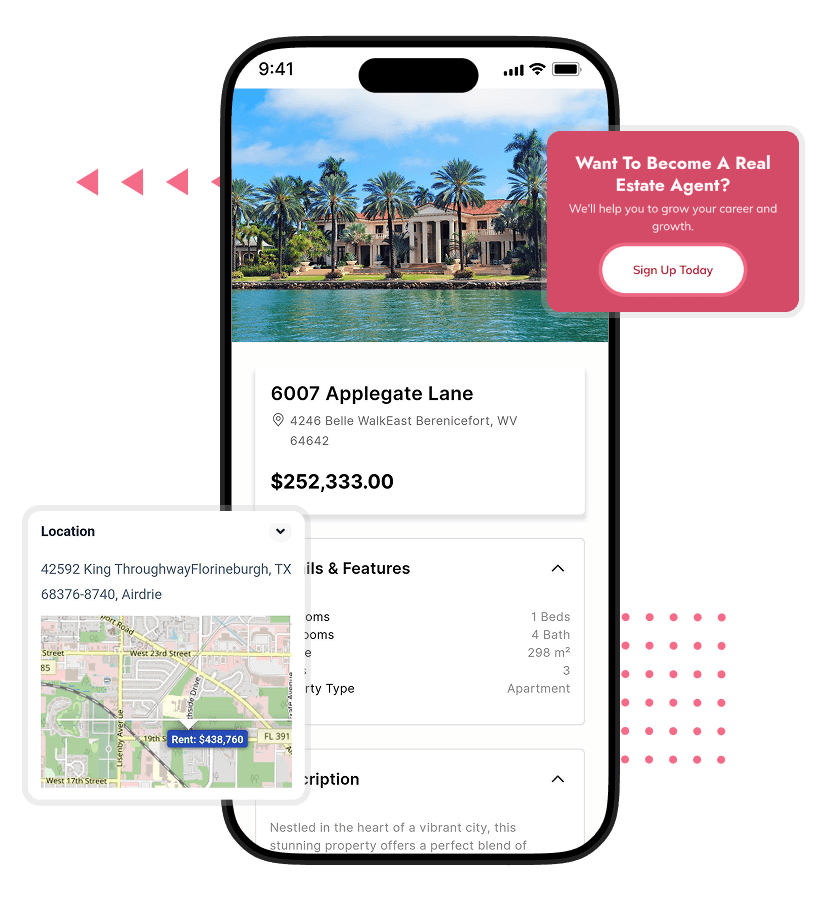
Exciting Add-Ons We Can Offer
- Agent Subscription Plans
Charge agents monthly or yearly for access to listing features, creating a predictable recurring revenue stream beyond one-time listing credits.
- Featured Listings Boost
Allow agents to promote properties to top positions in search and homepage sections for higher visibility and more enquiries.
- Lead Management CRM
Built-in CRM to track, assign, and manage leads, helping agents and agencies convert enquiries into closed deals more efficiently.
- Appointment Scheduling System
Enable users to book property viewings with time slots, reducing back-and-forth communication and improving scheduling efficiency.
Virtual Tour Integration
Support 360° tours or video walkthroughs, helping users explore properties remotely and increasing engagement for high-value listings.
- Property Alert Notifications
Users receive alerts for new listings matching their preferences, improving return visits and increasing enquiry rates.
- Advanced Agent Analytics
Provide agents with deeper insights into listing performance, enquiry trends, and user engagement to improve their marketing strategy.
- Mortgage Calculator Tool
Help buyers estimate monthly payments directly on listings, improving decision-making and increasing enquiry likelihood.
- Rental Agreement Generator
Automatically generate rental agreements for landlords and tenants, reducing manual paperwork and simplifying transactions.
- Property Verification Badge
Mark verified listings to increase trust, helping serious buyers focus on authentic and reliable property options.
Multi-Platform Availability

Web Platform

Android App

iOS App
Technology Stack

How the Platform Works
A real estate marketplace connects three parties through a structured discovery and enquiry flow. Here is how each stage works on the platform.

Agent Registers Profile

Listing Goes Live

Seeker Searches Properties

Property Details Reviewed

Enquiry and Messaging

Admin Manages Platform
How We Deliver Your Real Estate Platform

Requirement Gathering

Branding and White-Labelling

Platform Configuration

Testing

Deployment and Handover

Post-Launch Support
What Makes Our Real Estate Platform the Right Foundation

Flexible Home Layouts

Native Map Search

Full Multilingual Support

Agent Credit System

Property Comparison Tool
What Our Clients Say

Nadia El-Farouq, Founder
“We launched a regional property portal in Arabic. RTL worked perfectly from day one. The platform felt complete, and agents started listing properties within weeks of going live.”

Ian Latham, CEO
“We moved all listings to one platform and gave agents their own system. Everything became easier to manage. The analytics helped us understand demand and improve our listing strategy quickly.”

Tobias Brenner, Co-Founder
“Our users really liked the comparison feature. It made evaluating properties much easier. Combined with wishlist and recently viewed, people kept coming back instead of searching again on other platforms.”
People Love Us! Let’s Hear What they Say



The Real Estate Platform Market
The global real estate market was valued at USD 9.8 trillion in 2023 and is projected to reach USD 14.5 trillion by 2030, growing at a 6% CAGR. As property search continues to shift online, platforms that organize listings, connect agents, and capture enquiries are becoming central to how real estate transactions begin.
For founders, the opportunity lies in building focused property platforms for specific cities, regions, or niches. Our white label real estate marketplace app gives you the infrastructure to launch quickly, attract agents, and convert property search demand into consistent lead generation.

Why Choose Oyelabs
- Real Estate Experience: Our team has hands-on experience building real estate platforms across different markets. This helps you avoid common mistakes and launch with a structure that already works in practice.
- Structured Delivery Process: Your project follows a clear workflow with defined milestones. You always know what stage your platform is in and what is being delivered next.
- Direct Team Access: You communicate directly with the team building your platform. This reduces delays, avoids miscommunication, and ensures your requirements are implemented exactly as discussed.
- Customization Flexibility: We adapt the platform to your business model and market needs. You are not forced into rigid templates or fixed configurations that limit your platform’s growth.
- Reliable Support Team: The same team that builds your platform supports you after launch. This ensures faster issue resolution and a consistent understanding of your system.
- Transparent Pricing: All costs are shared upfront with no hidden charges. You can plan your investment clearly without worrying about unexpected expenses during or after delivery.
- Faster Time-to-Market: Our streamlined process helps you launch quickly without long development cycles, allowing you to capture market opportunities before competitors establish themselves.
- Long-Term Partnership: We stay aligned with your platform growth. As your business scales, we support new features, updates, and expansions without requiring you to start over.
Life at Oyelabs
At Oyelabs, we focus on creating innovative and impactful solutions. Our team is diverse, passionate, and driven by a shared commitment to excellence. We work collaboratively, supporting each other to achieve our goals and grow both personally and professionally. Our culture encourages creativity and learning, making Oyelabs a place where ideas thrive. We believe in maintaining a healthy work-life balance, ensuring everyone feels valued and motivated.
- Healthy Work-Life Balance
- Encourage Creativity and Learning
- Commitment to Excellence
- Career Growth Opportunities
- Continuous Learning and Development

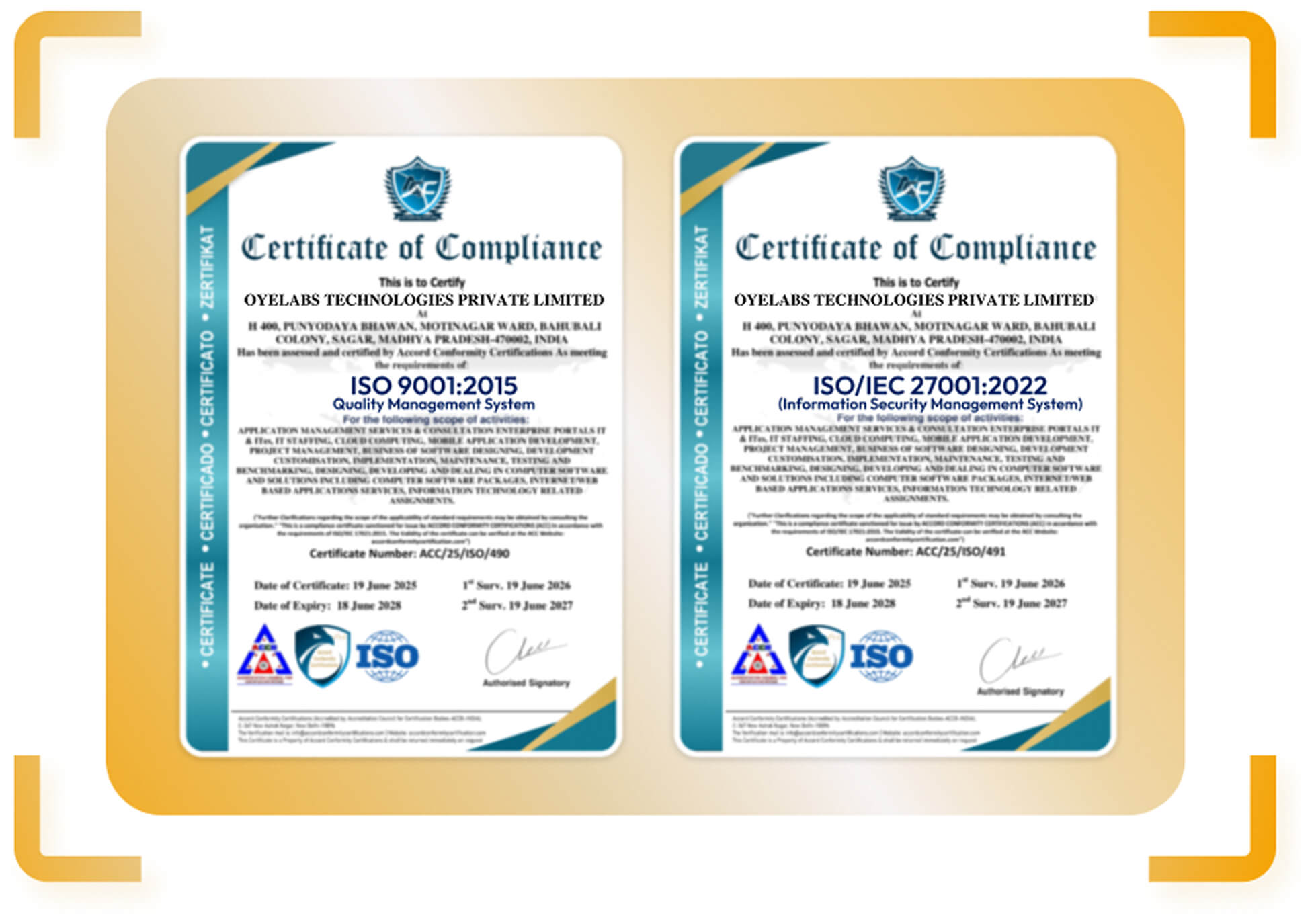
ISO Certified – OyeLabs
OyeLabs is an ISO Certified company driven by a commitment to quality, performance, and security. Our development processes align with international standards to deliver dependable and future-ready digital solutions.
Making a Difference Beyond Business.
As a people-centric organization, our success is intervened with the well being and growth of the Individuals we collaborate with. We thrive when our partners associates flourishes.



Other Exciting Solutions
Explore Oyelabs’ Ready-Made Solutions for Effortless Launch of Your Dream Business.
Oyelabs presents a suite of ready-made solutions designed for seamless work across diverse industries. Our user-friendly products ensure efficiency and ease, making your tasks hassle-free.