
White Label Freelance Marketplace Software
 Flutter Powered
Upwork and Fiverr built massive businesses by connecting freelancers and clients while earning commissions on every transaction. Our white label freelance marketplace software lets you build the same model under your own brand. Clients post jobs or buy services, freelancers submit proposals, complete work, and get paid through an escrow wallet. You control approvals, set commissions, and manage the platform from a centralized dashboard, all while running on your own servers with full source code ownership and complete operational control.
Guaranteed Live Within 1 Week *Terms & Conditions Apply
Here’s What You Get:






Screens of Our New-Edge Freelance Marketplace Software


View Demo
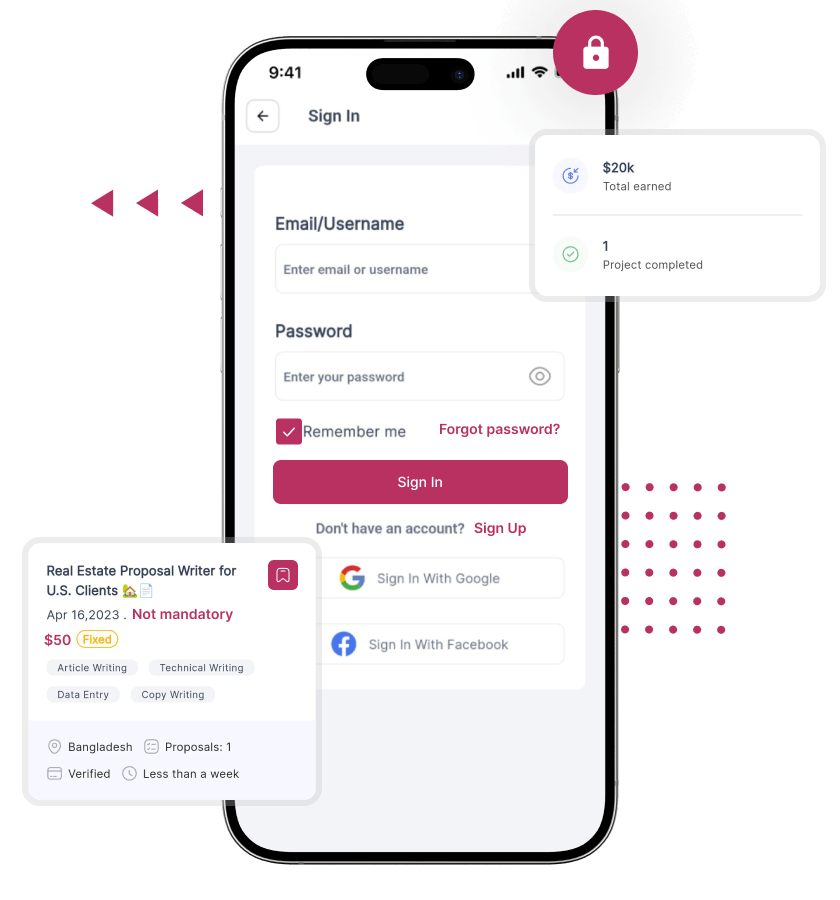
Home and Login
Job Creation Flow
Gig Order Flow
Login Rundown
Dashboard Features Rundown
- For Clients
-
Home and Login
Job Creation Flow
- For Freelancers
-
Gig Order Flow
- For Admin
-
Login Rundown
Dashboard Features Rundown
Explore the Live Product Demo of Our White Label Freelance Marketplace Software to See How it Actually Works
Two Ways Clients Can Hire on the Platform
Most freelance platforms limit users to one model. This platform supports both, letting clients choose how they hire while freelancers operate across both simultaneously.

Projects - Job-Based Hiring

Services - Gig-Based Selling

Why Both Models Matter
Features You Get With Our White Label Freelance Marketplace Software
Every feature below comes from the base product, organized by the three parties who use the platform: clients who hire, freelancers who work, and the admin who runs the operation.
For Clients
-
Signup and Login
Clients register and log in to access job postings, purchase services, manage projects, and securely handle all account activity across sessions on the platform. -
Client Dashboard
A centralized dashboard gives clients complete visibility into active jobs, ongoing orders, messages, payments, and overall project activity in one structured interface. -
Job History and Project Tracking
All past and active projects are stored and trackable from the dashboard, helping clients monitor progress, revisit completed work, and maintain organized project records. -
Invoice and Transaction Visibility
Clients access detailed transaction records, including payments made for each project or service, ensuring transparency, accountability, and easy financial tracking within the platform. -
Saved Freelancers and Job Drafts
Clients save preferred freelancers for future hiring and store unfinished job posts as drafts, allowing flexibility in planning and publishing projects when ready. -
Real-Time Messaging
Built-in messaging enables direct communication with freelancers, maintaining full conversation history per project or order, ensuring clarity and seamless coordination throughout engagements.
-
Job Posting
Clients create detailed job posts with requirements, budgets, and expectations, making it easier to attract relevant freelancers and receive quality proposals aligned with project needs. -
Fixed or Milestone Budget
Clients set project budgets as fixed amounts or divide them into milestones, allowing better control over payments and structured release based on completed work stages. -
Proposal Comparison View
All freelancer proposals are displayed in a structured format, enabling clients to compare pricing, experience, and approach before shortlisting suitable candidates efficiently. -
Shortlisting Proposals
Clients shortlist preferred freelancers and initiate discussions before final hiring, helping refine requirements and ensure alignment before committing to a project engagement. -
Hiring Confirmation
Once a freelancer is selected, an escrow-style payment hold is placed automatically, securing funds and confirming project assignment without requiring manual payment coordination. -
Milestone Tracking
Clients monitor project progress through defined milestones and release payments after reviewing and approving deliverables, ensuring work quality aligns with agreed expectations. -
Revision Requests
Clients request revisions before approving milestones if deliverables do not meet agreed standards, ensuring the final output aligns with expectations before releasing payments. -
Project Closure and Review
Clients close completed projects and submit reviews tied to verified engagements, contributing to freelancer credibility and helping future clients make informed hiring decisions.
-
Service Browsing
Clients browse freelancer services by category or keyword, discovering predefined offerings that match their needs without requiring job posting or proposal-based hiring processes. -
Instant Purchase
Clients purchase services immediately at listed prices without negotiation, enabling faster transactions and reducing delays compared to traditional proposal-based hiring workflows. -
Requirements Submission
After purchasing a service, clients submit detailed requirements and necessary assets, ensuring freelancers have all the information needed to begin work efficiently. -
Order Tracking
Clients track service order progress in real time, including stages like in progress, under review, revision requested, or delivered directly from their dashboard. -
Revision Requests
Clients request revisions within the service terms defined by the freelancer, ensuring deliverables meet expectations while maintaining clarity on scope and revision limits. -
Rating and Review
Clients leave ratings and reviews after completing service orders, helping build freelancers' reputation and guiding future buyers in making confident purchasing decisions.
-
Attachment Sharing
Clients share files, references, and deliverables directly within chat threads, ensuring all project-related communication and materials remain organized and easily accessible. -
Review Submission for Freelancers
Verified clients submit reviews after completing work, contributing to freelancer profiles and building trust signals that influence future hiring decisions on the platform. -
Notifications
Clients receive real-time alerts for proposals, milestone updates, order deliveries, and messages, ensuring they stay informed and responsive throughout the entire engagement lifecycle.
- Account and Dashboard
-
-
Signup and Login
Clients register and log in to access job postings, purchase services, manage projects, and securely handle all account activity across sessions on the platform. -
Client Dashboard
A centralized dashboard gives clients complete visibility into active jobs, ongoing orders, messages, payments, and overall project activity in one structured interface. -
Job History and Project Tracking
All past and active projects are stored and trackable from the dashboard, helping clients monitor progress, revisit completed work, and maintain organized project records. -
Invoice and Transaction Visibility
Clients access detailed transaction records, including payments made for each project or service, ensuring transparency, accountability, and easy financial tracking within the platform. -
Saved Freelancers and Job Drafts
Clients save preferred freelancers for future hiring and store unfinished job posts as drafts, allowing flexibility in planning and publishing projects when ready. -
Real-Time Messaging
Built-in messaging enables direct communication with freelancers, maintaining full conversation history per project or order, ensuring clarity and seamless coordination throughout engagements.
-
- Posting a Job and Hiring
-
-
Job Posting
Clients create detailed job posts with requirements, budgets, and expectations, making it easier to attract relevant freelancers and receive quality proposals aligned with project needs. -
Fixed or Milestone Budget
Clients set project budgets as fixed amounts or divide them into milestones, allowing better control over payments and structured release based on completed work stages. -
Proposal Comparison View
All freelancer proposals are displayed in a structured format, enabling clients to compare pricing, experience, and approach before shortlisting suitable candidates efficiently. -
Shortlisting Proposals
Clients shortlist preferred freelancers and initiate discussions before final hiring, helping refine requirements and ensure alignment before committing to a project engagement. -
Hiring Confirmation
Once a freelancer is selected, an escrow-style payment hold is placed automatically, securing funds and confirming project assignment without requiring manual payment coordination. -
Milestone Tracking
Clients monitor project progress through defined milestones and release payments after reviewing and approving deliverables, ensuring work quality aligns with agreed expectations. -
Revision Requests
Clients request revisions before approving milestones if deliverables do not meet agreed standards, ensuring the final output aligns with expectations before releasing payments. -
Project Closure and Review
Clients close completed projects and submit reviews tied to verified engagements, contributing to freelancer credibility and helping future clients make informed hiring decisions.
-
- Buying a Gig Service
-
-
Service Browsing
Clients browse freelancer services by category or keyword, discovering predefined offerings that match their needs without requiring job posting or proposal-based hiring processes. -
Instant Purchase
Clients purchase services immediately at listed prices without negotiation, enabling faster transactions and reducing delays compared to traditional proposal-based hiring workflows. -
Requirements Submission
After purchasing a service, clients submit detailed requirements and necessary assets, ensuring freelancers have all the information needed to begin work efficiently. -
Order Tracking
Clients track service order progress in real time, including stages like in progress, under review, revision requested, or delivered directly from their dashboard. -
Revision Requests
Clients request revisions within the service terms defined by the freelancer, ensuring deliverables meet expectations while maintaining clarity on scope and revision limits. -
Rating and Review
Clients leave ratings and reviews after completing service orders, helping build freelancers' reputation and guiding future buyers in making confident purchasing decisions.
-
- Communication and Trust
-
-
Attachment Sharing
Clients share files, references, and deliverables directly within chat threads, ensuring all project-related communication and materials remain organized and easily accessible. -
Review Submission for Freelancers
Verified clients submit reviews after completing work, contributing to freelancer profiles and building trust signals that influence future hiring decisions on the platform. -
Notifications
Clients receive real-time alerts for proposals, milestone updates, order deliveries, and messages, ensuring they stay informed and responsive throughout the entire engagement lifecycle.
-


For Freelancers
-
Freelancer Profile
A public profile showcases skills, portfolio, certifications, experience, ratings, and completed projects, helping freelancers present credibility and attract clients actively searching for relevant expertise. -
Profile Completeness Indicator
A visible progress indicator guides freelancers on missing profile elements, encouraging full completion and improving visibility, trust, and chances of getting hired on the platform. -
Availability and Workload Tracking
Freelancers set availability status to indicate whether they are open to new work, helping clients make faster hiring decisions based on real-time workload visibility. -
Ratings and Reviews Visibility
Client reviews and star ratings are displayed publicly on profiles, building trust and helping freelancers establish credibility through verified feedback from completed projects. -
Earnings Dashboard
A dedicated dashboard displays total earnings, pending funds, commission deductions, and completed orders, giving freelancers a clear financial overview of their performance. -
Wallet Balance
Freelancers maintain a real-time wallet balance showing cleared funds available for withdrawal, ensuring transparency and easy access to earned payments at any time.
-
Service Package Creation
Freelancers create predefined service packages with pricing tiers, delivery timelines, and scope descriptions, enabling clients to purchase services instantly without negotiation or proposal-based hiring. -
Service Pricing Tiers
Services are structured into multiple pricing tiers, such as basic, standard, and premium, each offering different inclusions to cater to varied client needs and budgets. -
Service FAQs and Requirements
Freelancers add FAQs and define requirements needed from clients before starting work, reducing misunderstandings and ensuring smoother execution of service-based orders. -
Service Availability Control
Freelancers pause or resume service availability directly from their dashboard, allowing them to manage workload without removing listings or affecting service visibility permanently. -
Incoming Order Management
All active service orders are managed from the freelancer dashboard with client details, deadlines, and requirements, ensuring organized handling and timely delivery of work.
-
Job Browsing
Freelancers explore open job posts by category or skill tags, helping them identify relevant opportunities and focus on projects aligned with their expertise. -
Proposal Submission
Freelancers submit proposals including pricing, timelines, approach, and attachments, allowing clients to evaluate their suitability and compare them with other candidates. -
Pre-Hire Communication
Freelancers communicate with clients before and after hiring to clarify requirements, ensuring alignment on project scope and reducing the risk of misunderstandings. -
Milestone Work Submission
Freelancers submit completed work per milestone for client review, ensuring structured delivery and enabling staged approval before releasing associated payments. -
Payment Receipt to Wallet
Approved milestone payments are automatically credited to the freelancer's wallet, ensuring timely payment processing without requiring manual follow-up or external coordination with clients.
-
Pending vs Released Funds
Wallet clearly separates escrow-held funds from released funds, giving freelancers full visibility into earnings status and helping them track payments throughout project lifecycles. -
Withdrawal Requests
Freelancers submit withdrawal requests directly from their wallet, which are reviewed and processed by the admin, ensuring controlled and secure payout management across the platform. -
Payout History
A complete history of withdrawals, including amount, date, and status, is available, helping freelancers track transactions and maintain clear financial records for their earnings.
- Profile and Dashboard
-
-
Freelancer Profile
A public profile showcases skills, portfolio, certifications, experience, ratings, and completed projects, helping freelancers present credibility and attract clients actively searching for relevant expertise. -
Profile Completeness Indicator
A visible progress indicator guides freelancers on missing profile elements, encouraging full completion and improving visibility, trust, and chances of getting hired on the platform. -
Availability and Workload Tracking
Freelancers set availability status to indicate whether they are open to new work, helping clients make faster hiring decisions based on real-time workload visibility. -
Ratings and Reviews Visibility
Client reviews and star ratings are displayed publicly on profiles, building trust and helping freelancers establish credibility through verified feedback from completed projects. -
Earnings Dashboard
A dedicated dashboard displays total earnings, pending funds, commission deductions, and completed orders, giving freelancers a clear financial overview of their performance. -
Wallet Balance
Freelancers maintain a real-time wallet balance showing cleared funds available for withdrawal, ensuring transparency and easy access to earned payments at any time.
-
- Offering Services
-
-
Service Package Creation
Freelancers create predefined service packages with pricing tiers, delivery timelines, and scope descriptions, enabling clients to purchase services instantly without negotiation or proposal-based hiring. -
Service Pricing Tiers
Services are structured into multiple pricing tiers, such as basic, standard, and premium, each offering different inclusions to cater to varied client needs and budgets. -
Service FAQs and Requirements
Freelancers add FAQs and define requirements needed from clients before starting work, reducing misunderstandings and ensuring smoother execution of service-based orders. -
Service Availability Control
Freelancers pause or resume service availability directly from their dashboard, allowing them to manage workload without removing listings or affecting service visibility permanently. -
Incoming Order Management
All active service orders are managed from the freelancer dashboard with client details, deadlines, and requirements, ensuring organized handling and timely delivery of work.
-
- Bidding on Jobs
-
-
Job Browsing
Freelancers explore open job posts by category or skill tags, helping them identify relevant opportunities and focus on projects aligned with their expertise. -
Proposal Submission
Freelancers submit proposals including pricing, timelines, approach, and attachments, allowing clients to evaluate their suitability and compare them with other candidates. -
Pre-Hire Communication
Freelancers communicate with clients before and after hiring to clarify requirements, ensuring alignment on project scope and reducing the risk of misunderstandings. -
Milestone Work Submission
Freelancers submit completed work per milestone for client review, ensuring structured delivery and enabling staged approval before releasing associated payments. -
Payment Receipt to Wallet
Approved milestone payments are automatically credited to the freelancer's wallet, ensuring timely payment processing without requiring manual follow-up or external coordination with clients.
-
- Earnings and Withdrawals
-
-
Pending vs Released Funds
Wallet clearly separates escrow-held funds from released funds, giving freelancers full visibility into earnings status and helping them track payments throughout project lifecycles. -
Withdrawal Requests
Freelancers submit withdrawal requests directly from their wallet, which are reviewed and processed by the admin, ensuring controlled and secure payout management across the platform. -
Payout History
A complete history of withdrawals, including amount, date, and status, is available, helping freelancers track transactions and maintain clear financial records for their earnings.
-
For Admin
-
Admin Dashboard
A centralized dashboard provides full visibility into active projects, service orders, new users, revenue metrics, and withdrawal requests, enabling complete operational oversight from one interface. -
User Management
Admin can view, approve, suspend, or block any client or freelancer account, ensuring platform integrity and maintaining control over user activity and participation at all times. -
Profile Verification Oversight
Admin reviews freelancer verification status and controls which profiles are marked verified, helping maintain trust, credibility, and quality standards across the platform ecosystem. -
Seller Registration Control
Admin enables or disables freelancer registrations and approves new accounts before activation, ensuring only vetted users gain access to the platform marketplace. -
Role-Based Access Control
Different permission levels for clients, freelancers, and admins define access rights, ensuring secure operations and preventing unauthorized actions across different parts of the platform. -
User Activity Monitoring
Admin monitors user behavior across the platform, enabling proactive moderation, identifying suspicious activity, and maintaining a safe and controlled environment for all participants.
-
Project and Service Monitoring
Admin has full visibility into all active and completed projects and service orders, allowing effective tracking, management, and intervention when required across engagements. -
Disputed Project Intervention
Admin can step into stalled or disputed projects, making decisions to release or withhold payments, ensuring fair resolution and protecting both client and freelancer interests. -
Category and Skill Management
Admin creates and manages service categories, job categories, and skill tags, ensuring structured navigation and better matching between clients and freelancers on the platform. -
Homepage Content Configuration
Admin configures homepage elements, including featured freelancers, highlighted services, and layout structure, enabling better visibility and promotion of key platform offerings. -
Review Moderation
Admin reviews and moderates ratings and reviews before or after publication, ensuring authenticity, preventing misuse, and maintaining credibility across freelancer profiles and service listings.
-
Commission Configuration
Admin sets platform commission rates globally or per transaction, with automatic application ensuring consistent revenue generation without requiring manual calculations or intervention. -
Platform Earnings Visibility
Admin tracks total transaction volume, commission earned, and freelancer payouts, gaining full financial visibility and insights into overall platform performance and revenue streams. -
Withdrawal Request Management
Freelancer withdrawal requests are reviewed and approved or declined by the admin, ensuring controlled payouts and maintaining financial discipline across all transactions on the platform. -
Transaction-Level Visibility
Every payment event, including escrow holds, releases, commissions, and transactions, is logged, providing detailed visibility and traceability for financial monitoring and auditing purposes. -
Minimum Withdrawal Threshold
Admin defines the minimum wallet balance required for withdrawal requests, ensuring efficient payout management and reducing operational overhead caused by frequent small transactions.
-
Admin Approval Flows
Critical actions such as new accounts, withdrawals, and content updates require admin approval, ensuring controlled operations and preventing unauthorized changes across the platform. -
Audit-Friendly Transaction Records
All financial transactions are recorded with timestamps, enabling compliance, transparency, and efficient resolution of disputes through clear and verifiable transaction history. -
Dispute Resolution Readiness
Platform structure supports admin-led resolution of disputes, allowing intervention in project or payment conflicts and ensuring fair outcomes for both clients and freelancers. -
Admin Notification Alerts
Admin receives real-time alerts for registrations, withdrawal requests, and disputes, enabling quick action and ensuring no critical activity is missed across the platform. -
SEO-Friendly Structure
Category pages, freelancer profiles, and service listings are optimized for search engines, improving organic visibility and helping the platform attract traffic without heavy marketing dependency.
- Platform Control and Users
-
-
Admin Dashboard
A centralized dashboard provides full visibility into active projects, service orders, new users, revenue metrics, and withdrawal requests, enabling complete operational oversight from one interface. -
User Management
Admin can view, approve, suspend, or block any client or freelancer account, ensuring platform integrity and maintaining control over user activity and participation at all times. -
Profile Verification Oversight
Admin reviews freelancer verification status and controls which profiles are marked verified, helping maintain trust, credibility, and quality standards across the platform ecosystem. -
Seller Registration Control
Admin enables or disables freelancer registrations and approves new accounts before activation, ensuring only vetted users gain access to the platform marketplace. -
Role-Based Access Control
Different permission levels for clients, freelancers, and admins define access rights, ensuring secure operations and preventing unauthorized actions across different parts of the platform. -
User Activity Monitoring
Admin monitors user behavior across the platform, enabling proactive moderation, identifying suspicious activity, and maintaining a safe and controlled environment for all participants.
-
- Projects, Services, and Content
-
-
Project and Service Monitoring
Admin has full visibility into all active and completed projects and service orders, allowing effective tracking, management, and intervention when required across engagements. -
Disputed Project Intervention
Admin can step into stalled or disputed projects, making decisions to release or withhold payments, ensuring fair resolution and protecting both client and freelancer interests. -
Category and Skill Management
Admin creates and manages service categories, job categories, and skill tags, ensuring structured navigation and better matching between clients and freelancers on the platform. -
Homepage Content Configuration
Admin configures homepage elements, including featured freelancers, highlighted services, and layout structure, enabling better visibility and promotion of key platform offerings. -
Review Moderation
Admin reviews and moderates ratings and reviews before or after publication, ensuring authenticity, preventing misuse, and maintaining credibility across freelancer profiles and service listings.
-
- Financial Controls
-
-
Commission Configuration
Admin sets platform commission rates globally or per transaction, with automatic application ensuring consistent revenue generation without requiring manual calculations or intervention. -
Platform Earnings Visibility
Admin tracks total transaction volume, commission earned, and freelancer payouts, gaining full financial visibility and insights into overall platform performance and revenue streams. -
Withdrawal Request Management
Freelancer withdrawal requests are reviewed and approved or declined by the admin, ensuring controlled payouts and maintaining financial discipline across all transactions on the platform. -
Transaction-Level Visibility
Every payment event, including escrow holds, releases, commissions, and transactions, is logged, providing detailed visibility and traceability for financial monitoring and auditing purposes. -
Minimum Withdrawal Threshold
Admin defines the minimum wallet balance required for withdrawal requests, ensuring efficient payout management and reducing operational overhead caused by frequent small transactions.
-
- Safety and Notifications
-
-
Admin Approval Flows
Critical actions such as new accounts, withdrawals, and content updates require admin approval, ensuring controlled operations and preventing unauthorized changes across the platform. -
Audit-Friendly Transaction Records
All financial transactions are recorded with timestamps, enabling compliance, transparency, and efficient resolution of disputes through clear and verifiable transaction history. -
Dispute Resolution Readiness
Platform structure supports admin-led resolution of disputes, allowing intervention in project or payment conflicts and ensuring fair outcomes for both clients and freelancers. -
Admin Notification Alerts
Admin receives real-time alerts for registrations, withdrawal requests, and disputes, enabling quick action and ensuring no critical activity is missed across the platform. -
SEO-Friendly Structure
Category pages, freelancer profiles, and service listings are optimized for search engines, improving organic visibility and helping the platform attract traffic without heavy marketing dependency.
-
Add-Ons You Can Get
The platform follows a modular add-on approach. Start with the base product and extend only when your business demands it.
- Advanced Escrow Customization
Customize escrow rules, milestone structures, and payment release logic to match complex project workflows or region-specific compliance requirements.
- Subscription Plans for Freelancers
Charge freelancers monthly or yearly for premium visibility, proposal limits, or access to exclusive job opportunities, creating predictable recurring revenue.
- Featured Freelancers & Services
Allow freelancers to boost profiles or services for higher visibility in search results, increasing bookings while adding a monetization layer to your platform.
- AI Proposal Assistant
Help freelancers generate high-quality proposals based on job descriptions, improving response speed and increasing hiring success rates across the platform.
- Smart Job Matching Engine
Automatically match jobs with the most relevant freelancers based on skills, ratings, and activity, improving conversion rates and reducing hiring friction.
- Multi-Currency Support
Enable multiple currencies and localized pricing to expand globally, allowing users to transact in their preferred currency with a seamless payment experience.
- Multi-Language Support
Offer platform access in multiple languages, including RTL support, helping you reach diverse user bases and expand into international markets without rebuilding the interface.
- Advanced Analytics Dashboard
Provide deeper insights into user behavior, job success rates, freelancer performance, and revenue trends for better decision-making and platform optimization.
- Dispute Management System (Advanced)
Enhance dispute handling with structured workflows, evidence submission, and resolution tracking for better trust and smoother conflict management.
- Freelancer Skill Certification
Freelancers complete skill tests and earn verified badges, helping clients identify qualified talent faster and improving trust across the platform.
Pricing and Package Options
Three packages are designed for where your business is right now. Mobile apps for clients and freelancers are available as an additional purchase across all packages.
OyeStart - $950
OyePro - $1,650
OyeElite - $4,450
How the Platform Works
A freelance marketplace involves more financial and workflow complexity than most other platform types. Escrow, milestones, proposals, and commission all need to work in sequence without friction. Here is how the platform handles the full flow.

Freelancer Profile Setup

Client Hiring Options

Proposal Hiring Process

Work Delivery Process

Payment Withdrawal Flow

Review System Flow
Mobile Apps (Available as an Add-On)
Dedicated Flutter mobile apps for clients and freelancers are available as an additional purchase. Both apps offer full feature parity with the web platform – the mobile experience is not a stripped-down version.

Client App
Browse services, post jobs, review proposals, track ongoing projects and orders, message freelancers, and manage wallet payments – all from a native mobile app on Android and iOS.

Freelancer App
Browse open jobs, submit proposals, manage incoming service orders, submit milestone deliverables, chat with clients, and track wallet balance and earnings on the go from Android and iOS.
Technology Stack
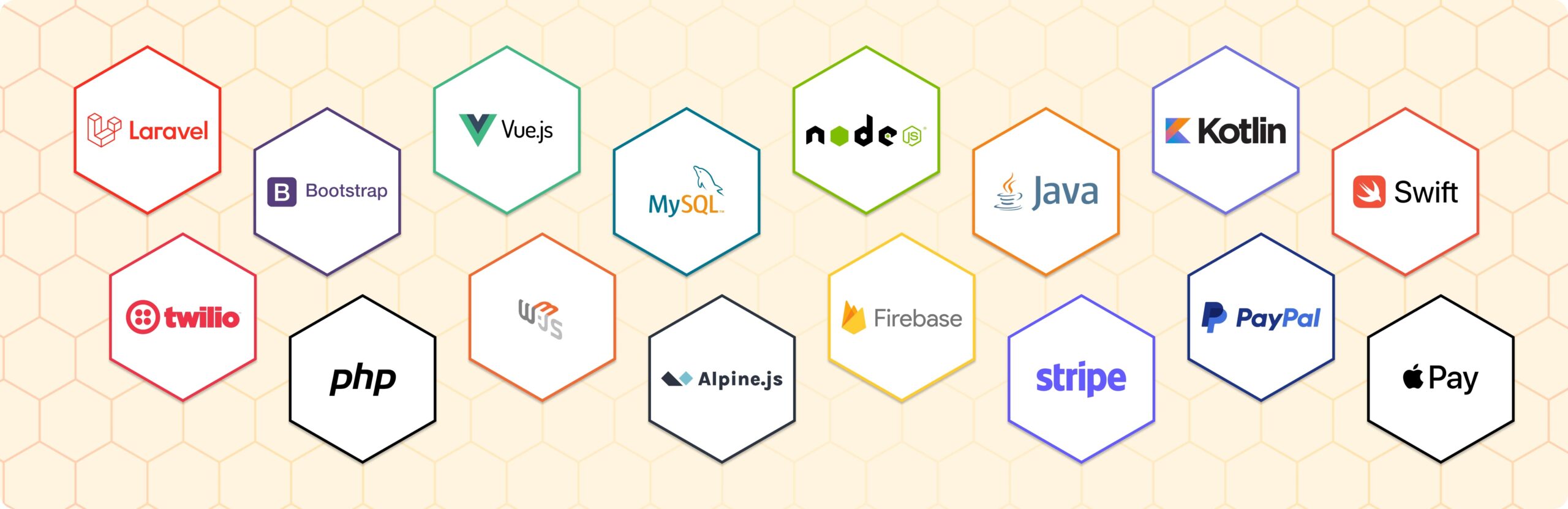
Built on a modern, stable technology stack chosen for long-term maintainability and customization flexibility. No IonCube encryption, no restricted binaries – the code is fully open for your team to audit, modify, or extend.
How Our Platform Compares
The freelance marketplace software market sits between two expensive extremes: agency-built custom platforms costing $15k to $50k, and SaaS platforms that charge monthly fees and restrict what you can do. Here is where our white label freelance marketplace software sits.
Founders on Working With Oyelabs

Tariq Al-Nasser, Founder
“We were concerned about escrow and milestone payments. Oyelabs already had it tested and working, so we focused on onboarding freelancers and clients instead of spending time fixing payment issues.”

Clara Audny, CEO
“We run a niche platform for legal freelancers. The admin panel lets us structure categories exactly how our users think. Having full code ownership meant we could adapt everything easily.”

James Okafor, Co-Founder
“We started with OyeStart to test demand in our region. After traction, we upgraded quickly. The modular approach let us add features without rebuilding, which saved us time and effort.”
People Love Us! Let’s Hear What they Say



The Freelance Economy and the Platform Opportunity
The freelance economy is rapidly expanding, with over 1.57 billion people globally working independently, representing a significant shift toward flexible, on-demand work. At the same time, platform-driven freelance transactions continue to grow as businesses increasingly rely on remote talent.
This creates a major opportunity for founders to build focused marketplaces serving specific niches, regions, or skill categories instead of competing with global platforms directly.
Our white label freelance marketplace software gives you the infrastructure to launch quickly. Core systems like escrow, hiring workflows, and commission management are already built, letting you focus on growth, not development.

Why Choose Oyelabs?
- Proven Experience: Our team has built and delivered marketplace platforms across industries, giving you a team that understands real-world execution, not just development theory or isolated feature delivery.
- Structured Process: Your project follows a defined workflow with clear timelines, milestones, and deliverables, ensuring predictable execution without scope confusion, delays, or last-minute surprises during development.
- Direct Communication: You work directly with the team building your platform, eliminating communication gaps, reducing delays, and ensuring alignment between what is discussed, built, and finally delivered.
- Reliable Support: Post-launch support is handled by the same team that built your platform, ensuring faster issue resolution, better understanding, and continuous assistance as your business starts operating.
- Business Understanding: We understand how marketplaces operate in real conditions, helping you make practical decisions around structure, workflows, and scaling instead of just delivering code without context.
- Transparent Pricing: Clear pricing with no hidden costs ensures you know exactly what you are paying for, eliminating uncertainty and helping you plan your investment confidently from the start.
- Faster Execution: Experienced teams and structured workflows help deliver your platform efficiently, reducing unnecessary delays and ensuring you move from idea to launch without prolonged development cycles.
- Long-Term Partnership: We stay aligned with your growth beyond delivery, supporting your platform as it evolves, scales, and adapts to new requirements, market conditions, and business opportunities.
Life at Oyelabs
At Oyelabs, we focus on creating innovative and impactful solutions. Our team is diverse, passionate, and driven by a shared commitment to excellence. We work collaboratively, supporting each other to achieve our goals and grow both personally and professionally. Our culture encourages creativity and learning, making Oyelabs a place where ideas thrive. We believe in maintaining a healthy work-life balance, ensuring everyone feels valued and motivated.
- Healthy Work-Life Balance
- Encourage Creativity and Learning
- Commitment to Excellence
- Career Growth Opportunities
- Continuous Learning and Development


ISO Certified – OyeLabs
OyeLabs is an ISO Certified company driven by a commitment to quality, performance, and security. Our development processes align with international standards to deliver dependable and future-ready digital solutions.
Making a Difference Beyond Business.
As a people-centric organization, our success is intervened with the well being and growth of the Individuals we collaborate with. We thrive when our partners associates flourishes.



Other Exciting Solutions
Explore Oyelabs’ Ready-Made Solutions for Effortless Launch of Your Dream Business.
Oyelabs presents a suite of ready-made solutions designed for seamless work across diverse industries. Our user-friendly products ensure efficiency and ease, making your tasks hassle-free.
Unleash Your Business’s True Potential,
With Our White Label Freelance Marketplace Software – Starting at $2199 $950
Product Update History
Version: 4.0.0
-
Release Date: November 28th, 2024
- Flexible profile management: users can switch between Freelancer and Client roles, with admins able to restrict switching from Additional Settings.
- Configurable project/job duration and experience levels in the admin panel, with fallback to default values if no custom settings are provided.
- Control over file uploads: manage allowed extensions and maximum size directly from admin settings.
- Frontend reviews now support smooth pagination without reloading the page.
- Admin panel upgrades:
- Bulk deletion for Freelancers and Clients.
- Option to email either all registered users or only subscribers (separate menus).
- Text search added across projects, jobs, and related categories/subcategories.
- Mobile app notifications extended to include file upload alerts (Notification menu).
- Improved chat readability with better word wrapping.
- Layout fix: even box sizes in Xilancer project views.
- General stability updates and performance refinements.
New Features & Enhancements:
Version: 3.9.0
-
Release Date: October 18th, 2024
- Clients can post jobs on an hourly basis with rate and time management.
- Wallet verification is required before creating hourly orders.
- Freelancers can:
- Verify payment before accepting work.
- Use a time tracker with notes and restore progress if interrupted.
- View personal work history.
- Clients gain visibility into freelancer work logs and can adjust tracked time.
- Real-time earnings display for both sides.
- Full admin control: view, activate/deactivate, and manage hourly jobs, including minimum hours setup.
- Fixed image upload issues on cloud servers.
- Images now render properly on profile details.
- Translation inconsistencies corrected.
- Introduced an add-on for freelancer profile promotion.
- Updated translation strings for project duration.
- Minor bug corrections and style adjustments.
HourlyJob Plugin (Premium):
Version: 3.8.0
- Enhanced validation for blog categories and user names during registration.
- Option to enable/disable reCAPTCHA for registration.
- Meta title/description fields added to projects and jobs.
- New add-ons: promote projects, view all projects, and latest projects button.
- Expanded file support: Docx and Zip in chat, proposals, jobs, orders, and tickets.
- Order description and milestone features can now be toggled.
- Scroll animation added for paginated jobs/projects across categories.
- New payment gateways: Kinetic and AWD.
- Fixed issues: order counts, job posting errors, border breakdown in package comparisons, spacing between currency symbols, and word breaks in job titles.
Version: 3.6.0
- Admin can now configure reCAPTCHA settings for user registration.
- Header add-ons updated with editable button links.
- SEO enhancements: H1 tags for details pages and meta fields for categories/subcategories.
- Category metadata is now displayed on respective pages.
- Option to enable/disable subscriptions added.
- Numeric-only names are blocked for categories and subcategories.
- Freelancers can delete offers before client acceptance.
- Fixed issues with admin media file deletion.
Version: 3.5.0
- Fresh homepage design with new header and App Store add-ons.
- Added “Why Choose Us” and “Latest Projects” sections.
- Explore jobs/projects by category.
- Updated Korean currency symbol.
- New UI icons: download arrows for attachments.
- Option to enable/disable decimal points in payment info.
- Fixed currency symbol positioning issue.
Version: 3.4.0
- Fixed validation errors in chat messages when no project was available.
- Corrected unseen message count display.
- Resolved PayPal gateway issues.
- Added notification support for translated job/project creation.
- Introduced support for the Freelancer Promotional Plugin (Premium).
Version: 3.3.0
- Offline users now receive chat notifications via email (requires admin setup).
- Chat email settings added in Additional Settings.
- Fixed Paytabs payment errors.
- Adjusted profile image display sizes.
- Translation fixes for several words.
- Improved text wrapping for blog, project, and testimonial sections.
Version: 3.2.0
- Fixed caching problems related to automatic updates.
Version: 3.1.0
- Introduced RTL support and invoice generation for completed orders.
- Social login support added (requires setup).
- New admin options: enable/disable automatic project approvals, FAQ management, and toggle commission/balance visibility for clients.
- Validation and input improvements across projects, jobs, and identity uploads.
- Additional currencies and ID support introduced.
- Order rejection for queued payments is now supported.
- Added push notifications for mobile apps.
- Multiple fixes for payment gateways and wallet issues.
Version: 3.0.0
- Added newsletter feature and two-step validation during registration.
- Homepage/About us customization with dynamic color & padding for add-ons.
- Clients can remove failed orders; payment failure pages have been redesigned.
- SMTP test mail errors now display detailed logs.
- Word-wrap support in job/project details.
- New reports section, freelancer dashboard showing funded orders, and direct profile links from chat.
- Added new gateway options, updated withdrawal fees (fixed/percentage), and the T&C checkbox on registration.
- Fixed CSS animations, payment gateway defaults, and manual payment status updates.
Version: 2.1.2
- New: welcome email for sign-ups, phone validation, multilingual slugs, and accurate hire rate calculations.
- Users are redirected to “All Projects” after edits.
- Package UI updated.
- Security: Admin emails no longer display passwords.
- Fixed revision requests and slider button text issues.
Version: 2.1.1
- Enhanced registration settings and new integrations.
- Customizable “Top Freelancer of the Month” text.
- Added decimal separator customization and logo redirect to the admin dashboard.
- New translations (Chinese, Spanish, Portuguese, Russian, Turkish).
- Animation toggles and category sliders added.
- State and city are now optional fields.
- Improved admin notices and work experience editing.
- Fixes: QR codes, UI bugs, and payment gateway toggles.
Version: 2.1.0
- Separate add-ons for category-based jobs/projects.
- Sticky menu setting and verification badges added.
- Admin panel improvements: add clients/freelancers, enable/disable jobs/projects, rejection reasons for projects, and feedback management.
- Dashboards updated with project/job lists.
- Improved support tickets, notifications, and order details.
- Fixes: project delivery times, pagination errors, registration without phone numbers, and UI issues.
Version: 2.0.5
- Default language selection added.
- New scroll-to-top button.
- Fixes for chat box design, unread messages, and job count.
Version: 2.0.4
- Chat updates: sound + notifications for messages.
- New fonts for sections.
- Improved history layouts for projects/jobs in the admin panel.
- Added Iyzipay payment gateway.
- Fixes: proposal revisions, user deletions, and chat errors.
Version: 2.0.3
- Fixed update/licensing issues.
- Added loader + real-time validation to registration.
- Menu builder now supports static pages.
- Updated profile detail pages and header options.
Version: 2.0.2
- New Talent page with AJAX filters and pagination.
- Blogging module introduced.
- Admin options to toggle page loader and the mouse pointer.
- Fixes for payment gateways and translation issues.
Version: 2.0.1
- Global project/job search implemented.
- New Freelancer job proposal page with filters and AJAX pagination.
- Separate dashboards for freelancers and clients.
- Fixes for broken URLs and custom offer chat issues.